4-24
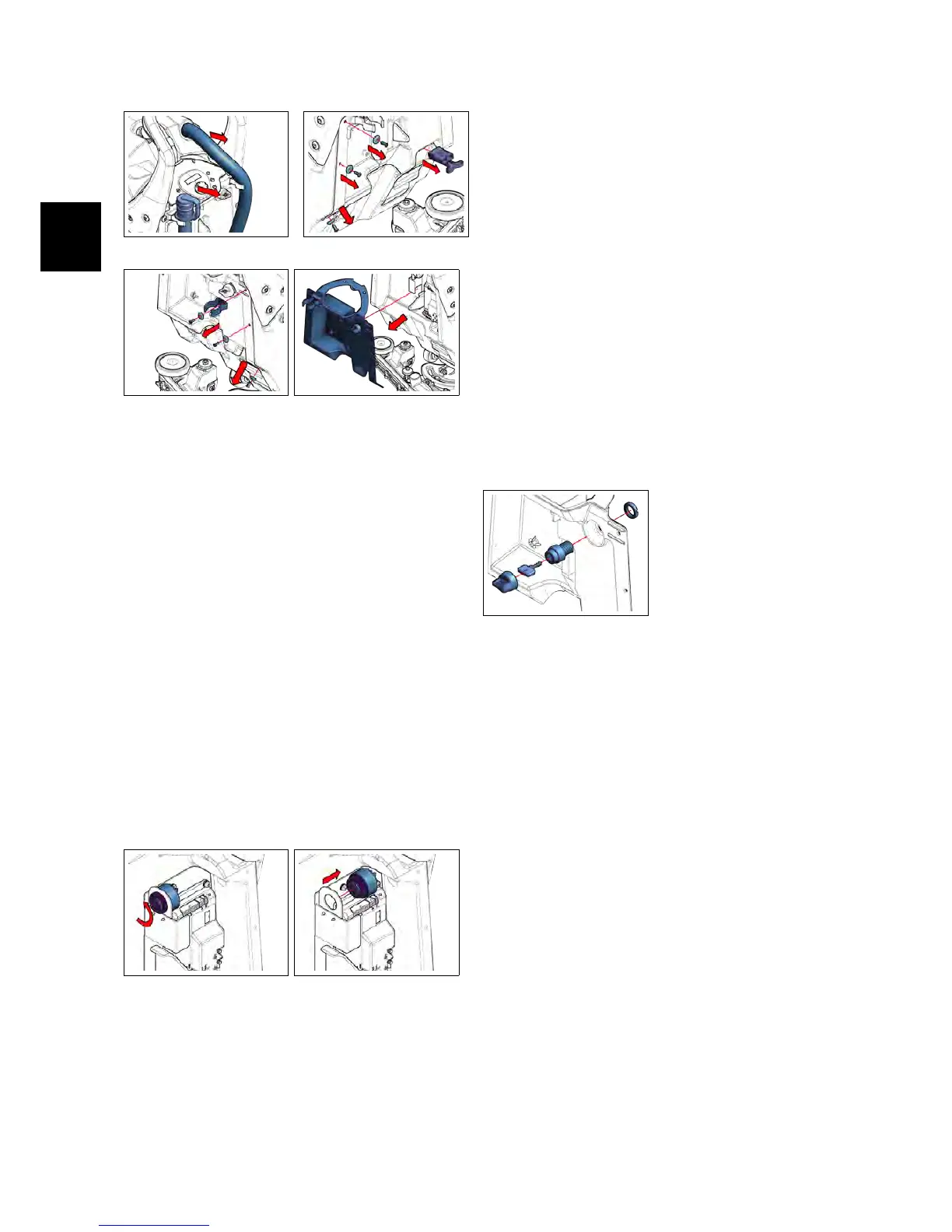
4.1.6-8 4.1.6-9
4.1.6-10 4.1.6-11
4.1.7 Buzzer IMx B/BT
• Put the machine in safe conditions.
• Remove the Function Dashboard (see
section 4.1.2 at page 17)
• Remove the Rear Dashboard (see section
4.1.6 at page 18)
• Unplug all the wires connected to
the Buzzer.
• Loose the ring that block the Buzzer
on the support bracket (see fig. 4.1.7-12).
• Remove the Buzzer (see fig. 4.1.7-13).
• Proceed at reverse to refit the part.
4.1.7-12 4.1.7-13
4.1.8 Key Switch
• Put the machine in safe conditions.
• Remove the Function Dashboard (see
section 4.1.2 at page 17)
• Remove the Rear Dashboard (see section
4.1.6 at page 18)
• Loose the ring that blocks the Key
Switch to the Rear Dashboard (see fig.
4.1.8-14).
• Remove the Key Switch.
• Proceed at reverse to refit the part.
4.1.8-14
4.1.9 BDI (Battery Discharge
Indicator) IMx BB
• Put the machine in safe conditions.
• Remove the Function Dashboard (see
section 4.1.2 at page 17)
• Unplug the multipolar connector
from the BDI.
• Loose the knobs that block the BDI
to its bracket (see fig. 4.1.9-16)
• Remove the BDI from the Function
Dashboard (see fig. 4.1.9-17).
• Proceed at reverse to refit the part.



 To Next Page