5-60
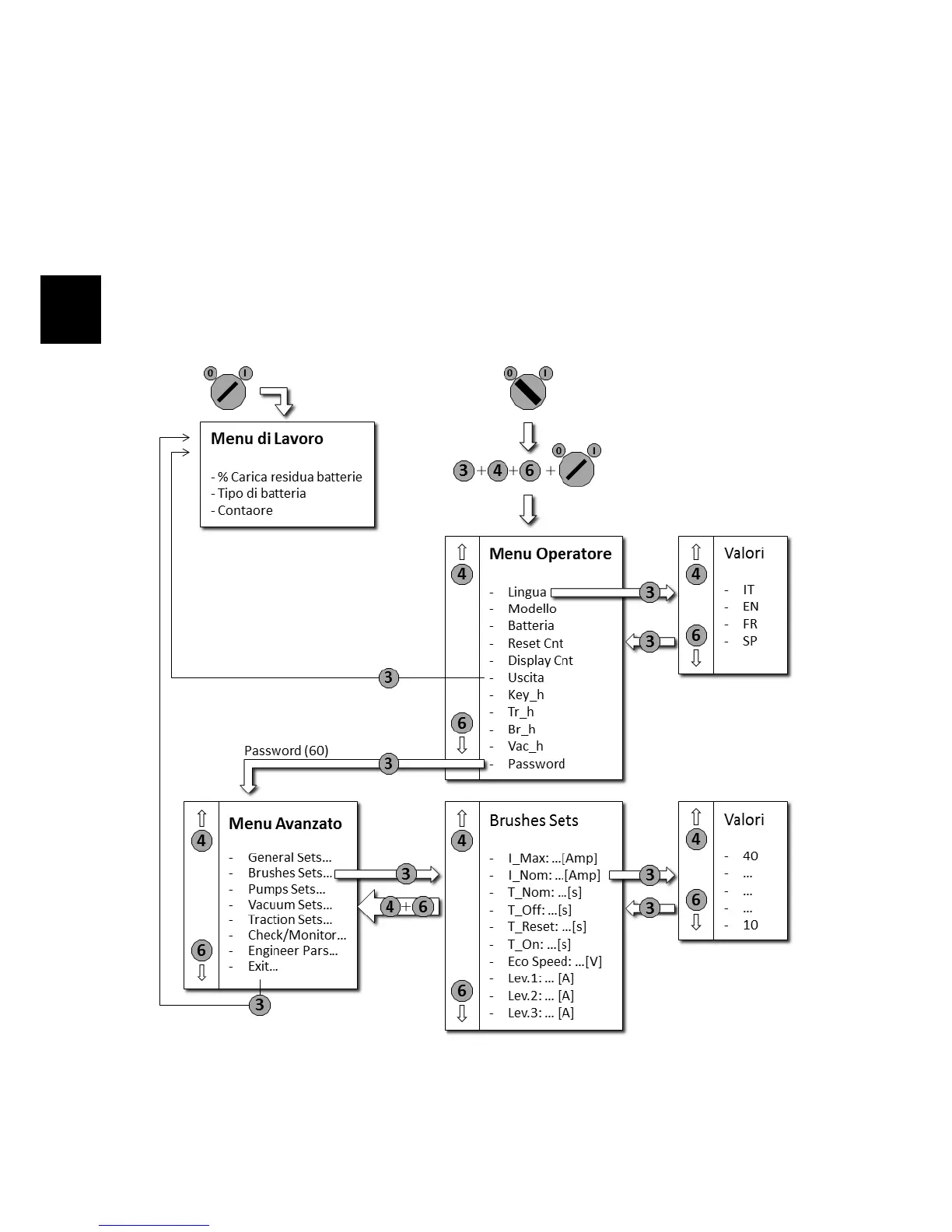
5.14 Menu Tables (IMx B/BT only)
5.14.1 Menu Tree
• Make sure the machine is turned off.
• Press simultaneously the buttons 3,4,6.
• Turn on the machine while holding down the buttons.
• Wait the loading of the Operator Menu.
• For the submenus of the Advanced Menu, refer to the specific tables.



 To Next Page