5-50
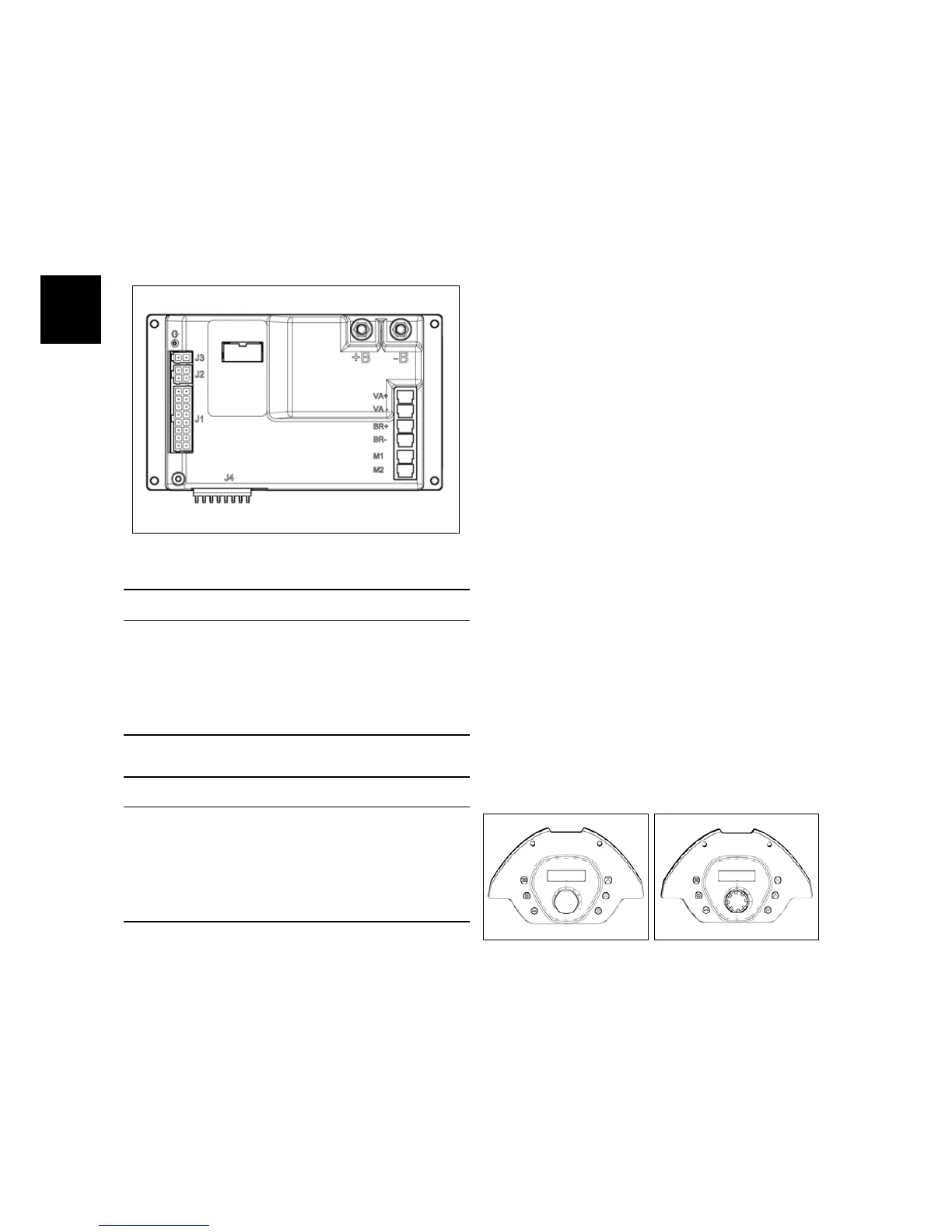
5.5.3 Main Card (IMx B/BT)
The Main Card is the heart of the ma-
chine and, depending of the input infor-
mation, decides how to use the devices
of the machine during normal work. On
the tables here below, is possible to iden-
tify the input/output signals.
Main Card
Input Signals
J1 Power from key, Charger, Buzzer,
Safety Micro, Potentiometer (IMx BT
only)
J2 Buttons from control card
J3 Proportional Solenoid Valve
Output Signals
VA Supply to Vacuum Motor
BR Supply to Brush Motor
M1 Supply to Traction Motor
M2 Supply to Traction Motor
5.5.4 Dashboard
Functions of Dashboard:
• Manage and set up the main func-
tions and command of the machine
during the normal work;
• Check the alarm code in order to de-
tect a possible malfunction
• Enter in three different menu:
– The “user menu” to check the
status of the batteries and the
hourmeter of the machine (de-
pending of the set up into “user
menu”). If a defect is detected
on the machine, this menu
show a short message concern-
ing the alarm.
– The “operator menu” contain-
ing the basic adjustment, acces-
sible by the user of the machine.
– The “advanced menu” where is
possible to modify the set up of
the machine by expert techni-
cians.
ATTENTION: THE “OPERATOR MENU”
IS ACCESSIBLE WITHOUT ANY RESTRIC-
TION, WHEREAS TO ENTER INTO THE “AD-
VANCED MENU” A PASSWORD IS NEEDED.
5.5.4-1 Dashboard IMx B 5.5.4-2 Dashboard IMx
BT



 To Next Page