10
Description DMP30 / DMP40
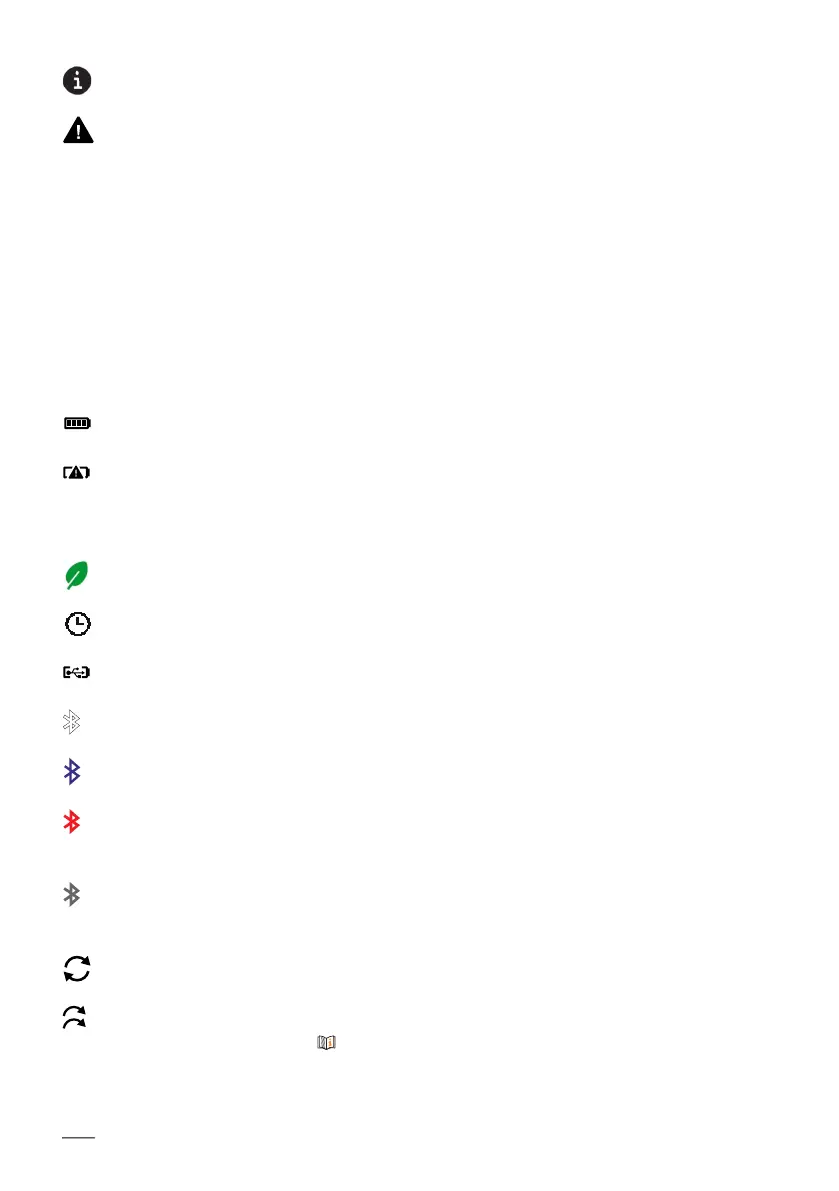
Indicates additional information
Indicates warnings
Displays the currently measured coating/base material combination: non-fer-
rous coating material on ferrous base material; display only with the DELTA-
SCOPE® and DUALSCOPE® gauge models
Displays the currently measured coating/base material combination: electri-
cally non-conductive and non-ferrous coating material on electrically conduc-
tive non-ferrous metals; display only with the ISOSCOPE® and DUALSCOPE®
gauge models
Battery status indicator: fully charged
Battery status indicator: replace battery soon
If the battery voltage is too low, the gauge switches off automatically, measured
readings and settings are retained
Energy-saving function, display dimming active
A period of time for at least one of the energy-saving functions is set.
USB connection active, gauge is connected to a PC via USB, for example
White icon: Bluetooth function is activated in the gauge
Blue icon: active Bluetooth connection, e.g. to a PC
Red icon: the gauge cannot communicate with the inserted Bluetooth stick. In-
sert the Fischer-Bluetooth stick.
Gray icon: the socket in the gauge for the Fischer-Bluetooth stick is empty, but
the Bluetooth function is switched on.
Free Running measuring mode active
Unlimited, Limited Number or Limited Number Block scan mode is active, de-
scription of scan modes 41
NF/FE
NC/NF













 To Next Page