274
11 Appendix
Paper Size
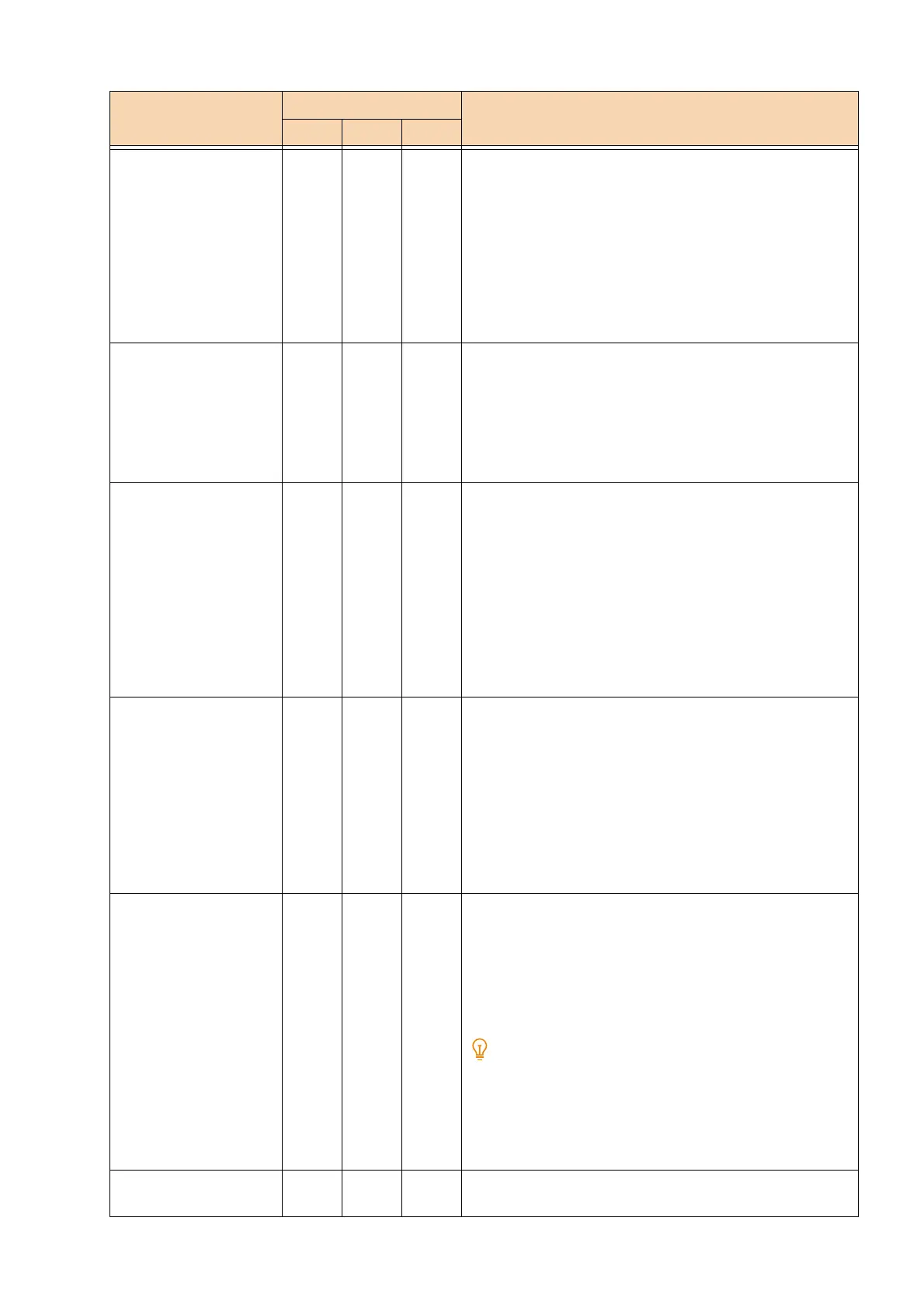
When [Paper tray] is
[Automatically select] or
[Tray 5 (Bypass)].
2- -[0]: Postcard
[3]: A3
[4]: A4
[5]: A5
[14]: JIS B4
[15]: JIS B5
[21]: 8.5×14
[22]: 8.5×13
[23]: 8.5×11
[24]: 11×17
Paper Size
When [Paper tray] is
[Automatically select] or
[Tray 5 (Bypass)].
- - 102 [3]: A3
[4]: A4
[5]: A5
[14]: JIS B4
[15]: JIS B5
[99]: Auto
[101] (Default): A size
Paper Size
When [Paper tray] is
[Automatically select]
- 202 - [3]: A3
[4] (Default): A4
[5]: A5
[14]: JIS B4
[15]: JIS B5
[21]: 8.5×14
[22]: 8.5×13
[23]: 8.5×11
[24]: 11×17
[25]: User-defined paper
[30]: 8K
Paper Size
When [Paper tray] is
[Bypass tray]
- 203 - [3]: A3
[4] (Default): A4
[5]: A5
[14]: JIS B4
[15]: JIS B5
[21]: 8.5×14
[22]: 8.5×13
[23]: 8.5×11
[24]: 11×17
[25]: User-defined paper
Paper tray 3 201 103 [0]: (Default: PCL, HP-GL/2) Auto
[1]: (Default: ESC/P) Tray 1
[2]: Tray 2
[3]: Tray 3
[4]: Tray 4
[5]: Tray 5 (Bypass)
[6]: Tray 6
When [Automatically Select] is configured and the same size
of paper is loaded in the same orientation in multiple paper
trays, paper trays are fed in the following order: Tray 1, Tray
2, Tray 3, Tray 4, and Tray 6. When the same size of paper is
loaded in different orientations in multiple paper trays,
paper that is set horizontally is prioritized.
Coordinate Rotate - - 104 [0] (Default): 0°
[1]: 90°
Setting Item No. Setting value
ESC PCL HP

 To Next Page
 Loading...