Fax/Internet Fax Options
209
Fax
4
Fax/Internet Fax Options
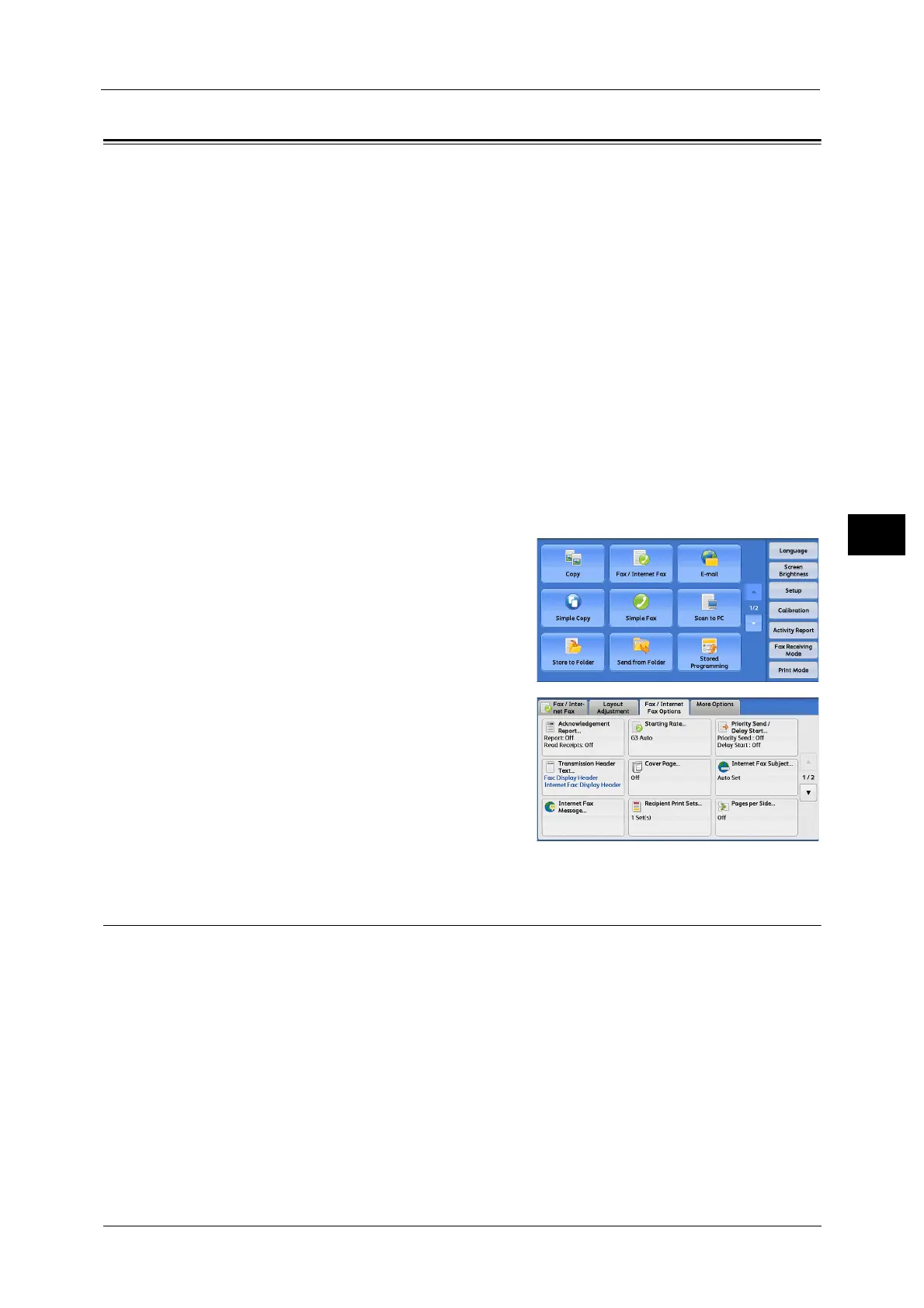
This section describes the features you can select on the [Fax/Internet Fax Options] screen.
The following shows the reference section for each feature.
Acknowledgement Report (Confirming Transmission Results).........................................................................................209
Starting Rate (Selecting a Communication Mode)..............................................................................................................211
Priority Send/Delay Start (Specifying Send Priority/Send Time) ......................................................................................212
Transmission Header Text (Adding Sender Name and Phone Number to Faxes) .......................................................214
Cover Page (Transmitting Documents With a Cover Page)...............................................................................................215
Internet Fax Subject (Specifying the Internet Fax Subject) ..............................................................................................217
Internet Fax Message (Editing the Internet Fax Mail Contents) .....................................................................................217
Recipient Print Sets (Printing Multiple Sets at the Remote Machine).............................................................................218
Pages per Side (Combining Multiple Pages into One Sheet).............................................................................................219
Remote Folder (Using Remote Folder)....................................................................................................................................219
F Code (Using F Code Transmission) .......................................................................................................................................223
Internet Fax Profile (Specifying Internet Fax Profiles) .......................................................................................................226
Encryption (Sending Internet Fax Encrypted by S/MIME).................................................................................................227
Digital Signature (Sending Internet Fax with a Digital Signature by S/MIME)............................................................228
1 Select [Fax/Internet Fax] on the [Services
Home] screen.
2 Select a feature on the [Fax/Internet Fax
Options] screen.
Note •Only [Delay Start] is available for the Server
Fax service.
Acknowledgement Report (Confirming Transmission Results)
You can check fax and Internet Fax transmission results.
To receive fax transmission results, select [On] in [Confirmation Options] on the
[Acknowledgement Report] screen. By enabling this feature, the machine automatically
prints a Transmission Report when fax transmission completes successfully, and prints a
Transmission Report - Job Undelivered when fax transmission ends unsuccessfully.
To confirm Internet Fax transmission results, the following two types are available: [Read
Receipts] and [Delivery Receipts].
Selecting [Delivery Receipts] allows you to check whether or not the Internet Fax you sent
was delivered successfully to the recipient’s folder.
Selecting [Read Receipts] allows you to check whether or not the Internet Fax you sent was
correctly delivered and the attached files were correctly processed.



 To Next Page
 Loading...

