Using the ScanSnap in Various Ways (for Mac OS Users)
280
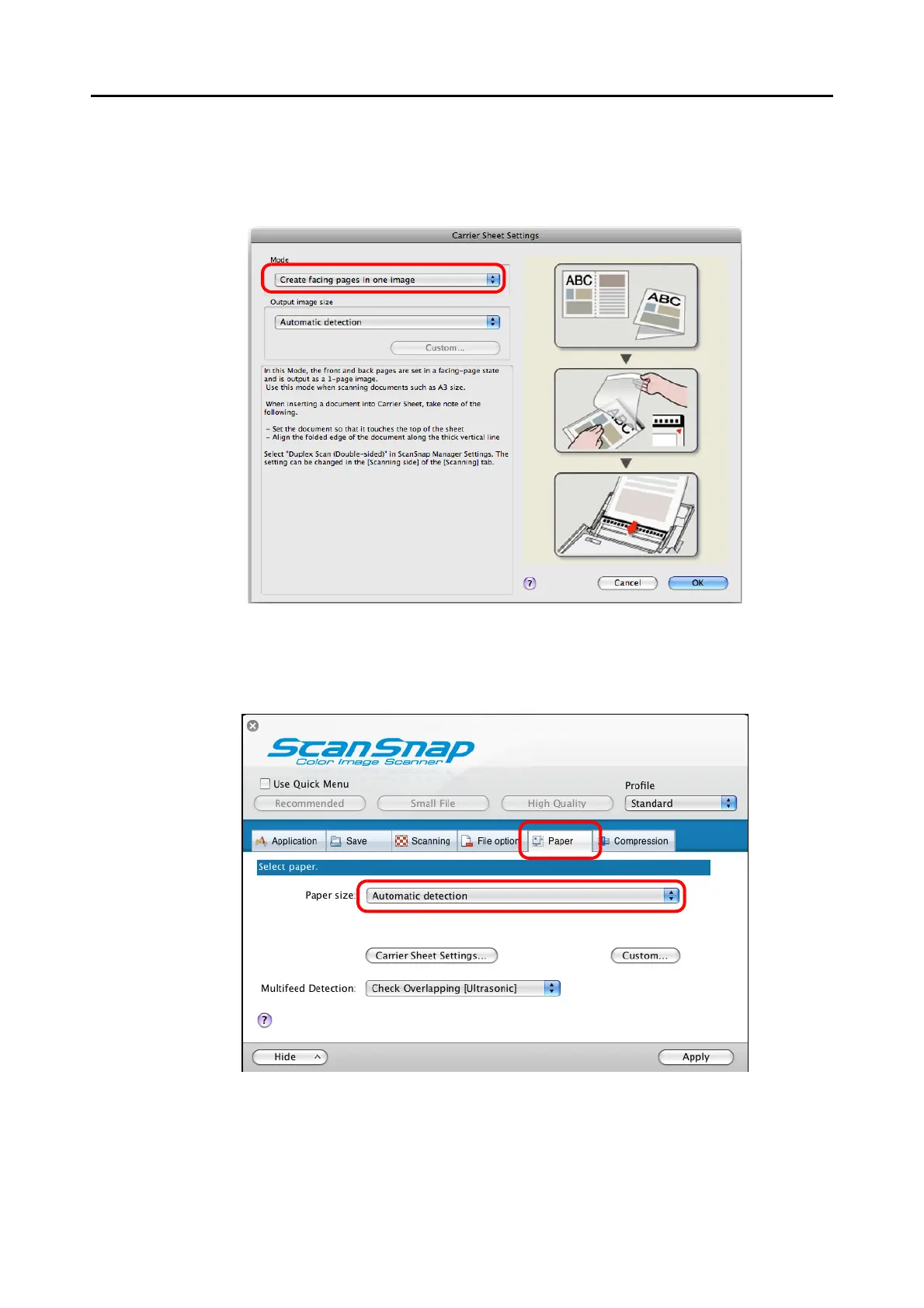
3. Select [Create facing pages in one image] in the [Mode] pop-up menu,
and then click the [OK] button.
For details about the Carrier Sheet settings, refer to the ScanSnap Manager Help.
4. Select [Automatic detection] in the [Paper size] pop-up menu on the
[Paper] tab.



 To Next Page
 Loading...










