Troubleshooting for Multifeed
309
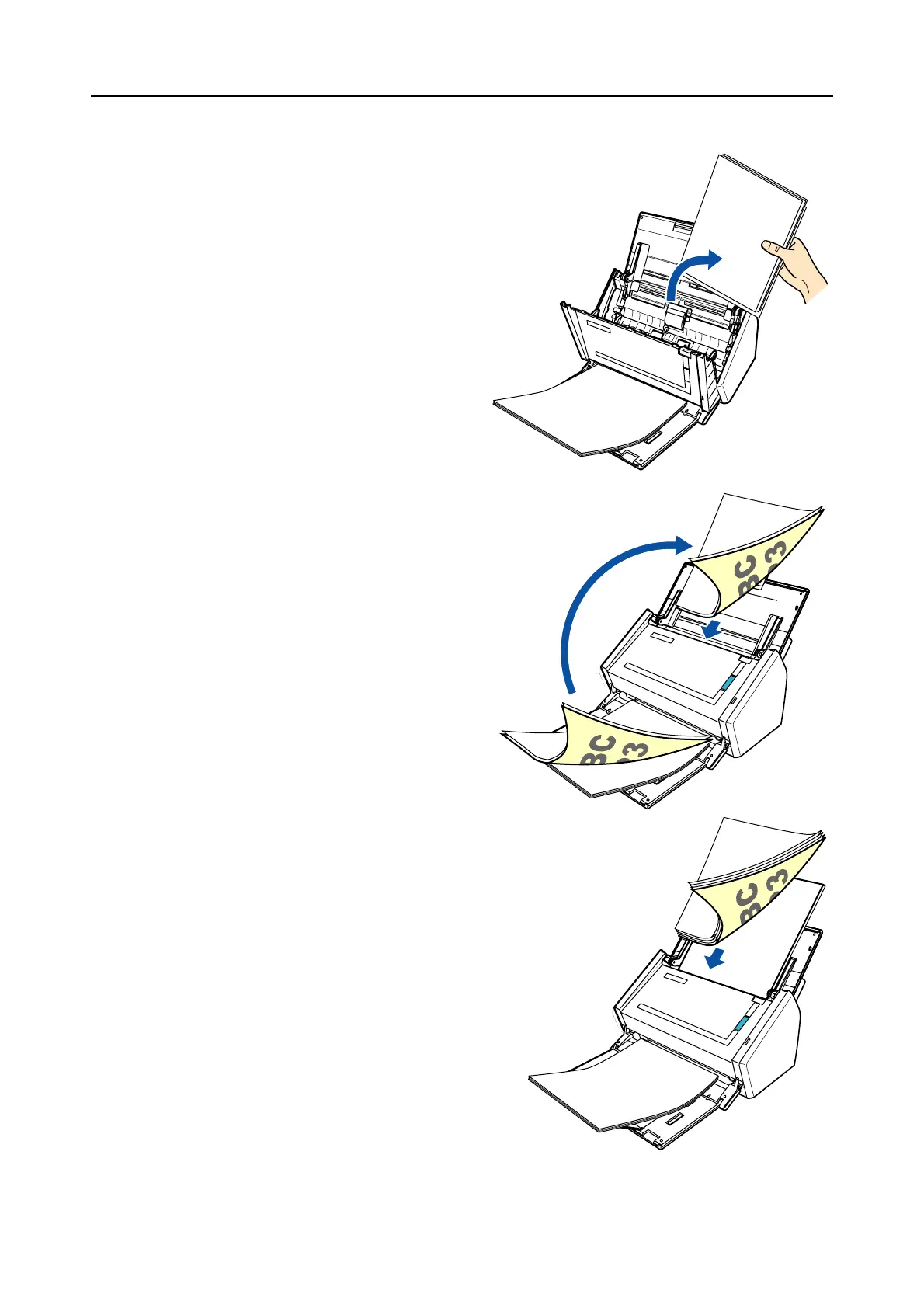
• If documents are not scanned in the order of the original document
1. Open the ADF top section, remove
the documents (1) and realign the
edges of the sheets.
2. Remove documents to be re-
scanned (2) (normally two sheets or
more) from the stacker, and reload
in the ADF paper chute (cover) with-
out changing the direction in which
the documents are facing.
3. Load the documents (1) removed in
Step 1. on top of the documents (2) in
Step 2.
1
2
2
2
1



 To Next Page
 Loading...










