USER MANUAL FOR SR-1000 STANDALONE INTEGRATED MEDIA BLOCK™
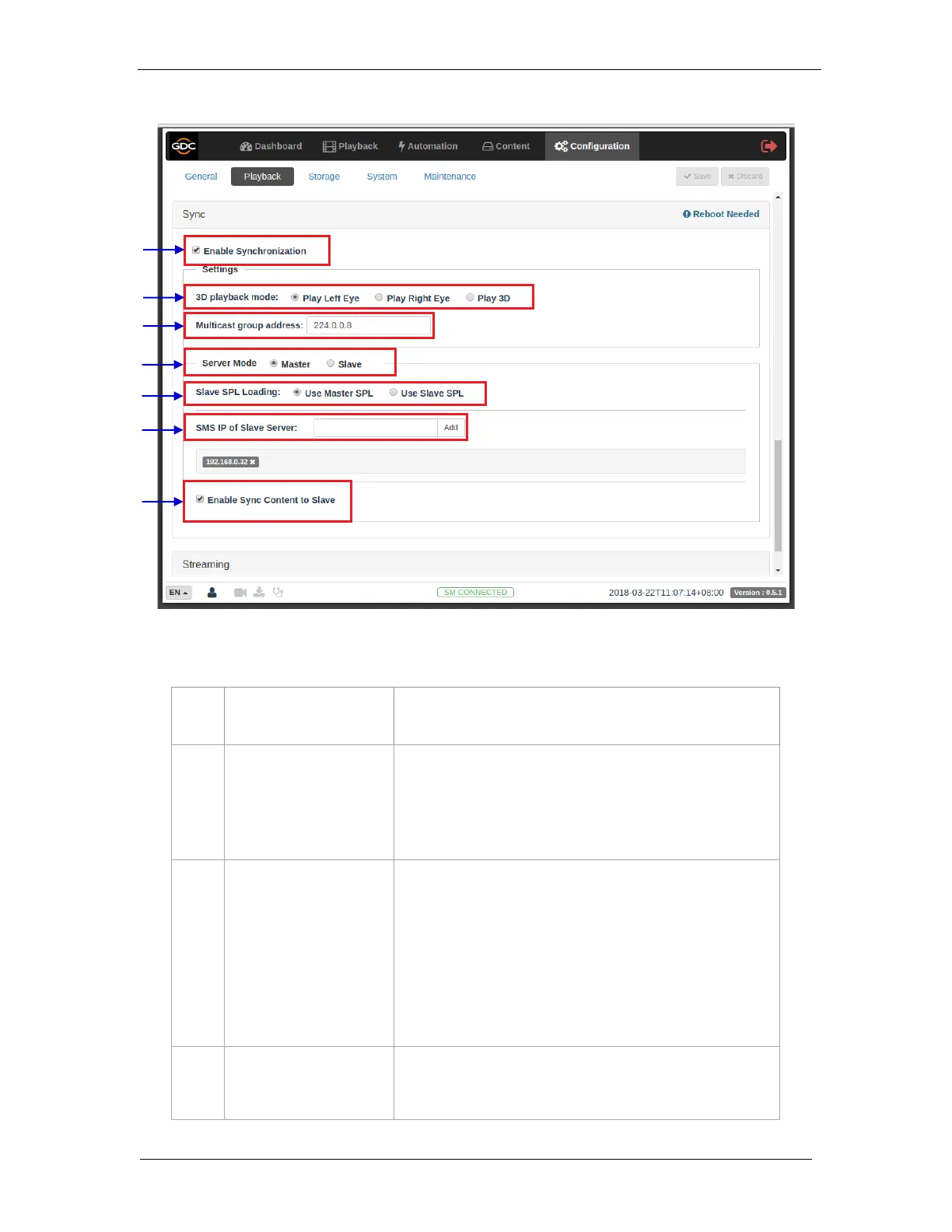
Enable Synchronization must be set on both master and slave
servers.
Select 3D playback mode for the master and slave server. Each
server can be configured to play either the left or right eye
frames or both for 3D content.
For example, the master server can be set to 'Play Left Eye', and
the slave server can be set to 'Play Right Eye'.
[Multicast group address]
Set Multicast group address for the master and slave server.
Multicast group addresses can range from 224.0.0.0 to
224.0.0.254.
Note 1: Multicast group address must be the same for both the
master and slave servers. The IMB Ethernet 1 ports on both
master and slave IMBs will use this setting for communication.
Note 2: If multiple sets of IMB sync systems are present in a
theater environment, the Multicast group address for each set of
IMB sync systems must be unique.
Select Master on the master server, and Slave on the slave
server.
Figure 88: IMB Sync Configuration



 To Next Page