5. AUTOMATION
5.4 Input
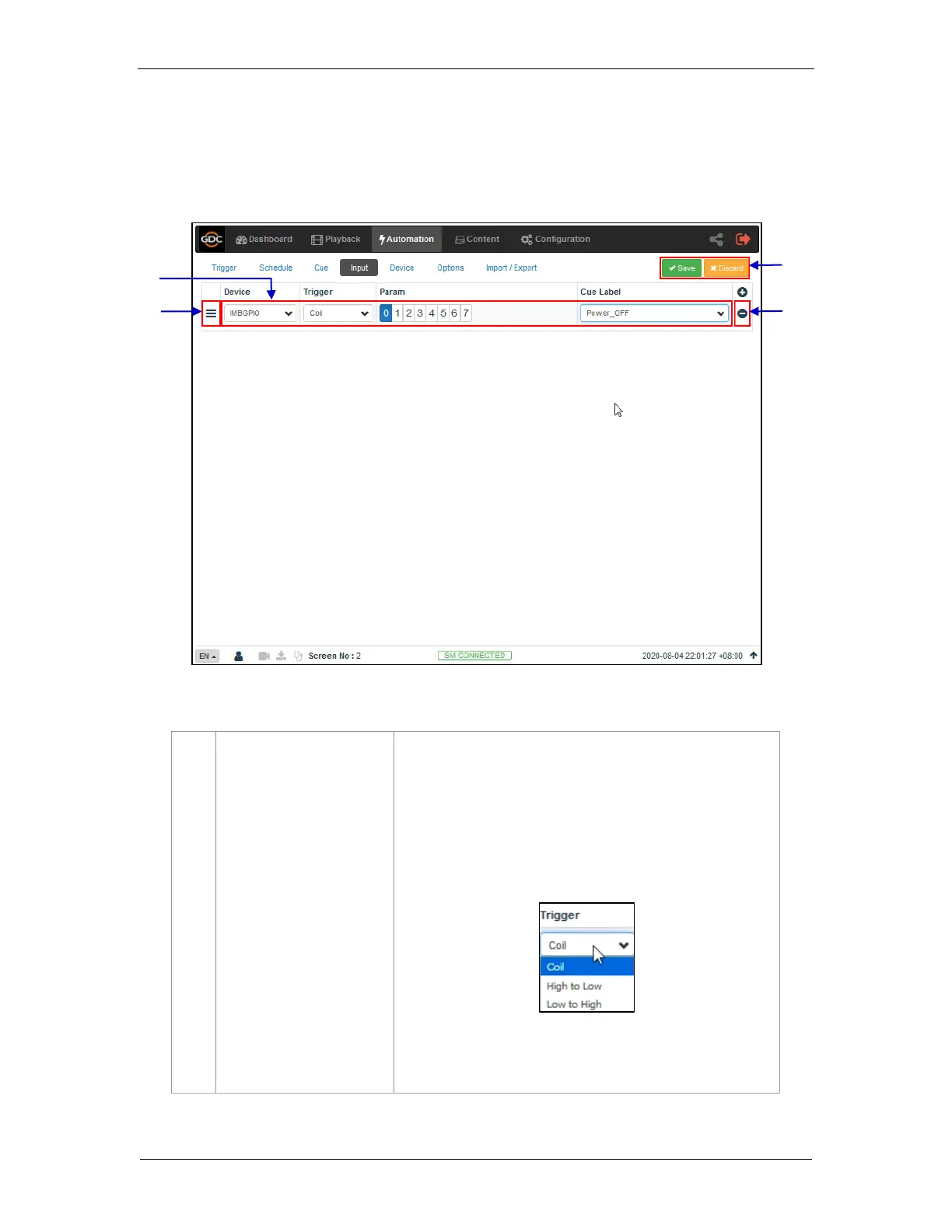
The Input sub-tab is used to configure input automation triggers on the SR-1000. When
input is detected on supported devices, the configured automation cues will be triggered
on the SR-1000.
Click + to add an input trigger.
Note: Only devices capable of sending a signal to the Server can
be added under Input.
a) Select a Device from the list for the input trigger needs
to be set.
b) Select a Trigger type as Coil, High to Low or Low to
High for the chosen device:
c) Select the Param value from 0-7. Only one pin can
be selected at a time.



 To Next Page