USER MANUAL FOR SR-1000 STANDALONE INTEGRATED MEDIA BLOCK™
5. AUTOMATION
5.3 Cue
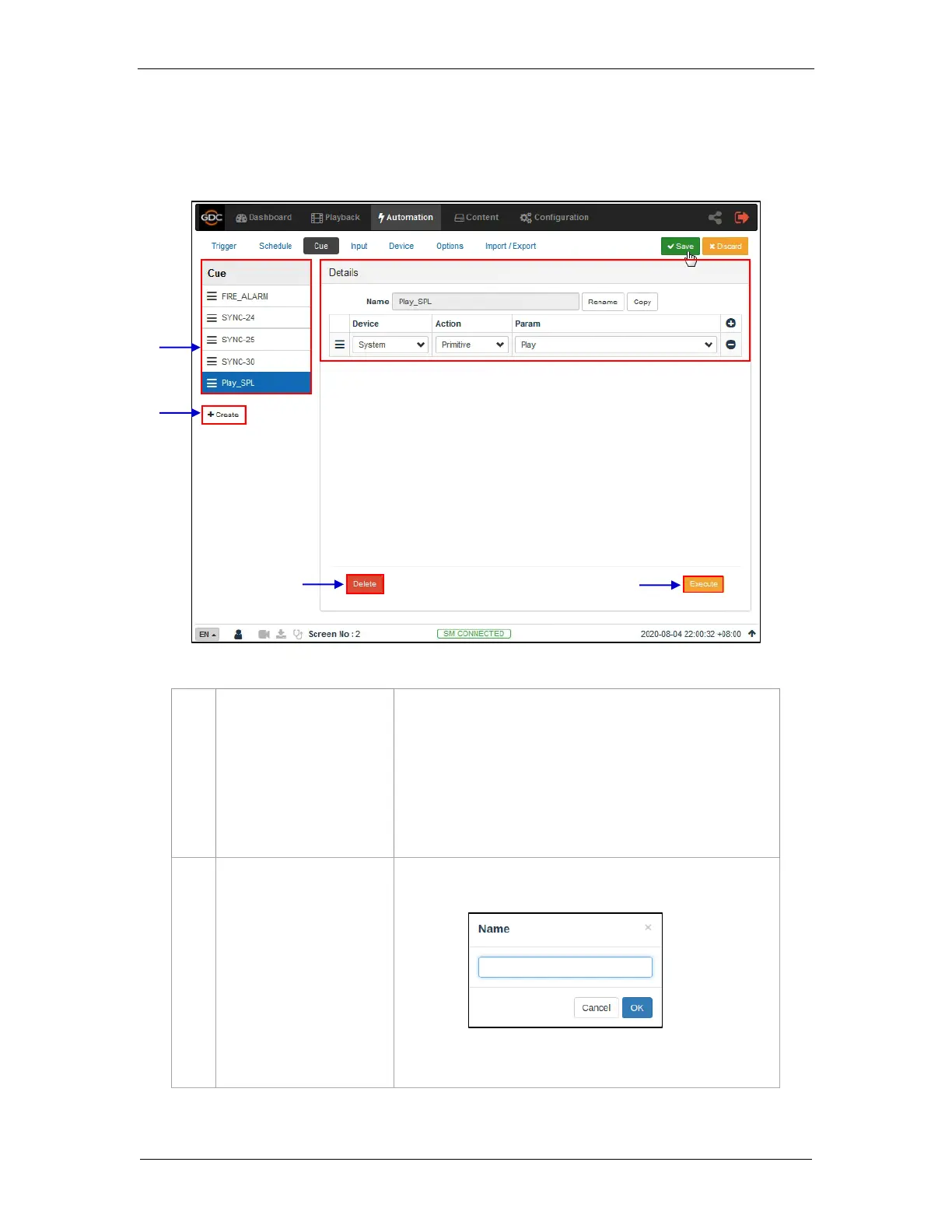
The Cue sub-tab shows the automation cues configured on the SR-1000. New automation
cues can be added and configured on this tab.
A complete list of configured cues is displayed here. Cues can
be rearranged by dragging and dropping.
When a cue is selected from the list, the cue details are
displayed.
Click + to add actions or click – to remove actions.
Click Execute to manually execute this automation cue.
Click +Create to create a new cue. A pop-up window will be
shown. Enter the name of the cue and click OK.
Refer to Section 5.3.1 for more details regarding adding a new
automation cue.
Figure 16: Create and Edit Cues



 To Next Page