USER MANUAL FOR SR-1000 STANDALONE INTEGRATED MEDIA BLOCK™
5. AUTOMATION
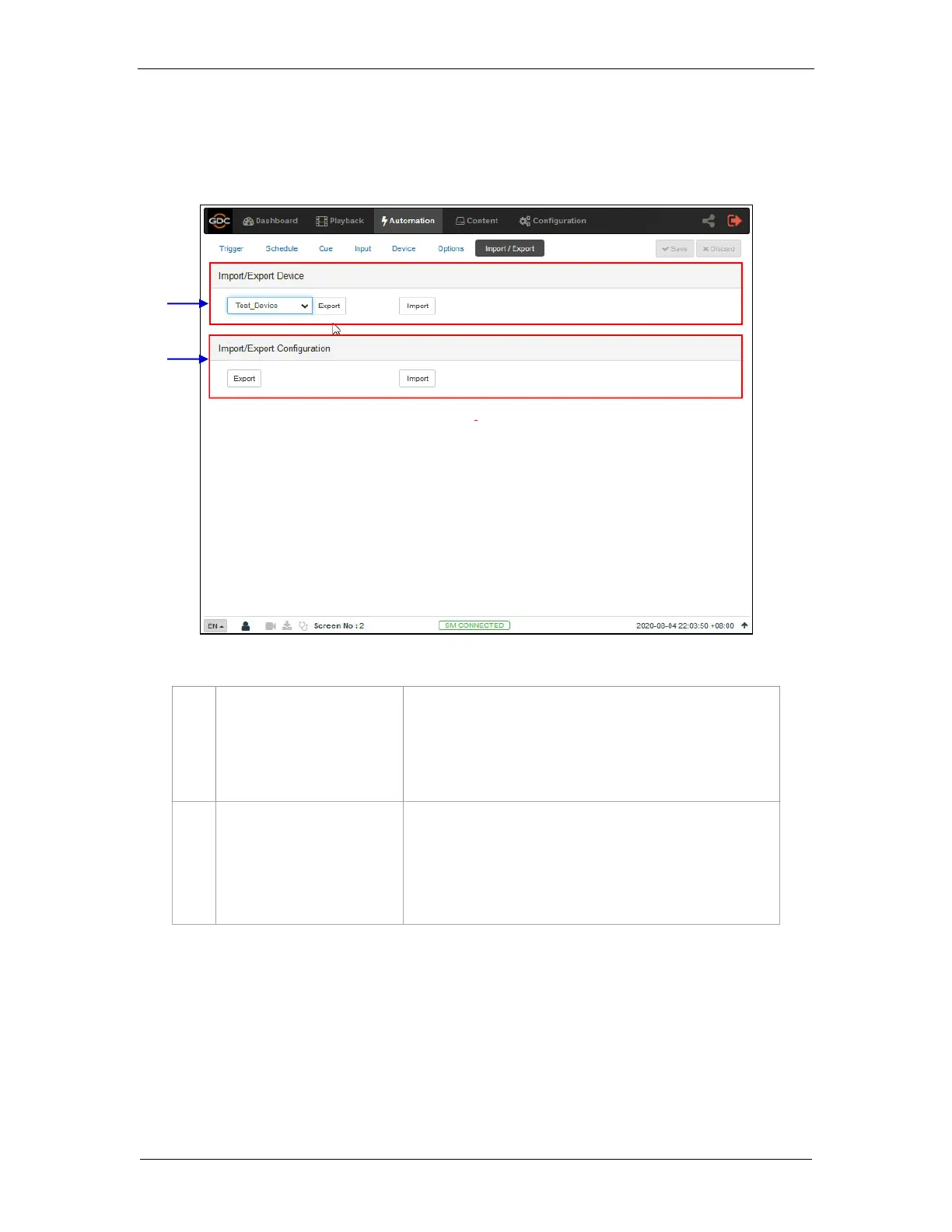
5.7 Import/ Export
This Import/Export sub-tab allows the import and export of automations cues which have been
setup on the SR-1000.
Import opens a pop-up window which allows the user to
select a configuration file for the selected automation device.
Export automatically saves the configuration file for the
selected automation device to your web browser’s default
download location.
[Import/Export Configuration]
Import allows user to select configuration file containing
all automation cues from an alternate Server
Export automatically saves the configuration file containing
all automation cues to your web browser’s default
download location.



 To Next Page