USER MANUAL FOR SR-1000 STANDALONE INTEGRATED MEDIA BLOCK™
5. AUTOMATION
5.6 Option
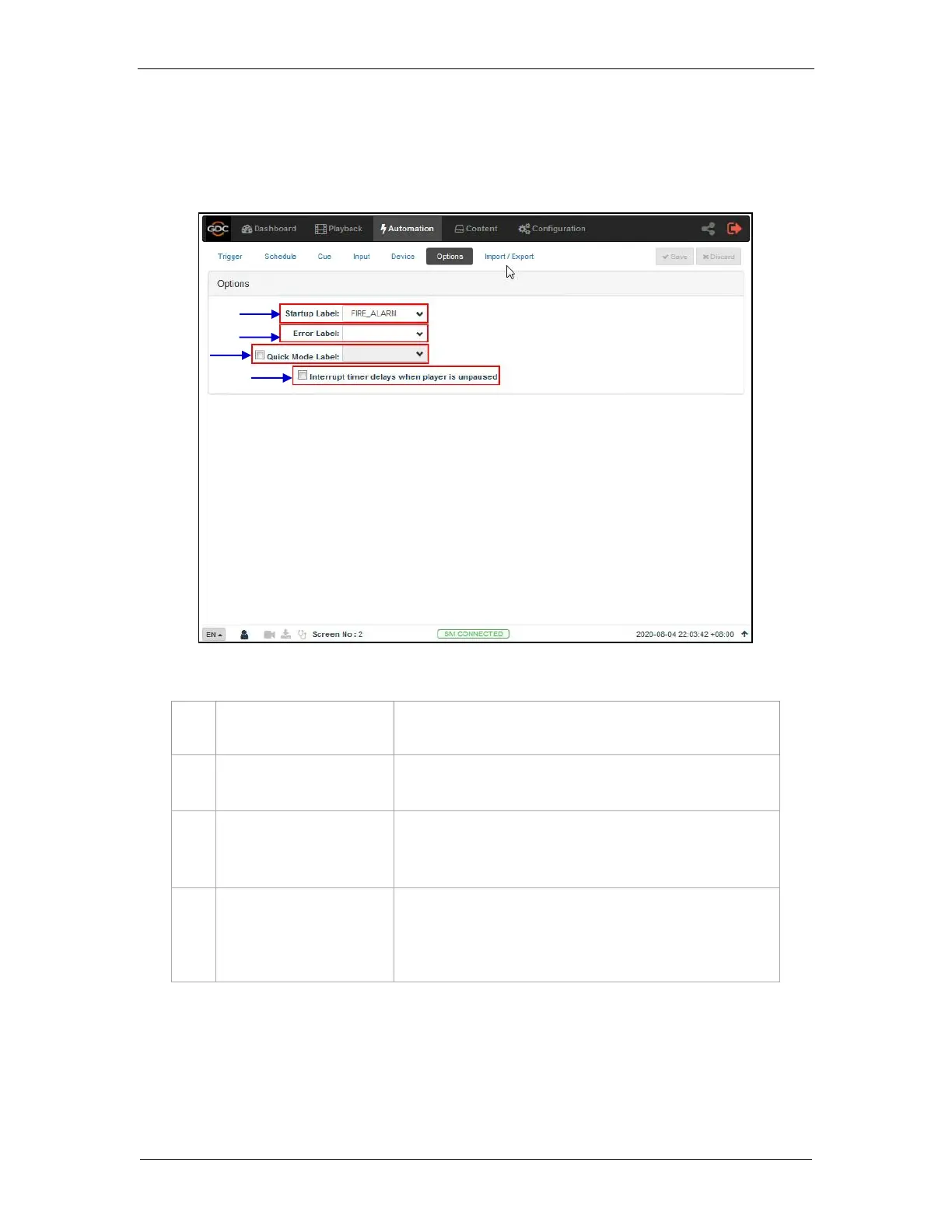
The Option sub-tab is used to configure automation cues that will be triggered on SR-1000
boot-up and when playback errors occur.
Select a specific automation cue which will be executed when
the Server fully boots up
Select a specific automation cue which will be executed
whenever a playback error occurs.
Enables selection of a specific automation cue which can be
triggered quickly using the Execute button under Quick Mode
Label section under the Trigger sub-tab.
[Interrupt timer delays when
player is unpaused]
When this option is selected and the user clicks the Unpause
button under the Playback sub-tab, the next action in the
automation cue will be executed immediately without waiting for
the Timer delay to complete.



 To Next Page