USER MANUAL FOR SR-1000 STANDALONE INTEGRATED MEDIA BLOCK™
6. CONTENT
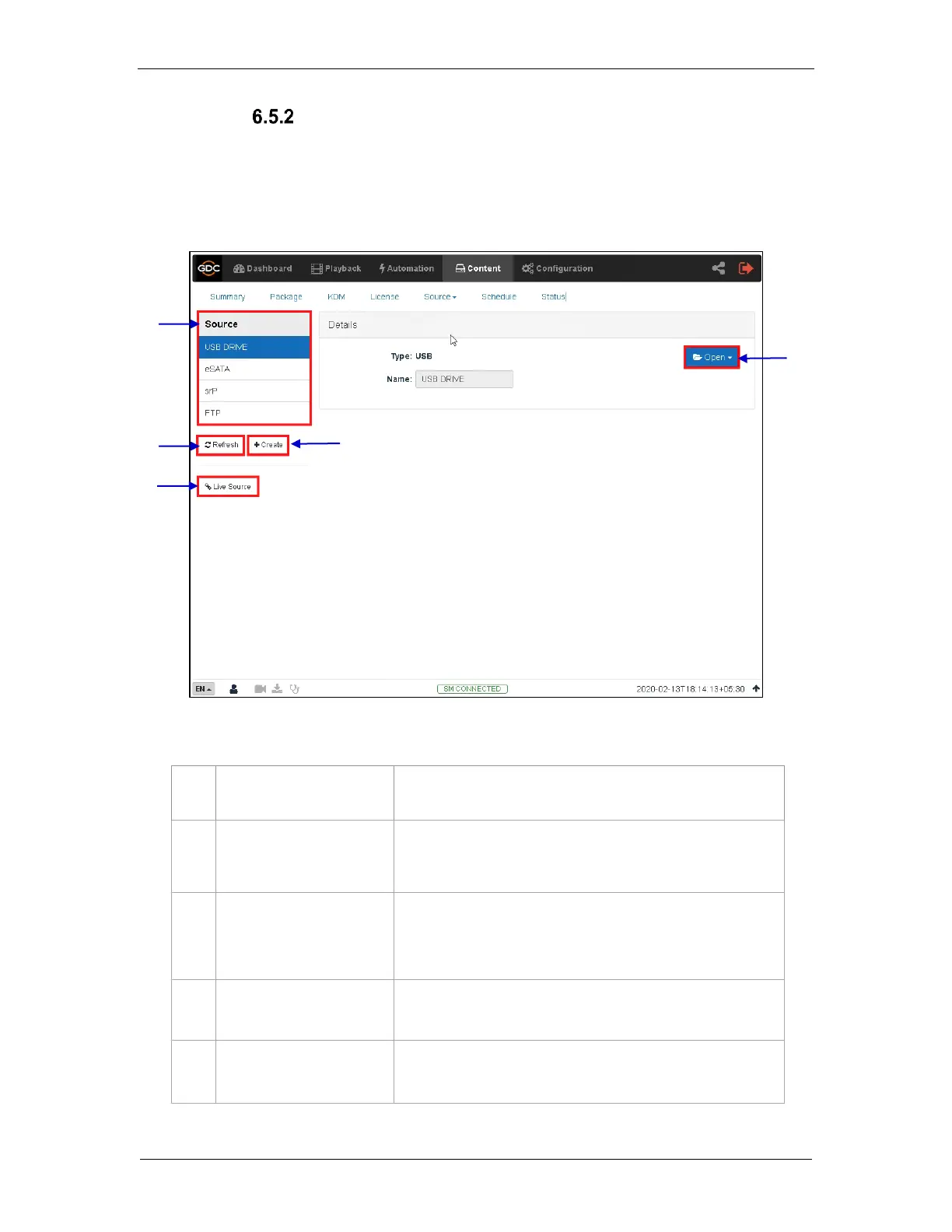
Manage Source
The Manage screen provides advanced options to create as well as edit the sources from
which the user can choose to ingest content.
Note: This screen should ONLY be used either to create an ingest source during setup
or to edit an existing ingest source.
Displays a list of configured content ingest sources
on the SR-1000.
Displays the list of content for Live Play
(Refer to Section 6.5.1.3 for details.)
Click +Create to add a new content ingest source.
Fill in the details for the content ingest source and click Save to
save the changes.
Click Open to mount the content ingest source and select the
content to be ingested.
Click Refresh to refresh the list of content ingest sources
Figure 37: List of ingest sources



 To Next Page