USER MANUAL FOR SR-1000 STANDALONE INTEGRATED MEDIA BLOCK™
[Mount Capacity Threshold
(for data in %)]
Set the mount capacity threshold value for data (in percentage)
Note: When Trap is On, a trap will be sent if the mount capacity
threshold value is reached.
[Send detailed S.M.A.R.T.
traps]
Enables the sending of SNMP traps when specific hard disk
S.M.A.R.T. attributes change
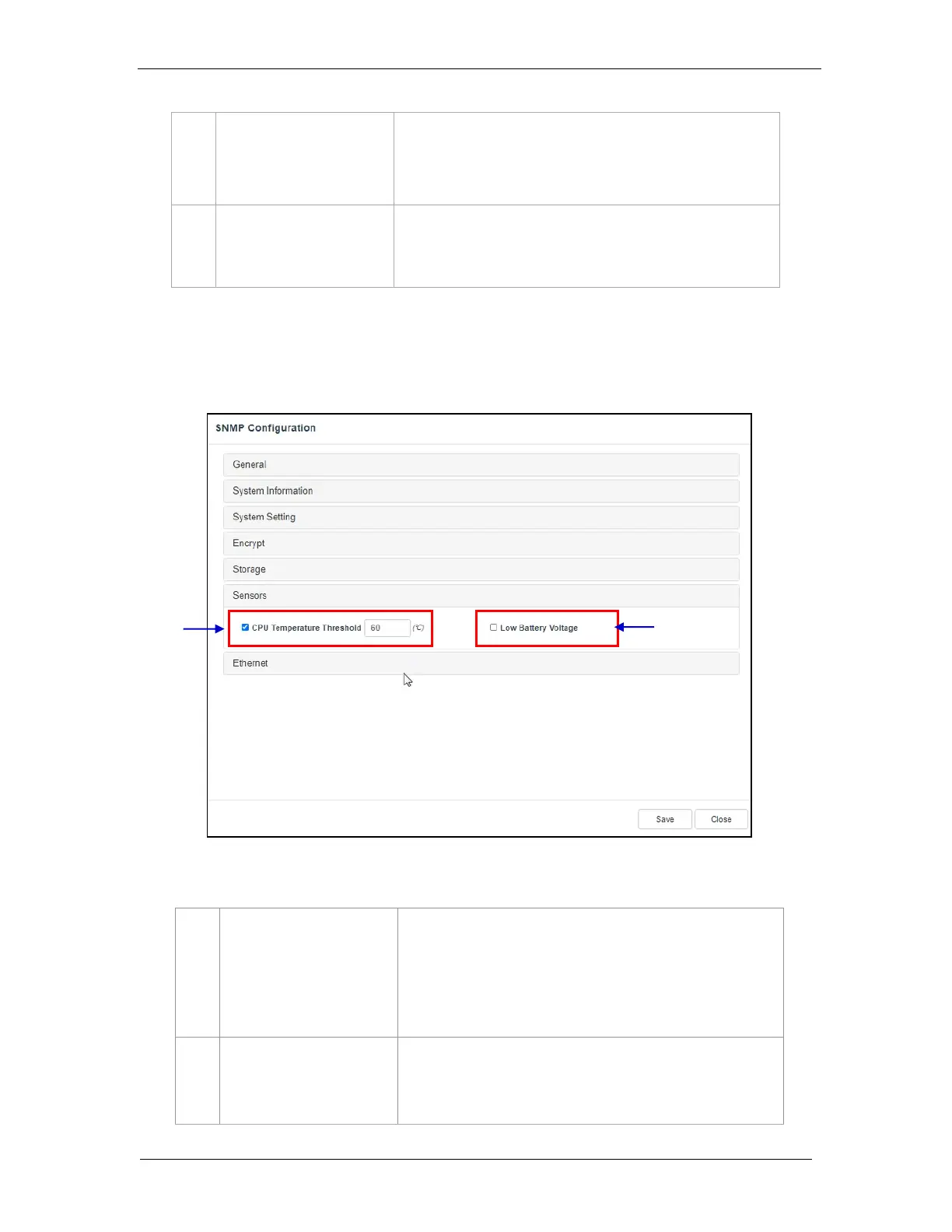
7.1.1.6 SNMP Configuration → Sensor
[CPU Temperature
Threshold]
Set the threshold temperature required for the CPU sensors by
typing in the field or using an on-screen keyboard.
Check CPU Temperature Threshold to activate the Trap.
Note: When Trap is On, a trap is sent if the CPU temperature
exceeds the maximum threshold temperature.
Check Low Battery Voltage to activate this trap.
Note: When Trap is On, a trap is sent if the IMB battery voltage
falls below the minimum voltage limit.
Figure 47:SNMP Configuration - Sensor



 To Next Page