EasyManua.ls Logo

GDC SR-1000 - Hard Disk Information

GDC SR-1000
137 pages
Print Icon
To Next Page IconTo Next Page
To Previous Page IconTo Previous Page
Loading...
- 88 -
April 22
nd
, 2021
USER MANUAL FOR SR-1000 STANDALONE INTEGRATED MEDIA BLOCK™
7. CONFIGURATION
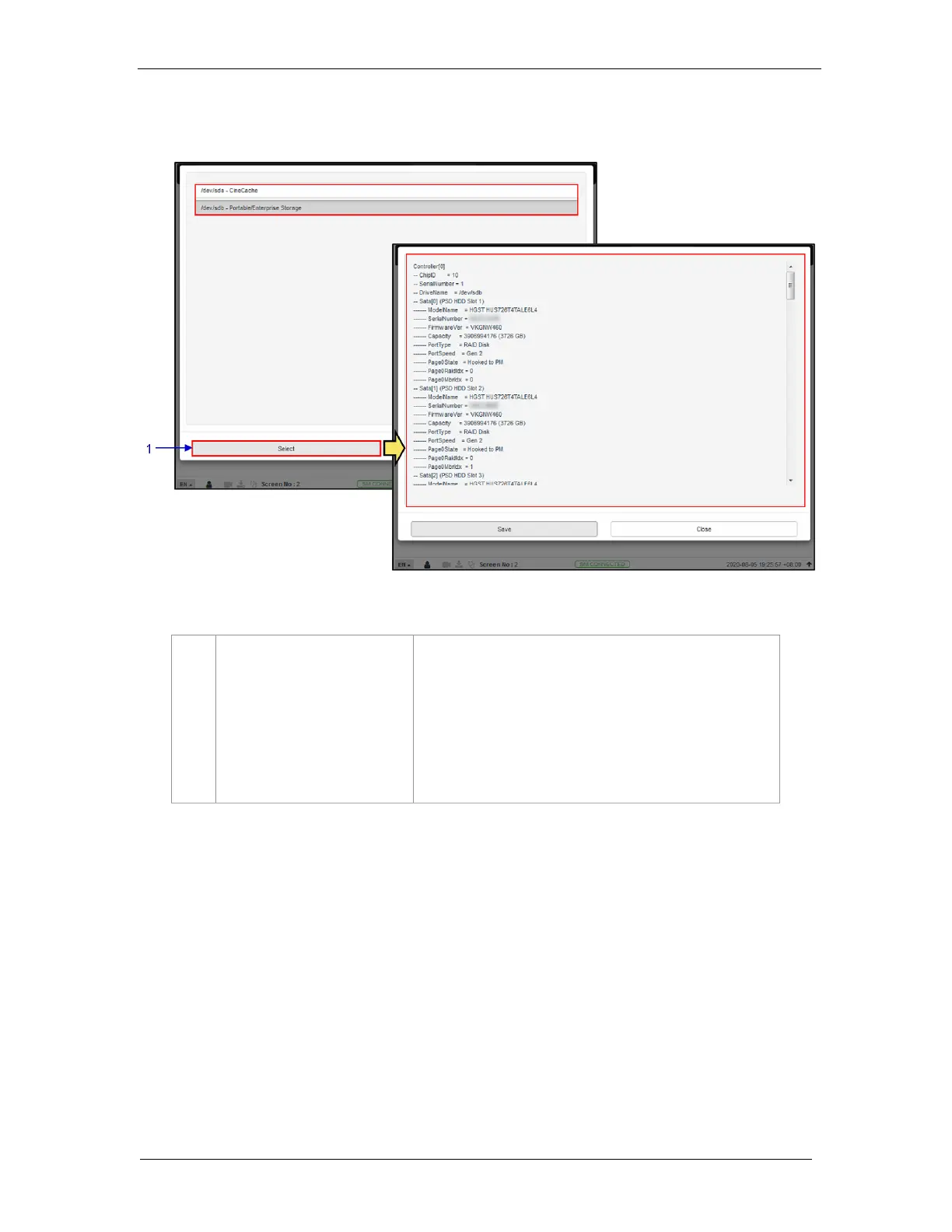
7.3.1.2 Hard disk information
1
[Hard disk information]
Clicking on the Hard Disk information option opens a pop-up
window. Select the disk and click on Select.
Information about the selected disk will be displayed on-
screen.
Click on Save to save the results to the local computer/ laptop
(in the form of a .txt file).
Click on Close to return to the Storage menu.

Figure 58: Hard Disk Information

Table of Contents

Other manuals for GDC SR-1000

Related product manuals