USER MANUAL FOR SR-1000 STANDALONE INTEGRATED MEDIA BLOCK™
4. PLAYBACK
Adding an Intermission
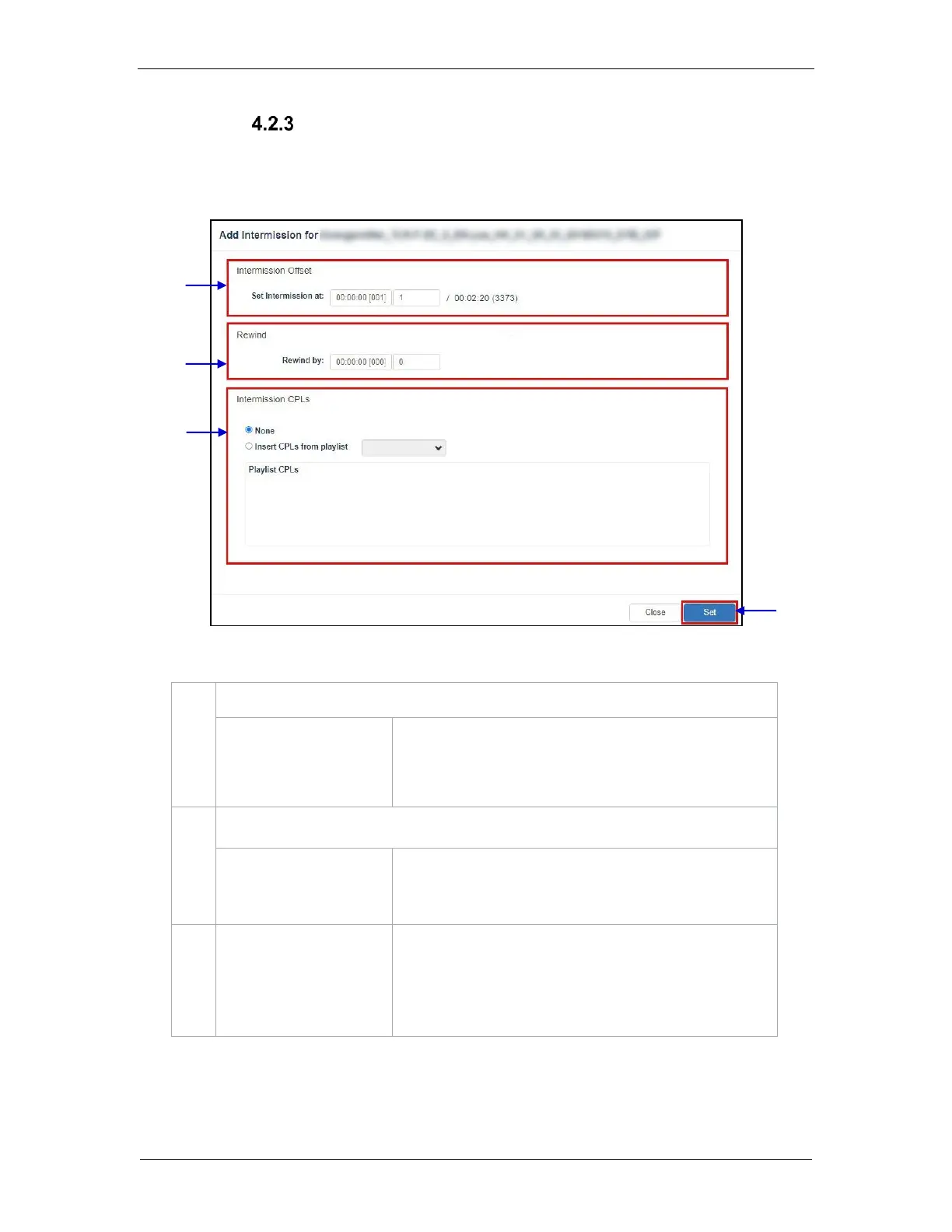
An Intermission can be added to a feature CPL on the SR-1000, by using the Add
Intermission feature.
Figure 10: Add Intermission
Set the preferred time code or frame number where the
intermission cut position should be set for the selected CPL.
Set the amount of time or number of frames to rewind the selected
CPL before the intermission cut position, once the intermission
playlist
Choose the Insert CPLs from playlist option and select the
desired Intermission playlist from the drop-down.
Note: The Intermission playlist needs to be created and saved
prior to adding the intermission to the feature CPL.



 To Next Page