USER MANUAL FOR SR-1000 STANDALONE INTEGRATED MEDIA BLOCK™
6. CONTENT
6.7 Status
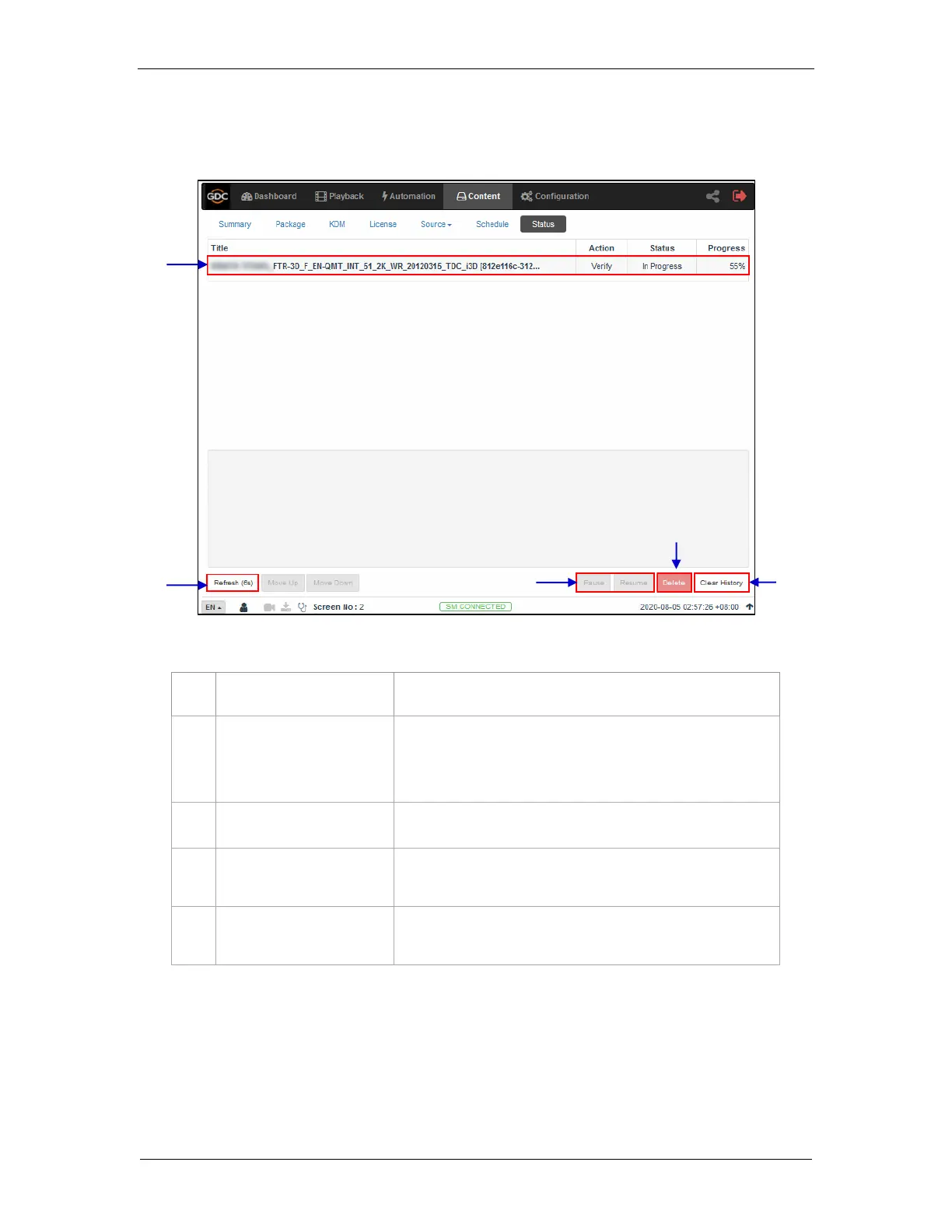
The Status sub-tab shows content ingest and verification status.
Displays the list of content ingest, delete and verify tasks.
Press Pause to temporarily stop the download of selected
package(s) or CPL(s). When the Pause button is clicked, the
Resume button will be enabled and can be used to resume the
download of selected package(s) or CPL(s)
Click Refresh to refresh the list of package(s) or CPL(s).
Click Clear History to clear all the finished tasks from the
displayed list.
Click Delete to cancel the download of the selected package(s)
or CPL(s).
Figure 40: Content Ingest and Verification Status



 To Next Page