USER MANUAL FOR SR-1000 STANDALONE INTEGRATED MEDIA BLOCK™
3. DASHBOARD
3 DASHBOARD
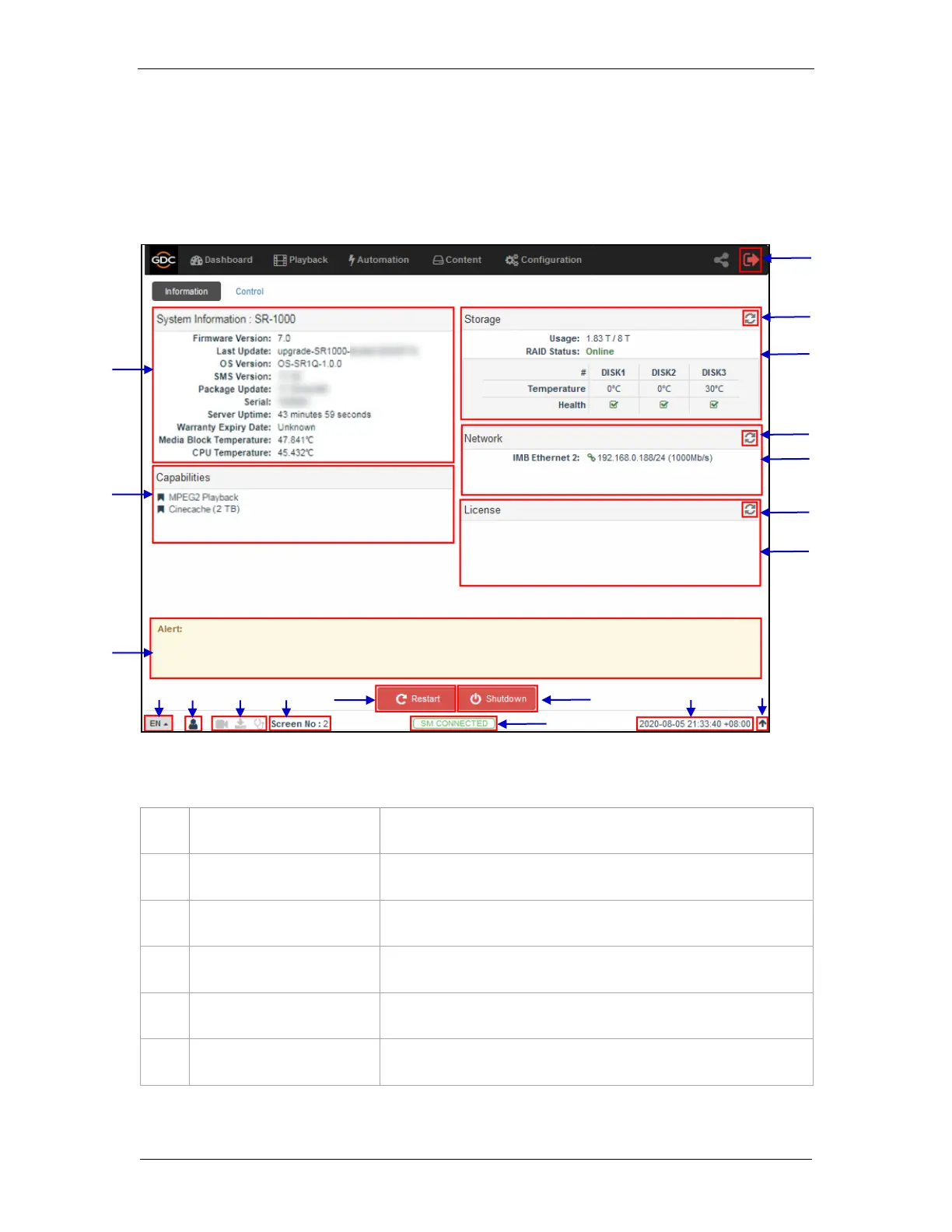
SR-1000 Web UI Dashboard menu displays basic information related to the SR-1000, such as
System Information, Network Information, Storage Information, Licenses installed, Capabilities
and System Alerts.
Displays SR-1000 system information.
Displays storage status on the SR-1000.
Displays current network settings and network status.
Displays the licenses installed on the SR-1000.
Refreshes the information on the respective sections.
System alerts are displayed here.
Figure 5: Dashboard layout



 To Next Page