USER MANUAL FOR SR-1000 STANDALONE INTEGRATED MEDIA BLOCK™
7. CONFIGURATION
7.4 System
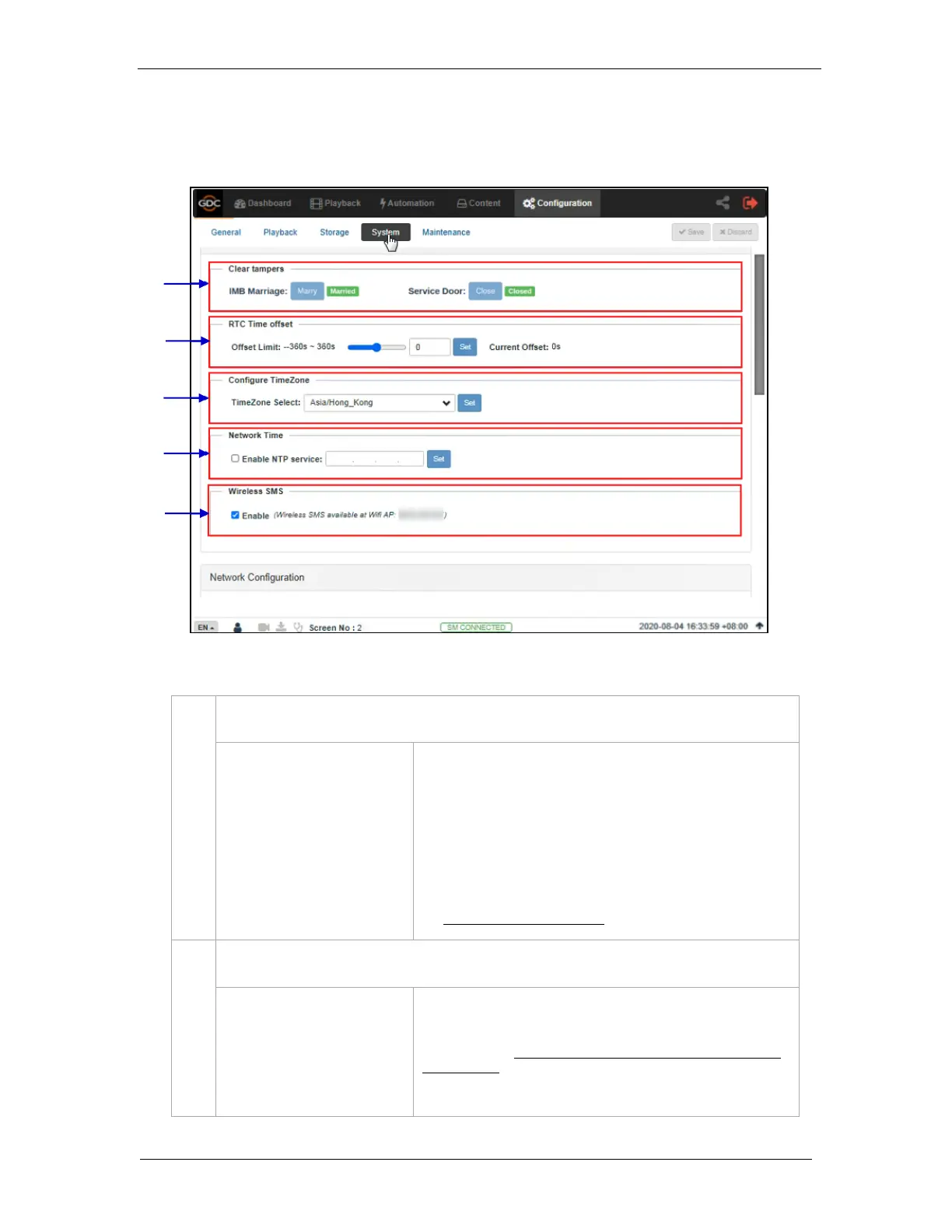
The System sub-tab is used to configure the system settings on the SR-1000.
IMB Marriage
Service Door
Displays the marriage and service door tamper status of
the IMB.
Click the Marry button to clear the Marriage Tamper.
Click the Close button to clear the Service Door tamper.
Note: The SR-1000 will not allow playback if these tampers
are not cleared.
For more details regarding clearing the tamper errors, refer to
the SR-1000 Installation Manual.
Make adjustments to the time on the Server.
In accordance with DCI specifications, the SR-1000 allows a
time offset from -360s to +360s i.e. plus or minus 6 minutes per
calendar year.
Figure 63: System Configuration (1)



 To Next Page