USER MANUAL FOR SR-1000 STANDALONE INTEGRATED MEDIA BLOCK™
Check SNMP Agent Start to activate the Trap.
Un-check the SNMP Agent Start to deactivate the Trap.
Note: When Trap is On, a trap is sent when the SNMP Agent is
started.
Check SNMP Agent Stop to activate the Trap.
Un-check the SNMP Agent Stop to deactivate the Trap.
Note: When Trap is On, a trap is sent when the SNMP Agent is
stopped.
Enable or disable SNMP monitoring and reporting.
Click Save to save the settings or Close to cancel the changes.
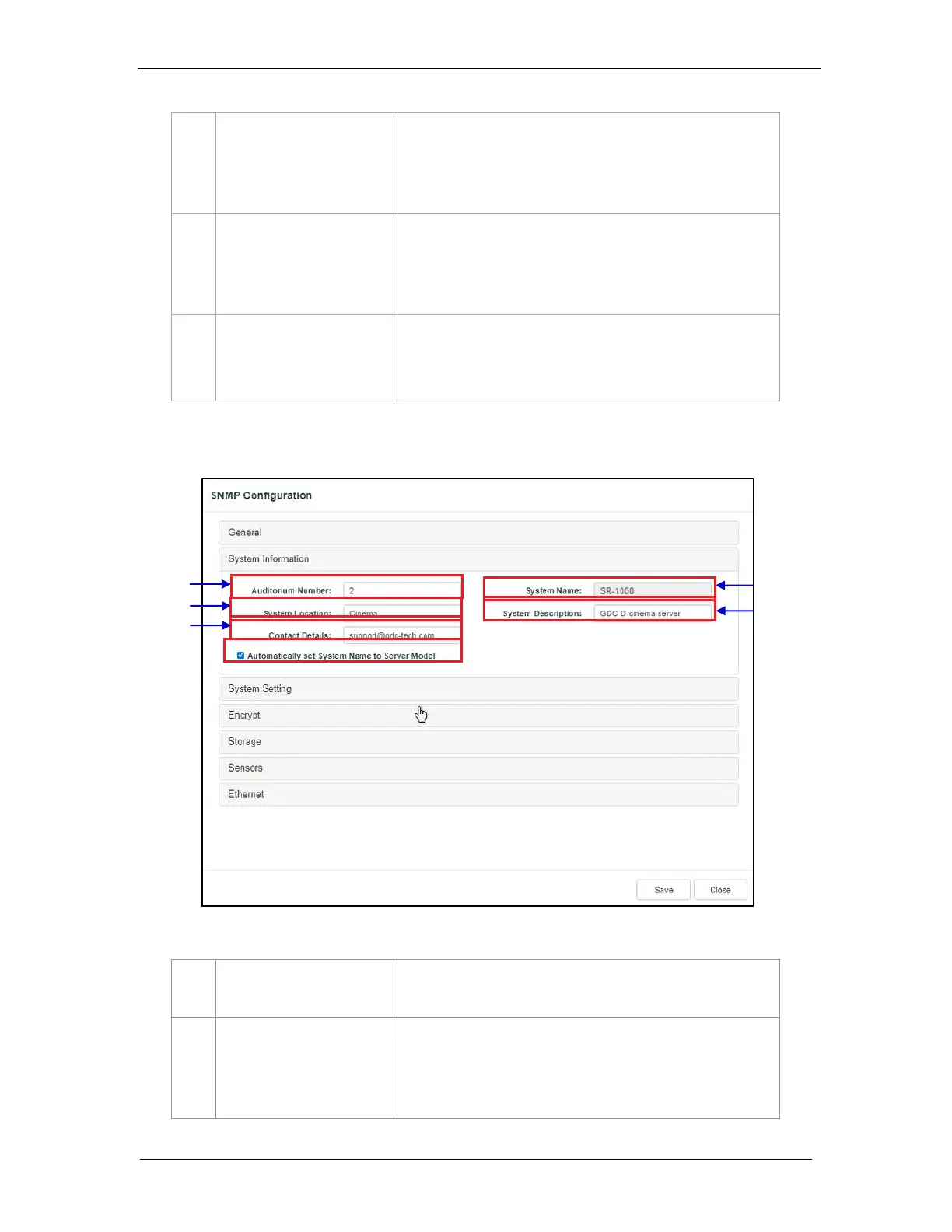
7.1.1.2 SNMP Configuration → System Information
The auditorium where the SR-1000 is installed. This value will
be displayed when SNMP information is queried.
The name of the Server. This value will be displayed when
SNMP information is queried.
This will be automatically set to the server model if the
Automatically set System Name to Server model option is
enabled.
Figure 43: SNMP Configuration - System Information



 To Next Page