USER MANUAL FOR SR-1000 STANDALONE INTEGRATED MEDIA BLOCK™
7. CONFIGURATION
7.2 Playback
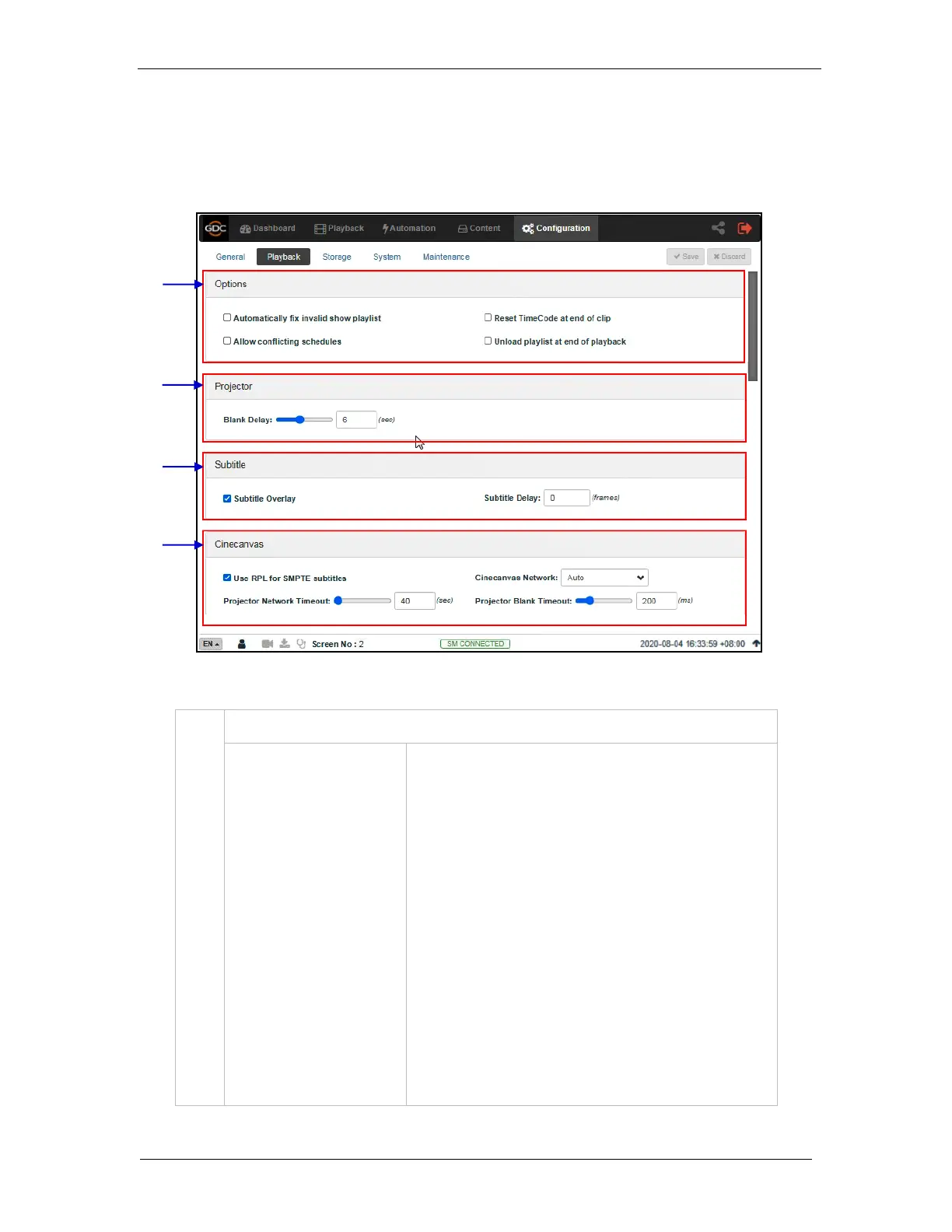
The Playback sub-tab is used to configure video, audio, subtitle and other playback settings
on the SR-1000.
Automatically fix invalid
show playlist
Allow conflicting schedules
Reset TimeCode at end of
clip
Unload playlist at end of
playback
If this option is enabled, non-playable CPLs in a show playlist
will be skipped during playback.
Enabling this option allows addition of schedules with
overlapping start or end times.
Enabling this option resets the timecode (LTC) to 0 at end of
each CPL.
Enabling this option will automatically unload the SPL at the
end of playback.
Figure 49: Playback Configuration (1)



 To Next Page