EasyManua.ls Logo

GDC SR-1000 - SNMP Configuration → System Setting

GDC SR-1000
137 pages
Print Icon
To Next Page IconTo Next Page
To Previous Page IconTo Previous Page
Loading...
- 71 -
April 22
nd
, 2021
USER MANUAL FOR SR-1000 STANDALONE INTEGRATED MEDIA BLOCK™
7. CONFIGURATION
3
[System Location]
The location where the SR-1000 is installed. This value will be
displayed when SNMP information is queried.
4
[System Description]
A brief description of the server. This value will be displayed
when SNMP information is queried.
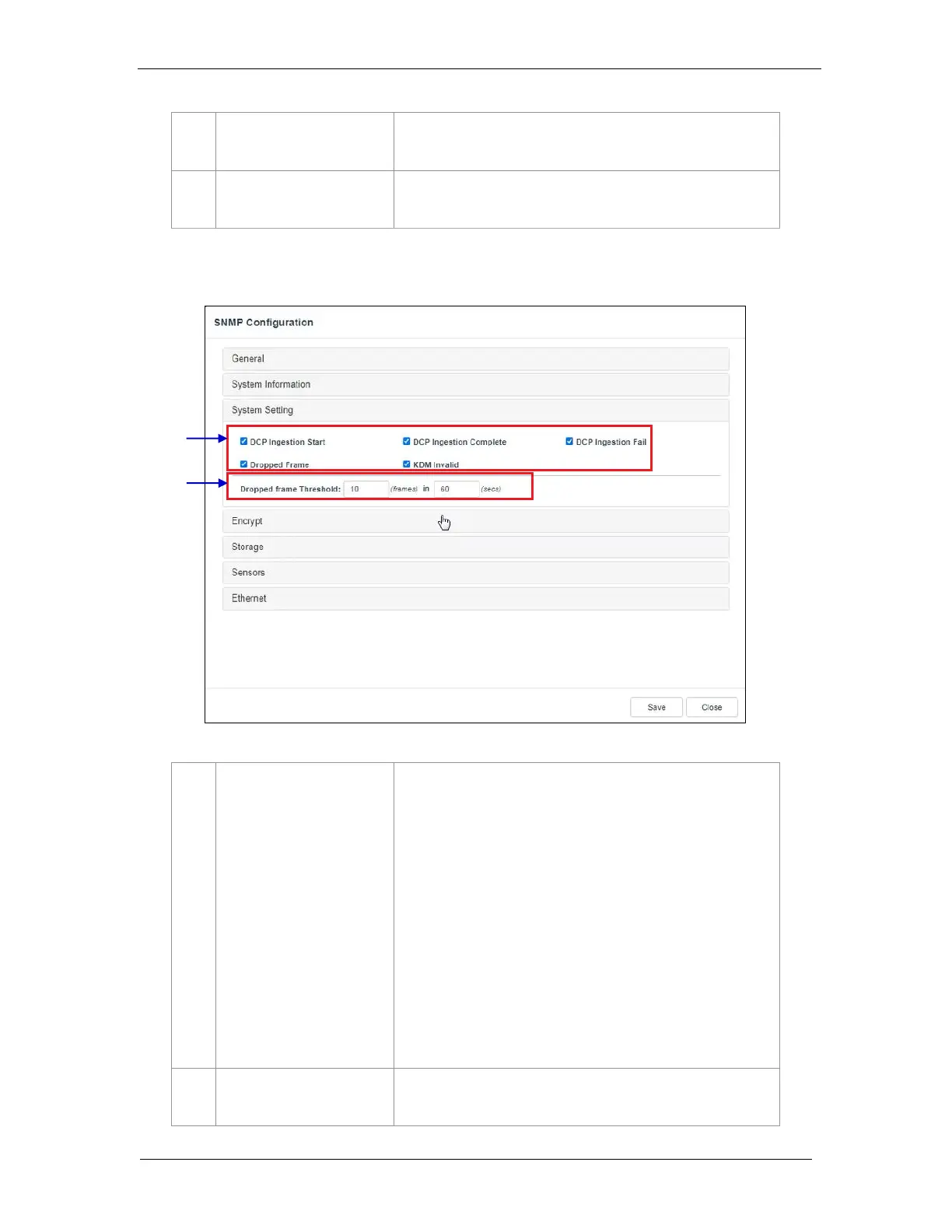
7.1.1.3 SNMP Configuration → System Setting
1
[Ingestion Start]
[Ingestion Complete]
[Ingestion Fail]
[Dropped Frame]
[KDM Invalid]
When this option is checked, an SNMP trap will be generated
when a DCP ingest starts.
When this option is checked, an SNMP trap will be generated
when a DCP ingest is completed.
When this option is checked, an SNMP trap will be generated
when a DCP ingest fails.
When this option is checked, an SNMP trap will be generated
when the playback has dropped frames
When this option is checked, an SNMP trap will be generated
when we try to play a playlist containing CPL without a valid
KDM
2
[Dropped Frame Threshold]
Set a threshold limit based on the number of frames dropped in
the specified time period (in seconds)

Figure 44: SNMP Configuration System Setting
1
2

Table of Contents

Other manuals for GDC SR-1000

Related product manuals