USER MANUAL FOR SR-1000 STANDALONE INTEGRATED MEDIA BLOCK™
4. PLAYBACK
4 PLAYBACK
4.1 Playback
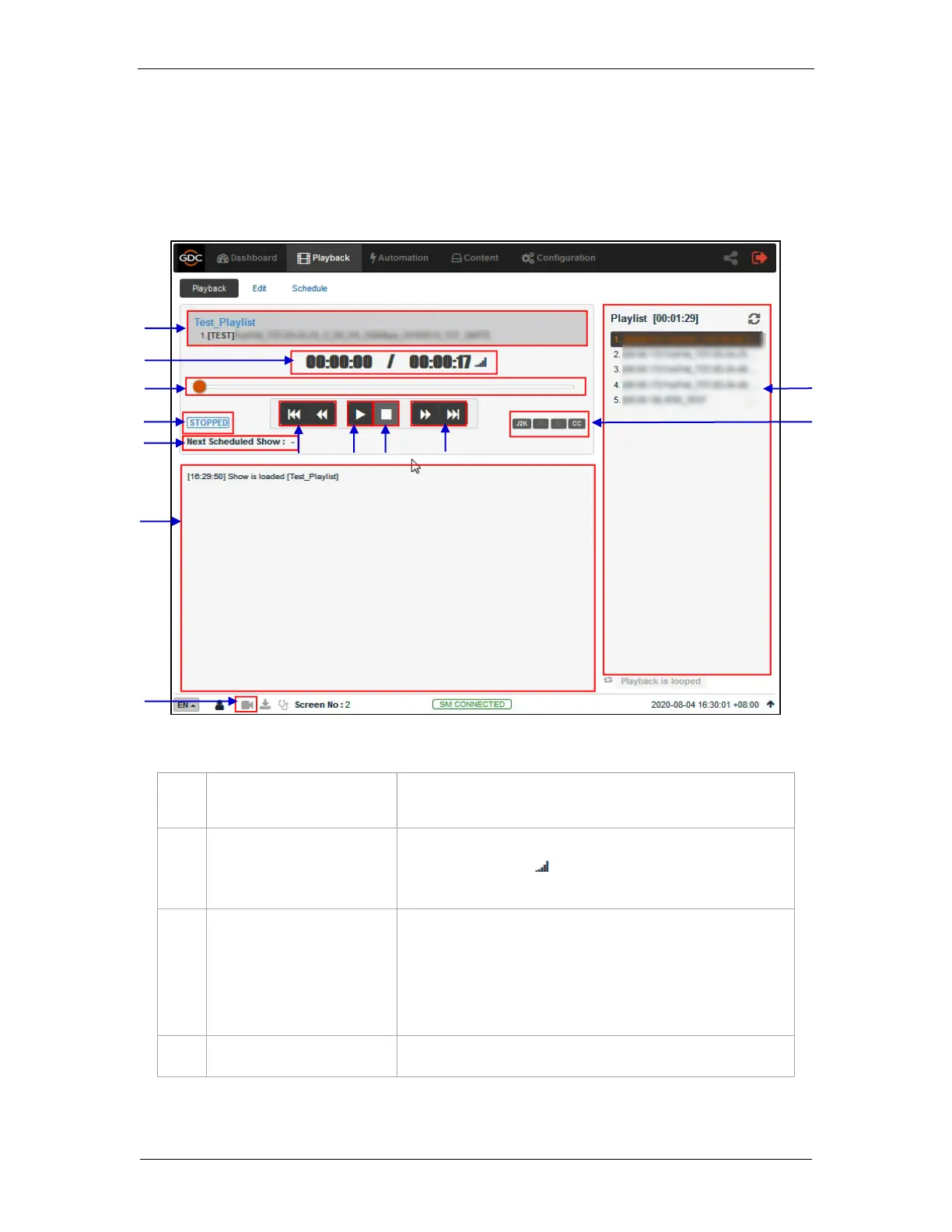
The Playback sub-tab displays playback progress and allow the operator to control playback.
Displays the name of the current loaded show and currently
playing clip.
Displays the duration of the current clip played and total duration
of the clip. Click on the icon to toggle between current
playback time and remaining playback time for the clip.
This bar will start advancing to show playback progress.
Press [►] to start a playback. When [■] is pressed, the
Playback Progress Bar will stop and return to its starting point.
When playback is paused, the Playback Progress Bar can be
moved to the left or right to seek within the clip.
Play button. The [►] button starts playback when pressed.



 To Next Page