8. AUDIO PROCESSING
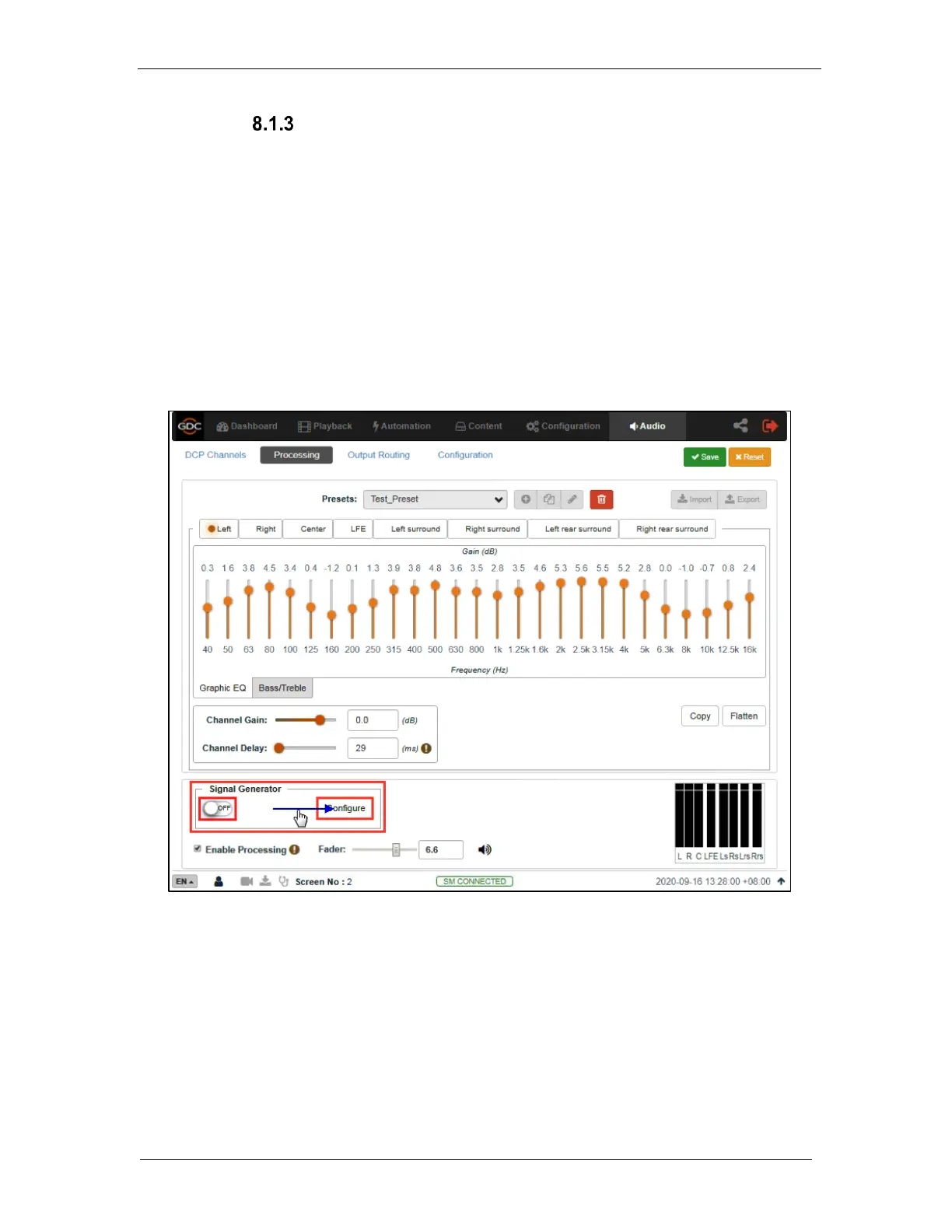
Signal Generator
The in-built Signal Generator can be used to output a test signal to one or more output
channels, which may be required for calibrating the auditorium sound system.
Before using the Signal Generator, click on the Configure button.
The Signal Generator can produce five kinds of test signals, as shown in Figure 73:
▪ Pink noise,
▪ 100Hz sine,
▪ 1 kHz sine,
▪ 10kHz sine
▪ Sweep.
Figure 72: Signal Generator
Select any one type of test signal from the Test Signal drop-down, as shown in Figure 73.
Choose one or more channels through which the test signal should be played, in the Play on
channels option (refer to Figure 74). Alternatively, the test signal can be played sequentially
one channel at a time by choosing the Play in sequence option (refer to Figure 74).



 To Next Page