USER MANUAL FOR SR-1000 STANDALONE INTEGRATED MEDIA BLOCK™
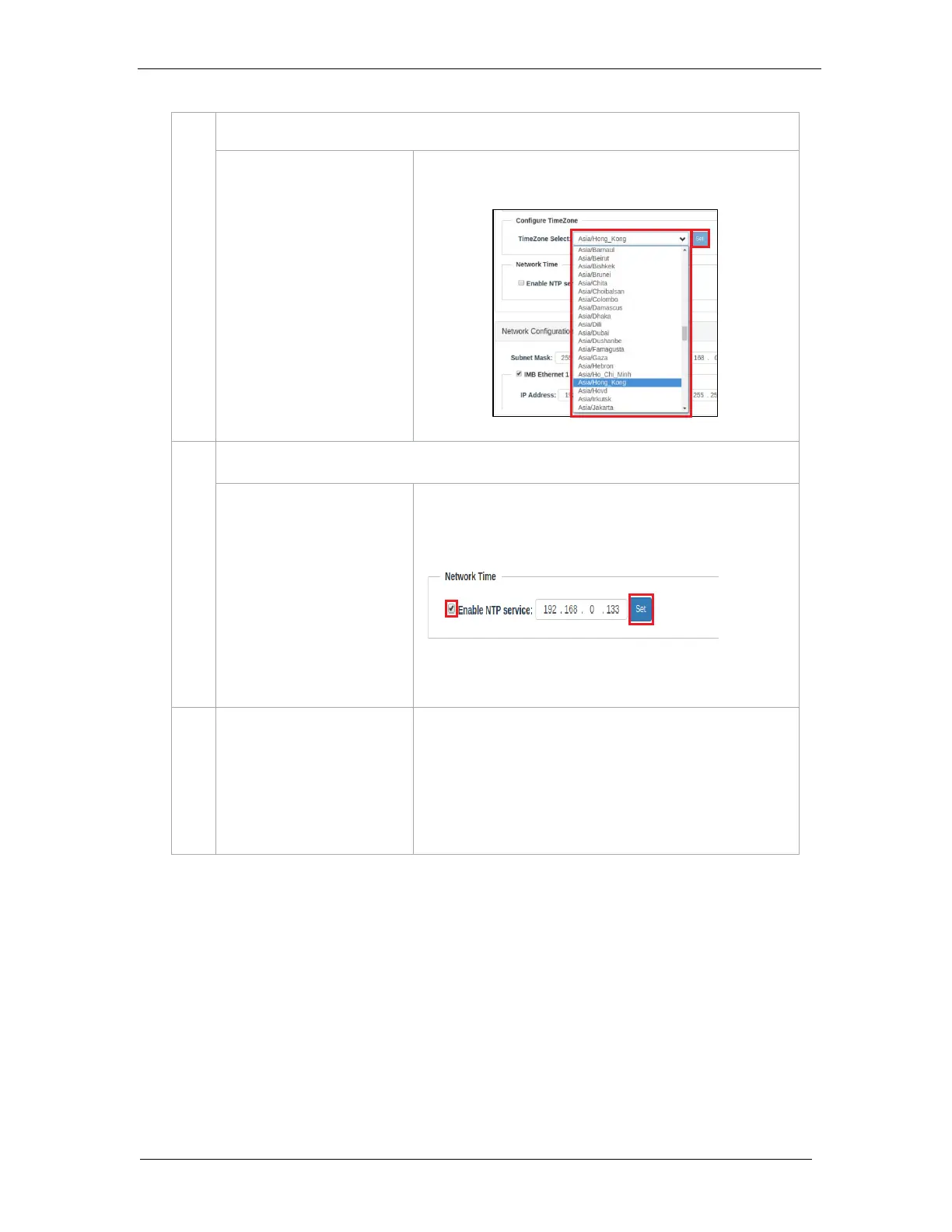
Select specific area/country from the dropdown list and click Set
to configure the timezone.
Sync the Server time with an external NTP server.
Select Enable NTP service. Enter the specified time server’s IP
address and click Set to start using the NTP server.
Note: Time adjustments will be limited in accordance with DCI
specifications (+/-360 seconds).
Enable/disable the wireless Access Point of the SR-1000.
The Access Point of the SR-1000 can be used to wirelessly
access the Web UI, using a Wifi-enabled device.
Note: The name of the wireless Access Point will appear in the
format “SMS-XXXXXX” where XXXXXX represents the Serial
Number of the SR-1000.



 To Next Page