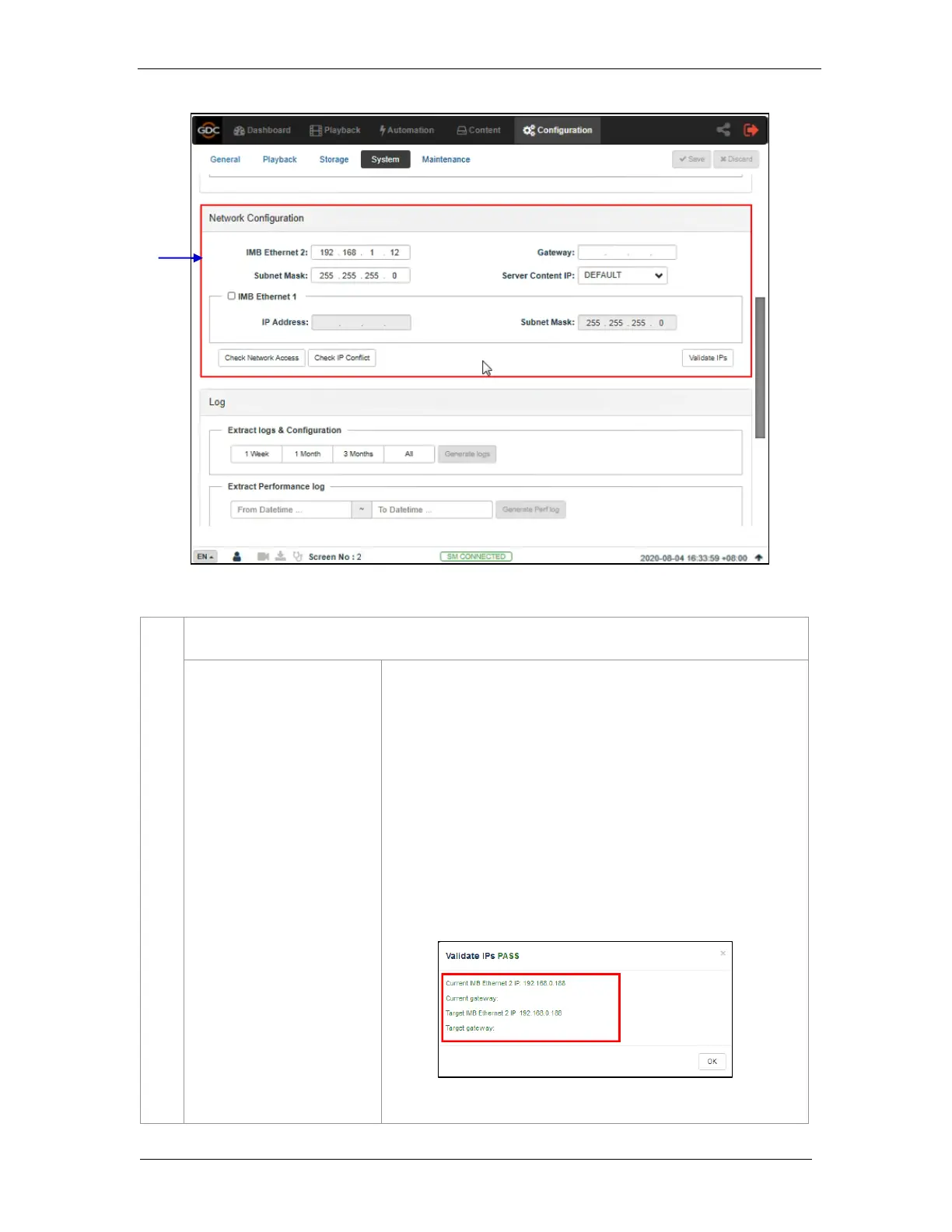
Specify the subnet mask.
Specify the network gateway for the SR-1000.
This is the main IP address of the SR-1000. The Web UI can be
accessed using this IP address.
Enable this to set up a secondary network on the SR-1000. This is
usually connected to a Content network. When it is checked, IP
address, Subnet Mask, Server Content IP can be set.
After setting the above network configurations, click Validate IP’s to
check the correctness of the IPs entered. A pop-up opens displaying
the result.



 To Next Page