Click on the Delete button to delete the selected package or CPL. You can either choose
Immediately Delete or Schedule Delete.
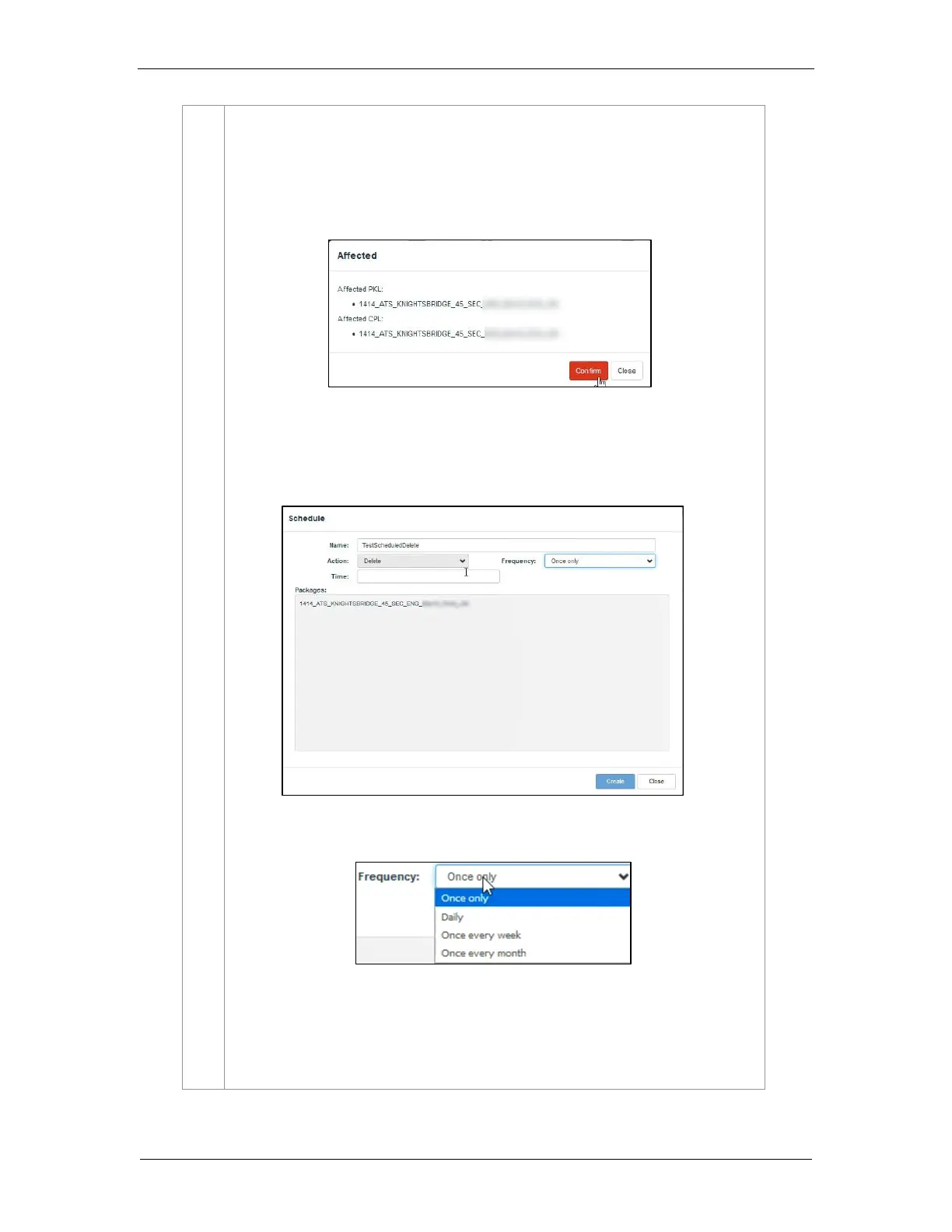
a) Immediately Delete: This option can be used to immediately delete the
selected PKL/CPL. A pop-up window is shown to confirm the deletion of the
package. Click on Confirm to delete content or click Close to cancel.
b) Schedule Delete: Set a date and time to delete the selected PKL/CPL.
A pop-up window will be shown to provide details for the schedule. Provide a
Name for the schedule being created.
Select the frequency and date and time for the schedule


 To Next Page