D20/D200
Installation and Operations Guide
GE Energy
994-0078-2.00-7 General
100
Full
D20/D200 Software Configuration, continued
Base Types
There are two types of Base system software: D20 Base and CCU Base.
Identification of
Base Type
The D20ME module Base Type is determined by the version of BootROM installed,
which identifies how the module will be used. Since the download method depends
on which BootROM is installed, the Base type of the module must be known before
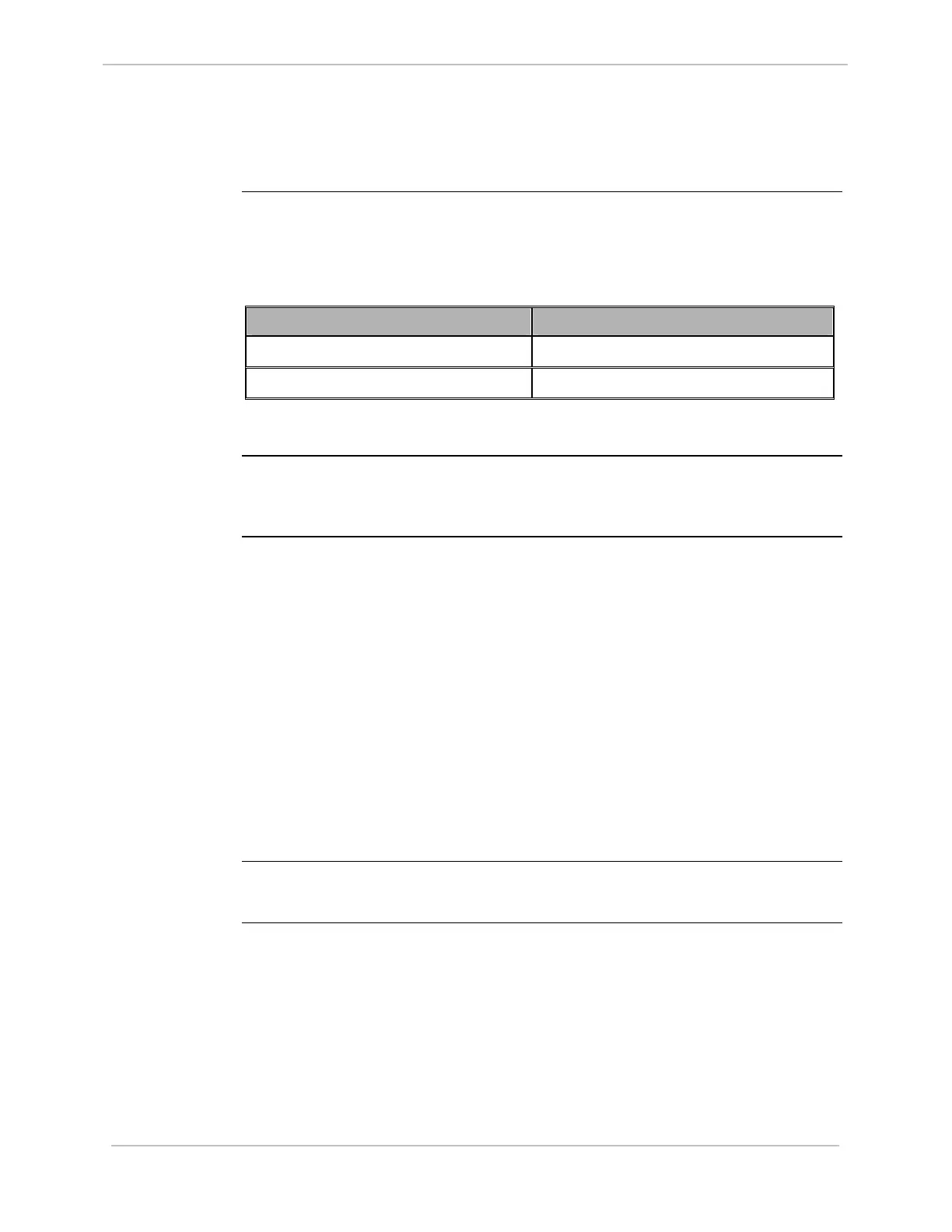
downloading flash code. The BootROM label indicates which type you have:
Module Base Type BootROM Label
D20ME D20 Base SBU0000/xx
D20ME CCU Base SBU0001/xx
Note
The /xx suffix in the BootROM Label is the revision number of the software
Alternate
Identification
Method
If the D20ME module is already installed into a device and difficult to remove, you
can identify the Base Type through the WESMAINT monitor See “Procedure:
Identify
Base”, page 101.
Prerequisites
for Code
Download
The items following must be available before a flash code file can be loaded into a
D20ME:
• Windows PC with terminal emulation communication software loaded.
• The code file, in the Motorola® S-record format, preferably located on a local
hard drive.
− If the file is located on a network or floppy drive, the download may be
significantly slower.
− This file typically will be named: down.shx or salxxxx.shx
• A WESMAINT cable for connecting the PC to the D20ME WESMAINT port on
the front-panel.
• The D20ME module must:
− have its hardware option jumpers set
− be installed into a D20 or D200 chassis, ready to power-up
Note:
If you are upgrading from a D20M++ board to a D20ME board, you must use the
.shx file for the ME board, not the .bin file.



 To Next Page