- 147 -
Broken driven wheel deformed clutch compression spring
Broken or damaged clutch abrasion piece worn ball bearing
Broken clutch compression spring dirty main belt wheel surface
15.3 Left crankcase cover
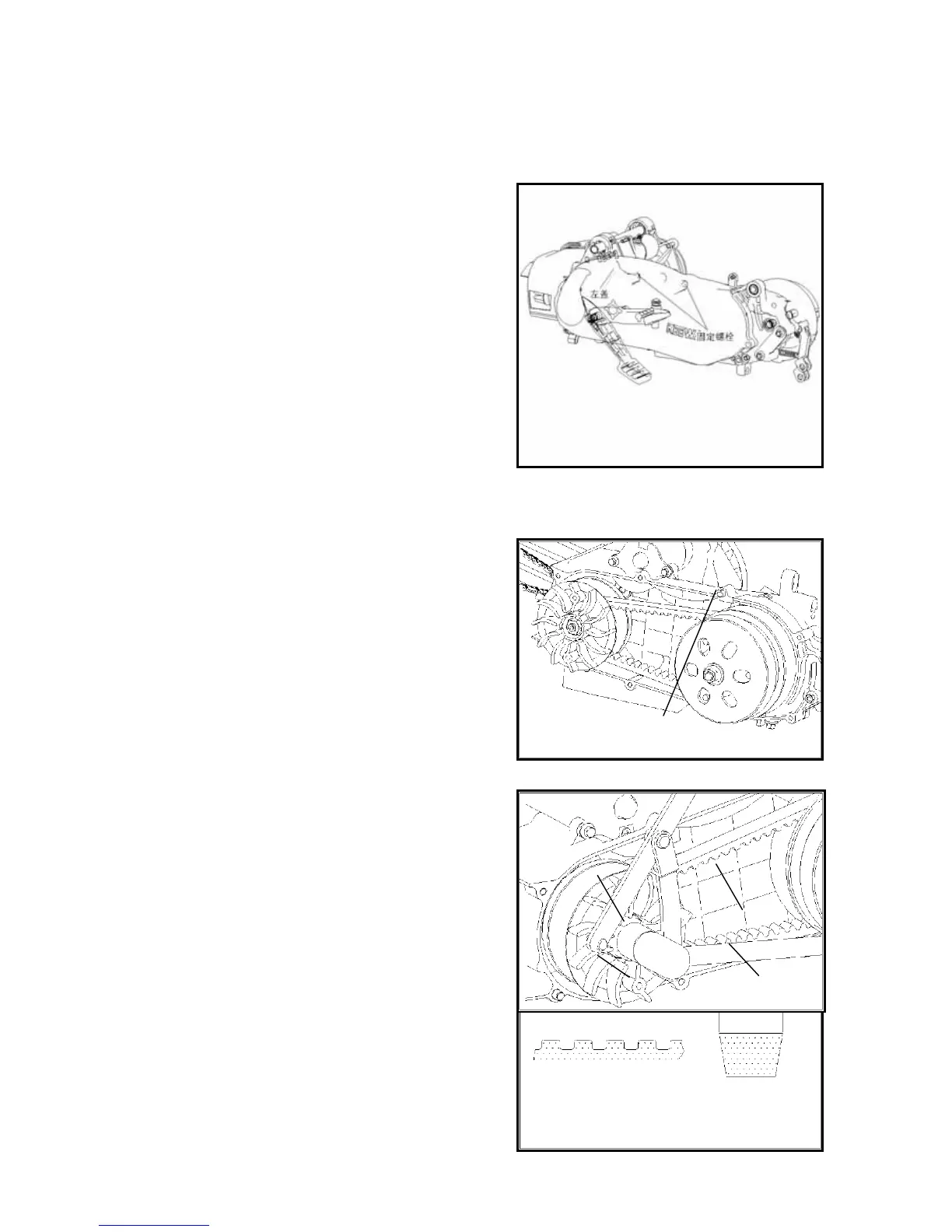
Removal
Remove cover standing bolt and remove gasket as well as
standing pin.
Note:
Remove standing bolt and loose in cross type.
Remove location pin.
15.4 Driving disc
15.4.1 Removal
Remove driving disc standing nut and remove left semi part
of driving disc.
Remove triangular belt from driving disc.
Check wheter the triangular blet has crack, or wheter rubber
or cotton yarn has falledn or be worn.
Measure width of triangular belt.


 To Next Page