PLC Interface
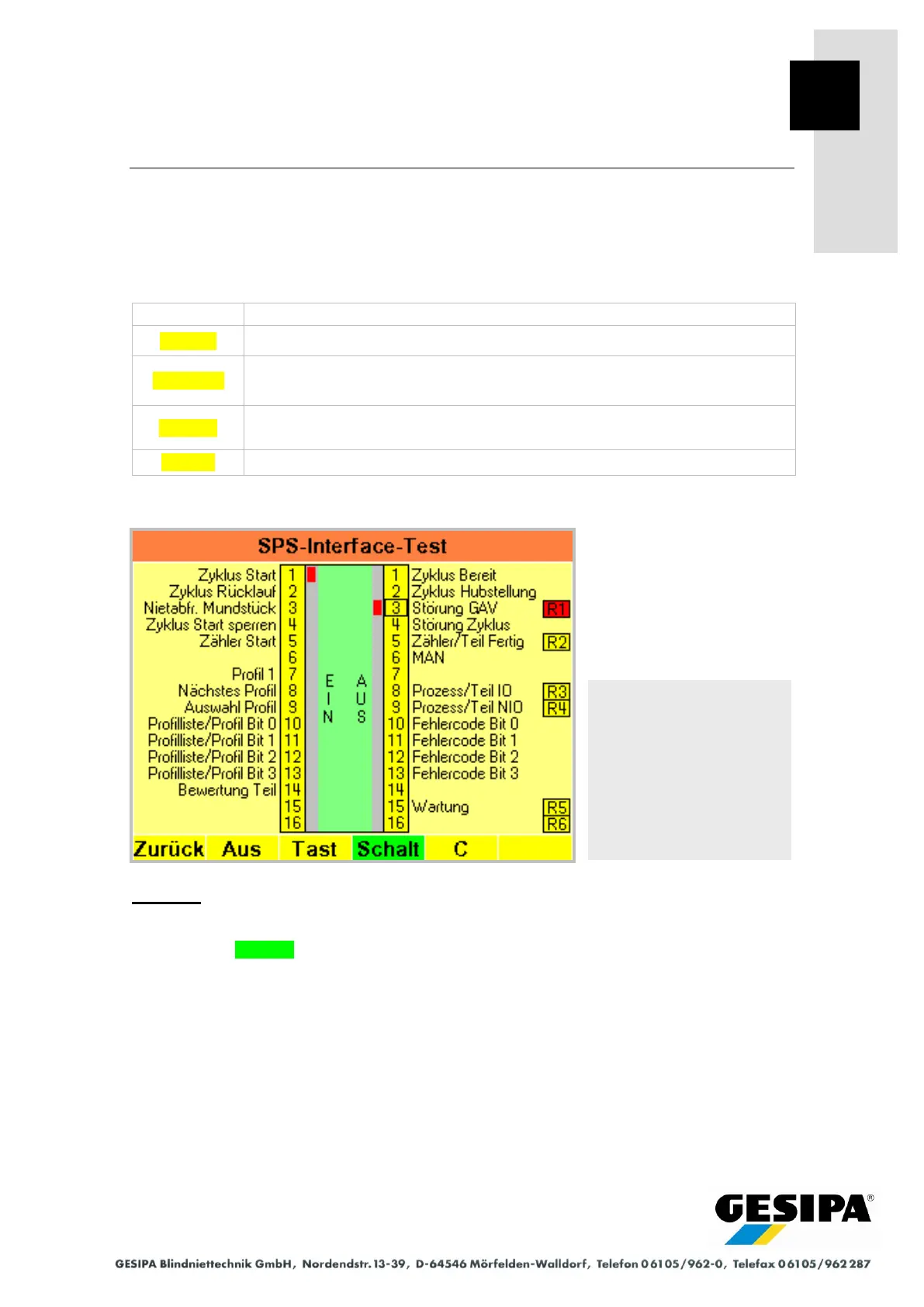
28.2 PLC Interface Test
The input and output assignments of the PLC interface are shown and the connection from the
GAV to the interface tested in the PLC interface test menu. Communication with a connected
PLC, an operating and evaluation unit or input and signalling devices can be additionally tested
individually for each input and output.
Output test active, outputs 1 to 16 can be selected with the rotary knob and
switched on/off with the button function.
Output test active, outputs 1 to 16 can be selected with the rotary knob and
switched on/off with the switch function.
Outputs 1 to 16 are reset when the output test is active.
Example:
- Input 1 "Start Cycle" is set to 1 (24 V) by a connected PLC.
- Output test Switch is active, output 3 "GAV Fault" was set to 1 (24) and the associated re-
lay R1 switched.
Navigation:
AUTO
►MAN
► Menu
► GAV settings
► PLC interface test



 To Next Page