28.7 Profile Selection, In Steps
PLC Interface
28.7 Profile Selection, In Steps
Preconditions:
● PLC interface connected to GAV.
● Process monitoring and profile list active (see Section 11 "Process Monitoring").
Inputs:
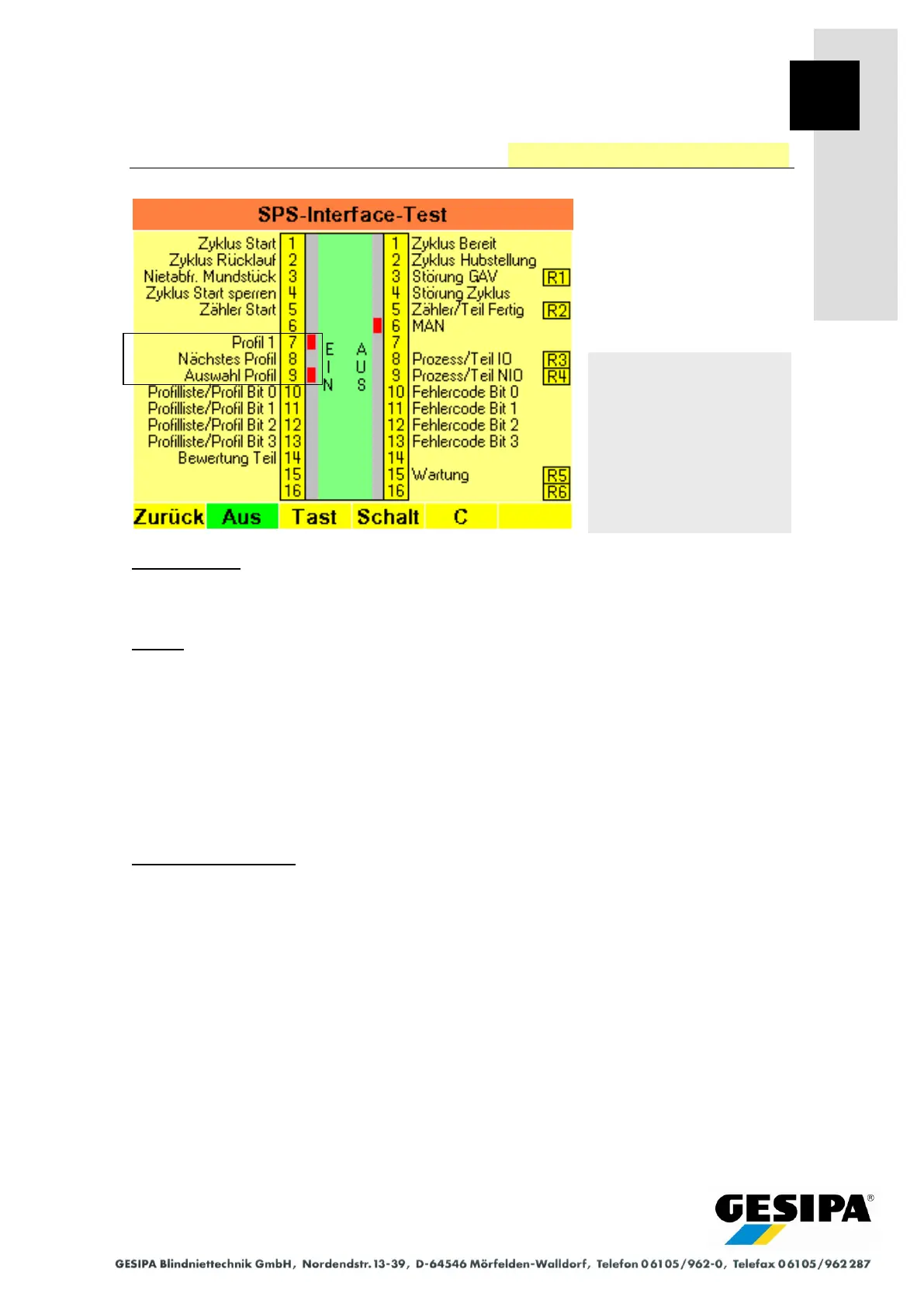
Input 9 "Profile Selection" must be 1 (24 V).
The first profile in the current profile list is activated for the next process with leading edge at in-
put 7 "Profile 1" is 1 (24 V). The next profile in the current profile list is activated for the next
process with leading edge at input 8 "Next Profile" is 1 (24 V). It is necessary to begin again with
input 7 "Profile 1" when the end of the profile list is reached.
In this procedure, automatic step enabling within a profile list is deactivated and is used when
the order of the profiles in a profile list is to be retained, step enabling however is to be con-
trolled by an external PLC.
Example (see screen):
The first profile of the current profile list was selected for the next process with leading edge at
input 7 "Profile 1".
Navigation:
AUTO
►MAN
► Menu
► GAV settings
► PLC interface test
Profile selection in steps



 To Next Page