11.6 Creating Profile List
Process Monitoring
11.6 Creating Profile List
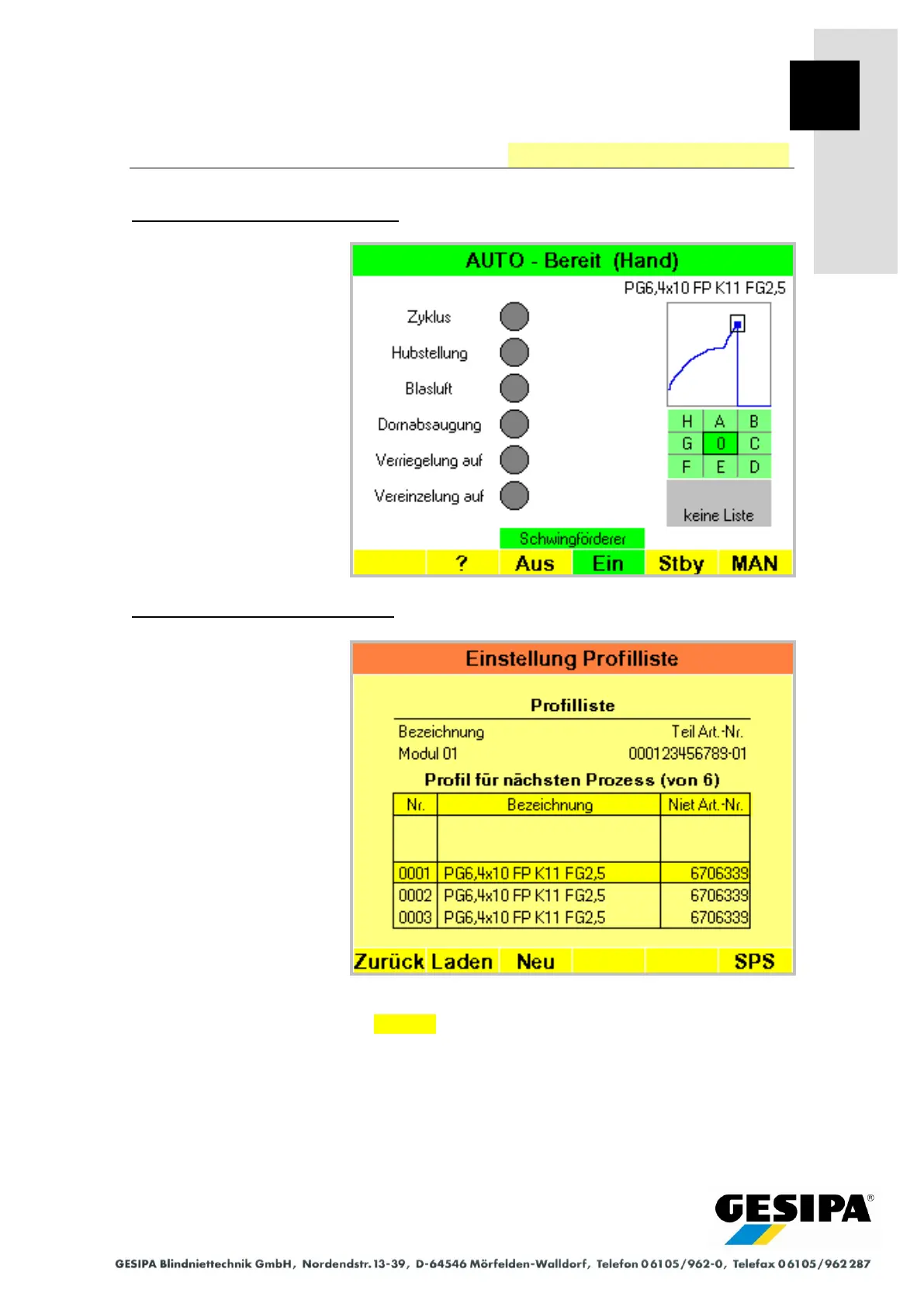
Starting situation: AUTO main menu
After the GAV device is
switched on, the profile last
used or the profile list last
used with its profile last used
are loaded automatically.
If no profile has yet been cre-
ated, a profile with the desig-
nation "start profile" will be
created. In this case, at least
one profile must first be cre-
ated (see Section 11.3 "Pro-
cess Monitoring" - "Creating
Profile").
Step 1: "Profile List Settings" menu
The "Profile List Settings"
menu is accessed from the
AUTO main menu with:
►MAN
► Menu
► Process monitoring
► Profile
► List
The profiles of the current
profile list or of the profile list
last used are shown. The text
fields will be blank when no
profile list has yet been creat-
ed.
A new profile list is created with New.



 To Next Page