18 Connections
Groove Synthesis
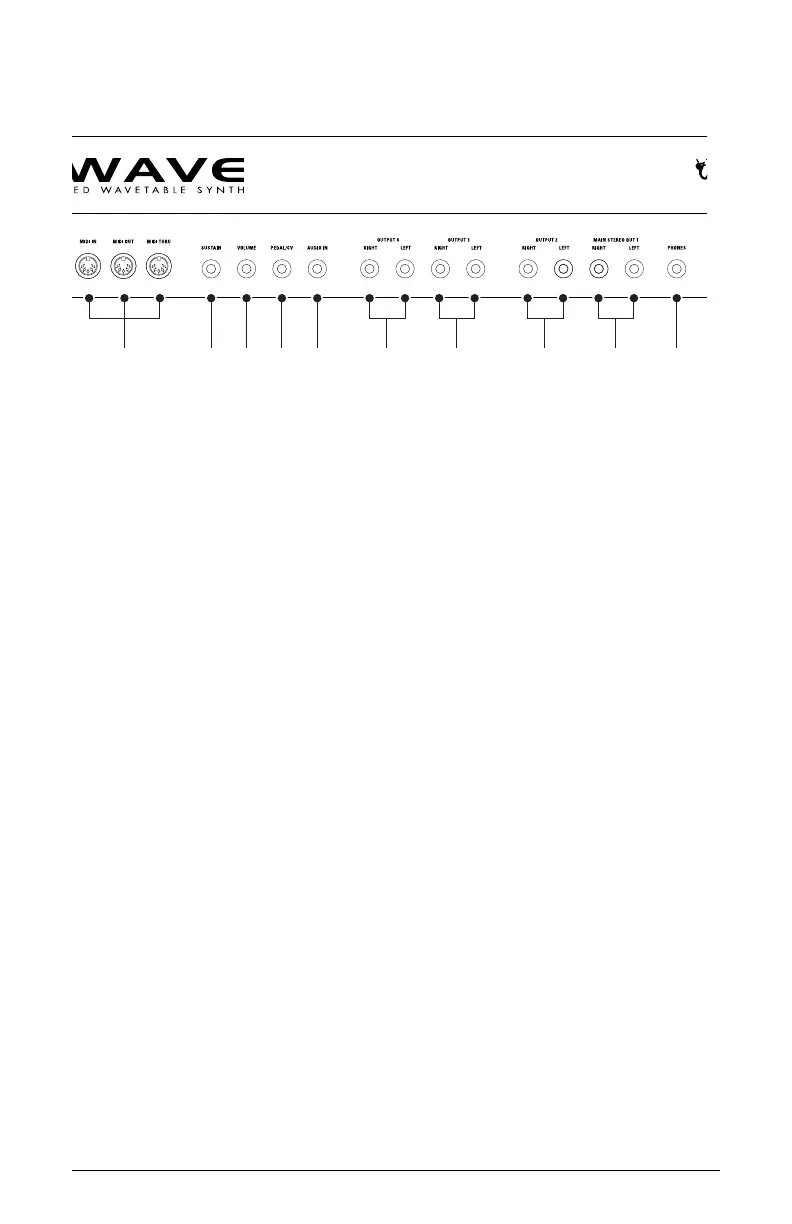
8. AUDIO IN — Accepts an unbalanced, ¼-inch audio input. Connect an
audio cable to this jack to create a custom wavetables with the wave
maker utility. See “Creating Custom Wavetables” on page 82 for more
details.
9. OUTPUTS 4 — Unbalanced, ¼-inch audio outputs. Connect audio cables
to these jacks if you want separate stereo outputs for Layer 4. If no
cables are connected, Layer 4 is output on the Main A Outputs.
10. OUTPUTS 3 — Unbalanced, ¼-inch audio outputs. Connect audio
cables to these jacks if you want separate stereo outputs for Layer 3. If
no cables are connected, Layer 3 is output on the Main A Outputs.
11. OUTPUTS 2 — Unbalanced, ¼-inch audio outputs. Connect audio
cables to these jacks if you want separate stereo outputs for Layer 2. If
no cables are connected, Layer 2 is output on the Main A Outputs.
12. MAIN STEREO OUTPUTS — Unbalanced, ¼-inch audio outputs. These
are the main stereo outputs for the synth. They carry all layers, 1-4, if no
cables are connected to the other output jacks.
13. HEADPHONES — A ¼-inch stereo headphone jack. Headphone volume
is controlled by the
volume knob on the front panel.
4 6 75
8 139 10 11 12



 To Next Page