24 Oscillators
Groove Synthesis
About Oscillator Levels
Each oscillator has a range of 0-100 for its level parameter. If you are
creating sounds using more than one oscillator, setting the levels of each
oscillator too high could result in distortion — though this isn’t always
a bad thing depending on the type of sound you’d like to create. If you
don’t want distortion to occur, set the oscillator levels so that the sum of
the three oscillator levels is no higher than 100.
The other way to cause distortion into the lters is with the
saturation
control in the low-pass lter. Even if the sum of your oscillator levels is
less than 100, you can still distort or “saturate” the lters by turning up
the saturation control. At rst this will only sound like the volume is
increasing, but as you increase the amount of saturation, you will create
more harmonic distortion.
Additional Controls
In addition to the front panel controls for the oscillators, there are also
several parameters accessible through the soft buttons/tabs in the main
display
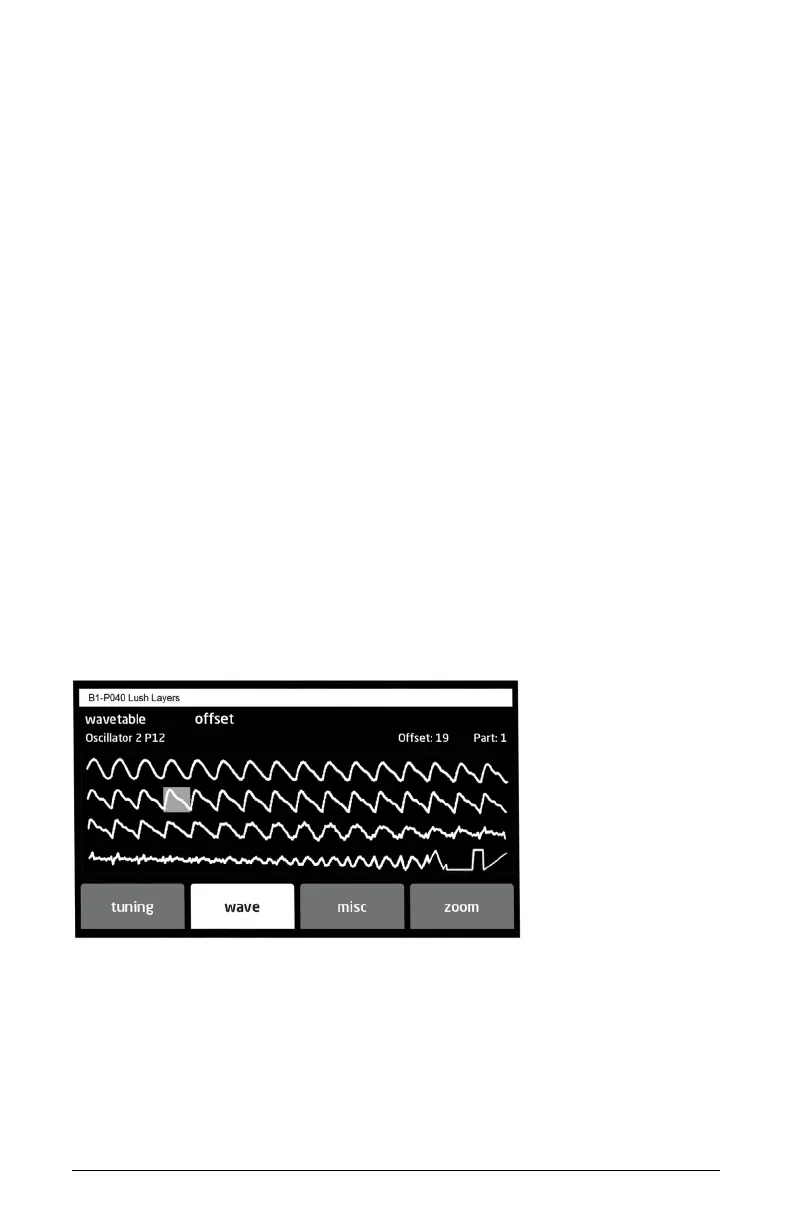
Tab 2 - Wave
SOFT KNOB 1: Selects any wavetable in the P and U wave sets.
SOFT KNOB 2: Sets the wave offset (1-64) within the selected wavetable.



 To Next Page