19
3rd Wave User Manual
Main Display
Main Display
The most frequently used controls on the 3rd Wave are on its front panel.
But there are additional controls (as well as numeric display of values)
visible in its main display.
For example, adjusting a knob or switch in the Oscillator section reveals
the Oscillator parameters in the display. The display also reveals addi-
tional parameters not found on the front panel. You can select and edit
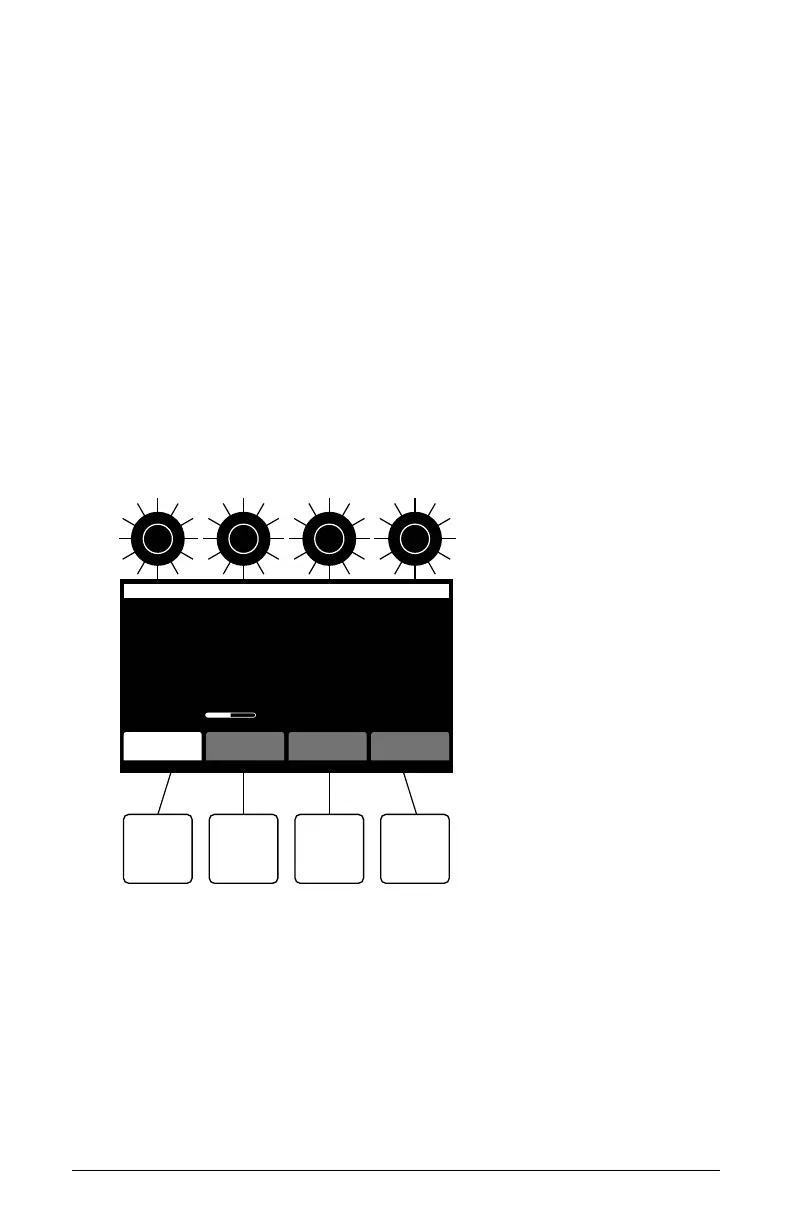
these additional parameters using the four soft knobs and soft buttons
located above and below the display.
The soft knobs are detented encoders that are useful for dialing in values
with precision. The soft buttons select between various menu tabs.
soft knob 1
parameter 1
soft knob 2
parameter 2
soft knob 3
parameter 3
soft knob 4
parameter 4
soft button 1
menu tab 1
soft button 2
menu tab 2
soft button 3
menu tab 3
soft button 4
menu tab 4
Oscillator 1 Part 1
Wavetable P12Osc Level: 46
tuning wave misc next osc
OFFSET
8
WAVETABLE
P4
FINE
0
PITCH
-12
B1-P040 Lush Layers
The Main display



 To Next Page