55
3rd Wave User Manual
Filters
KEY AMOUNT: (0-127) (In the menus) Sets the amount of lter tracking from
the keyboard to the lter’s cutoff frequency. Any setting above zero
means that the higher the note played on the keyboard, the more the lter
opens. This adds brightness to higher notes. At zero, keyboard lter tracking
is off and lter frequency is unaffected whether you play higher or lower on
the keyboard.
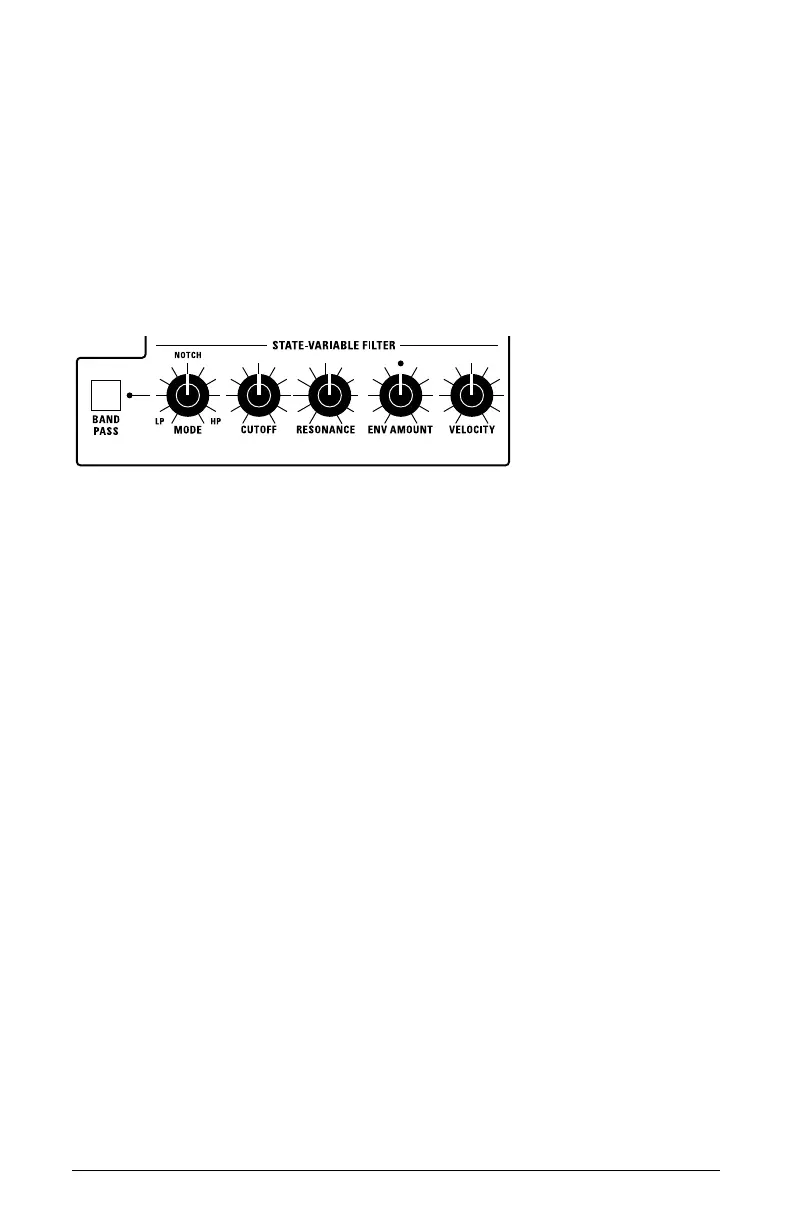
State-Variable Filter Controls
The State-Variable Filter
BANDPASS: This switch turns on Band-Pass lter mode. In this mode only
a narrow band of frequencies (set with the Cutoff knob) is passed by the
lter, while high and low frequencies on either side of the band are cut.
MODE: (0-127) This knob selects the state-variable lter’s mode. It
changes smoothly from low-pass to notch to high-pass operation. Each
lter mode has its own characteristic sound.
CUTOFF: (0-127) Sets the lter’s cutoff frequency. Each lter mode has its
own characteristic operation and sound:
• Low-pass: passes frequencies below the cutoff frequency
• Notch: removes frequencies in a notch centered around the cutoff frequency
• High-pass: passes frequencies above the cutoff frequency
• Bandpass: passes a band of frequencies centered around the cutoff frequency
RESONANCE: (0-127) Emphasizes a band of frequencies around the cutoff
frequency. Unlike the analog low-pass lter, the state-variable lter
doesn’t self-oscillate if you set Resonance to maximum.



 To Next Page