30 Wave Envelope
Groove Synthesis
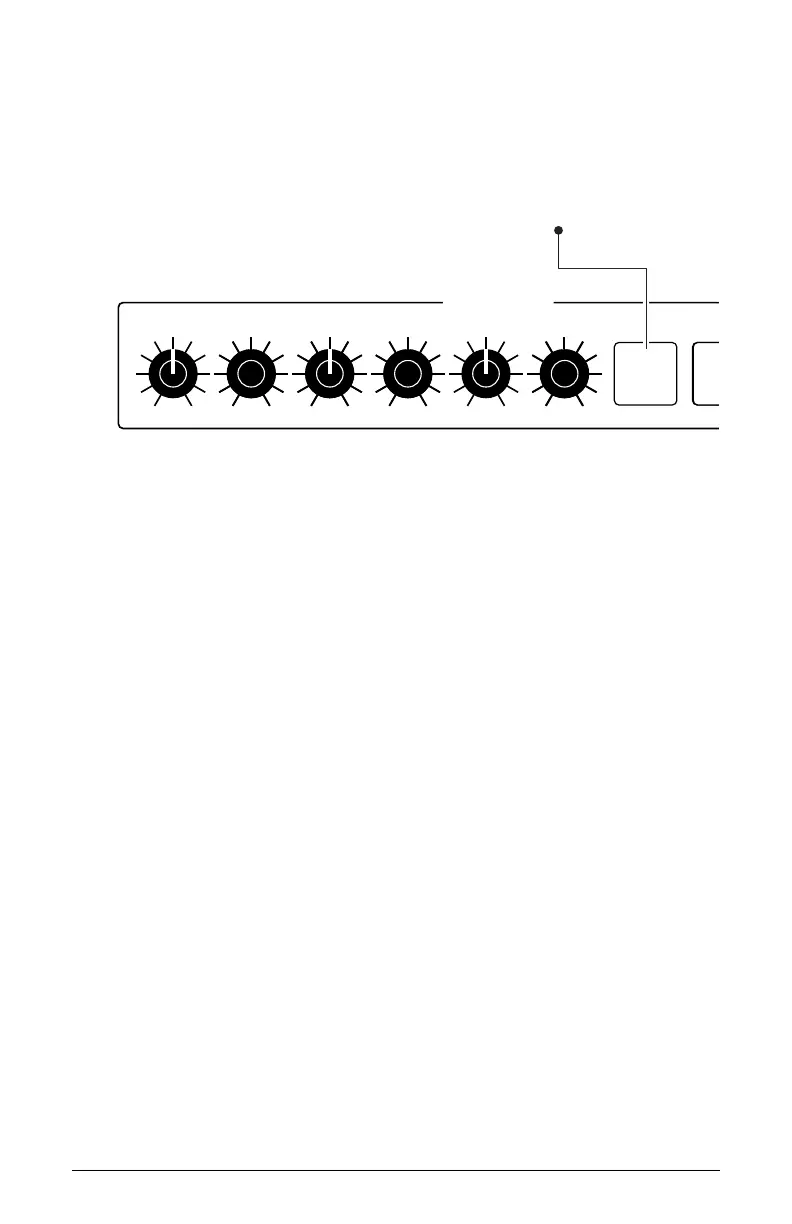
6. In the Wave Envelope section, make sure that the env 4-6 button is not
enabled/lit. When unlit, envelope stages 1-3 are active for editing. But
if the env 4-6 button is enabled/lit, envelope stages 4-6 are active for
editing. At this point, we want to begin editing stages 1-3.
WAVE ENVELOPE
ENV 4-6
POSITION 1/4 TIME 25 POSITION 2/5 TIME 3/6TIME 1/4
POSITION 3/6
OSC 1
OSC 3
Toggles knobs to control
envelope stages 1-3 or 4-6
Turns all wave
envelopes on/off
Selects one or more
oscillator for wave
envelope editing
The Wave Envelope ENV 4-6 button
7. Turn the Time 1/4 knob to set a length for stage 1 of the envelope.
This determines how long it will take to cycle from the waveshape you
chose with the Wave Offset knob through the range of waves you will
set in the steps below.
8. Turn the Position 1/4 knob choose a travel range within the wavetable.
The higher the setting, the broader the range of the sweep within the
wavetable.
9. Turn the Time 2/5 knob to set a length for stage 2 of the envelope.
This determines how long it will take to cycle from the waveshape you
chose with the Position 1/4 knob through the range of waves you will
set with the Position 3/6 knob.
10. Turn the Position 2/5 knob choose a travel range within the wavetable.
The higher the setting, the broader the range of the sweep.
11. Repeat steps 7 and 8 for the remaining stages in the Wave Envelope.
12. To set the parameters for stages 4-6 in the Wave Envleope, press the
env 4/6 button. This toggles the function of the knobs from stages 1-3
to 4-6.
13. Repeat this entire process for Oscillators 2 and 3 if you like.



 To Next Page