Emergency stop (depending on equipment)
T
he machine is equipped with either one or several [emergency stop] buttons,
depending on the configuration.
Alternatively, machines without a separate feed motor can be equipped with red
[Stop] buttons instead of the [Emergency Stop] buttons.
1.
Press the [emer
gency stop] or the red [stop] button.
🡆
The machine stops immediately.
2.
Unlock the [Emer
gency stop] button by turning it.
9.2 Planing - General information
9.2.1 Working positions - Planing
WARNING
Ejected workpieces / workpiece parts
S
evere injuries and damage to property
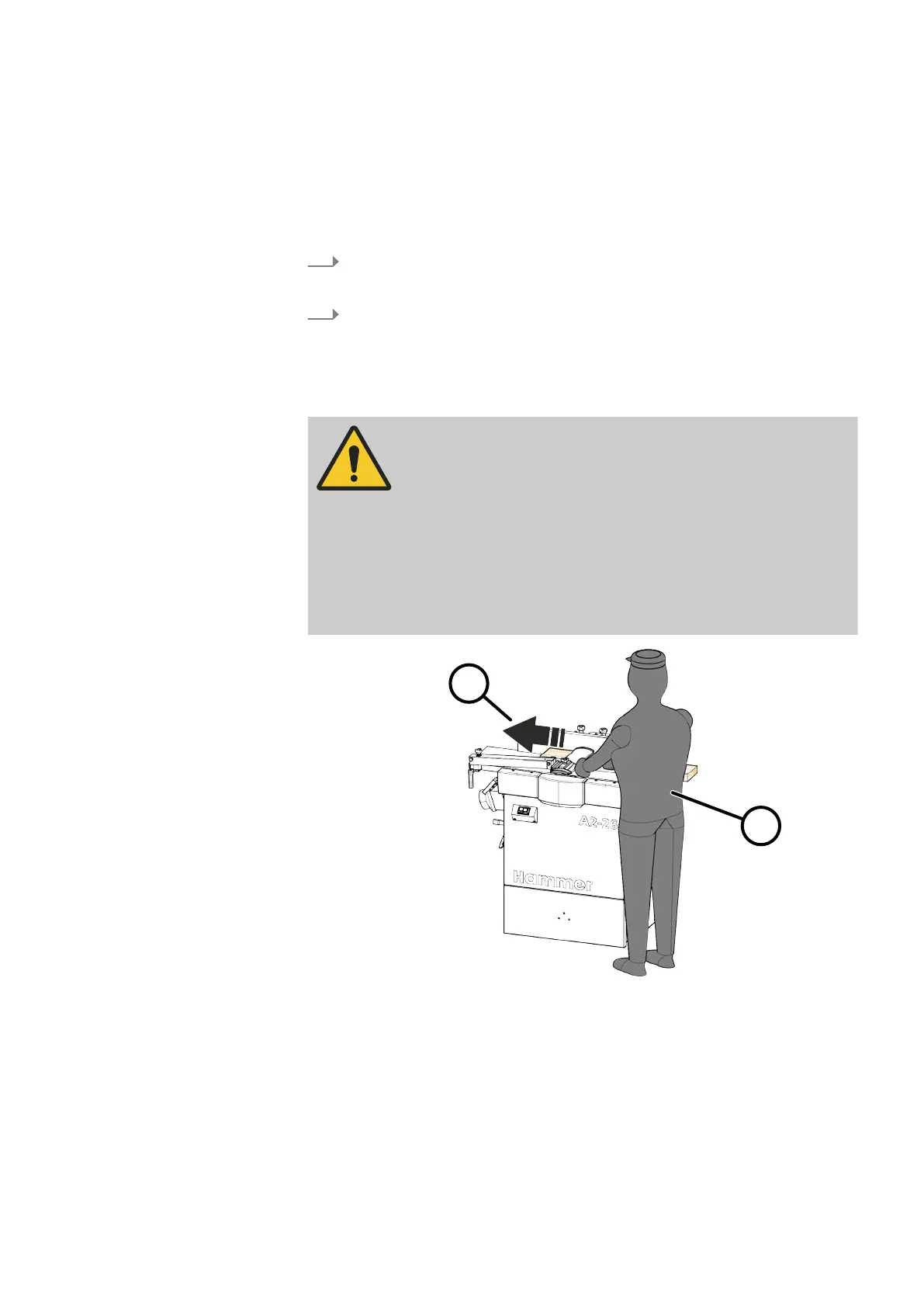
− Assume the correct working position.
− Never stand directly within the line of sight of the machining
unit
s when the machine is switched on (regardless of whether
the machine is working or idling).
− Only process the workpiece by feeding in against the direction
of r
otation.
Fig. 42: Working position - Planing
1 Working position - Planing
2 Processing direction
9.2.2 Permitted processing techniques planing
Sur
face planing evens irregular workpiece surfaces. The workpieces are guided
over the cutterblock and only their undersides are machined.



 To Next Page