3.
Adjust the height of the thicknessing table so that there is 0.5 to 1 mm gap
be
tween the board and the cutterblock blade trajectory.
🡆
Thicknesser opening height = workpiece thickness + 0.5 - 1 mm
4.
The attempt to pull the board out of the machine again is prevented by the
k
ickback guards.
🡆
It should not be possible to pull the board out of the machine.
5.
Push the board out the front of the machine.
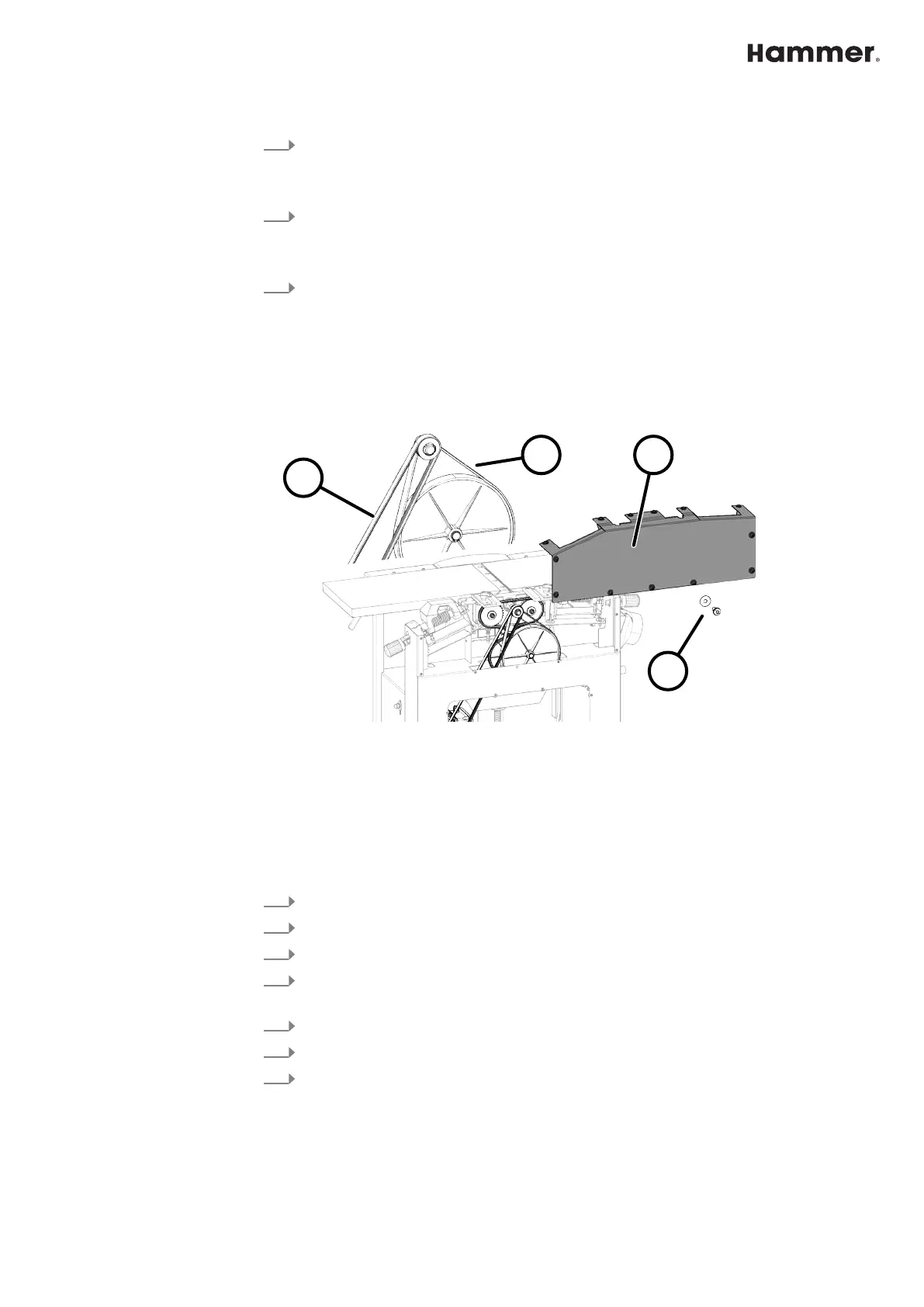
10.6 Check belt tension and belt condition
● The belt tension is factory set to the ideal value.
● The belt tension is specified as an oscillation frequency in hertz (Hz).
● The correct belt tension can only be checked with a measuring device.
Fig. 55: Checking the drive belt
1 Nuts and washers
2 Cover lid
3 Drive belt tension 74 - 80 Hz
4 Drive belt
Tool:
● Screwdriver with star bit
1.
Switch off the machine and secure it against being switched on again.
2.
Disconnect the machine from the mains power supply.
3.
Loosen and remove the screws and washers (13x)
4.
Remove lid. ⮫
Chapter 10.4 ‘Preparation - Remove the maintenance cover’
on page 70
5.
Check belt tension and belt condition.
6.
If any rips or tears are discovered, the belt must be changed.
7.
Remount the cover. ⮫
Chapter 10.4 ‘Preparation - Remove the maintenance
cover’ on page 70



 To Next Page