59
Setting Up
MULTI-EFFECTS, REVERB
is keyboard is equipped with Multi-Eff ects capable of adding various eff ects to the
Extra Voices, and Reverb capable of adding the eff ects of playing in a concert hall.
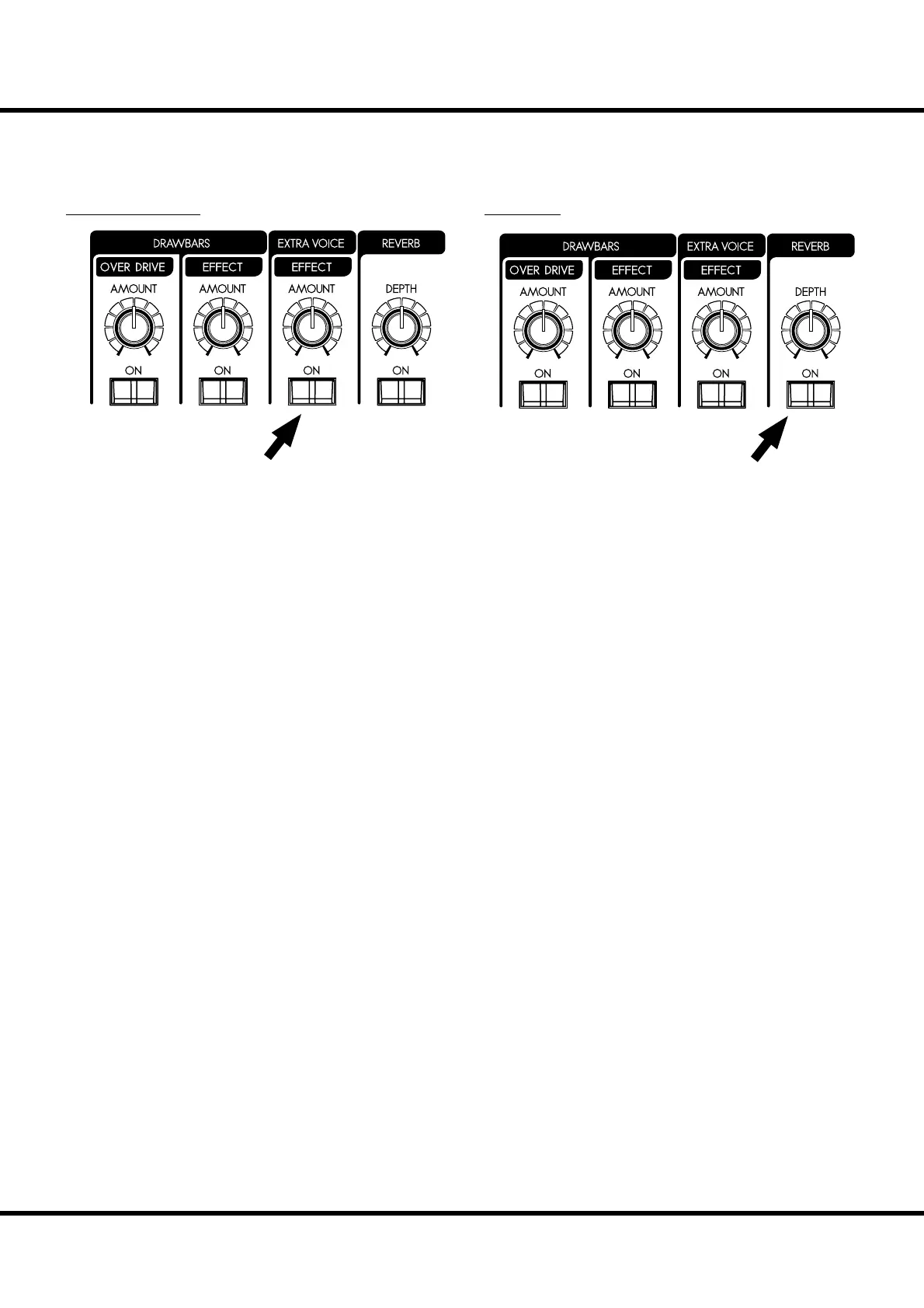
MULTI-EFFECTS
[EFFECT ON] button
To engage the Multi-Eff ects, press this button and the light
will go ON.
[EFFECT AMOUNT] knob
Adjusts the amount of the Multi-Eff ects.
NOTE: There are numerous parameters in the Multi-E ects. Detailed
settings are made with the parameters in the control panel.
(P. 99)
REVERB
Reverb is common for both the organ and the Extra Voice sec-
tions.
[REVERB ON] button
To engage the Reverb, press this button and the light will go
ON.
[REVERB DEPTH] knob
Adjusts the depth of the Reverb.
NOTE: You can ne-tune the time etc. of the Reverb e ect. (P. 101)



 To Next Page