-D2 -78
11-B
PATTERNS IN MEMORY
11_B NB01
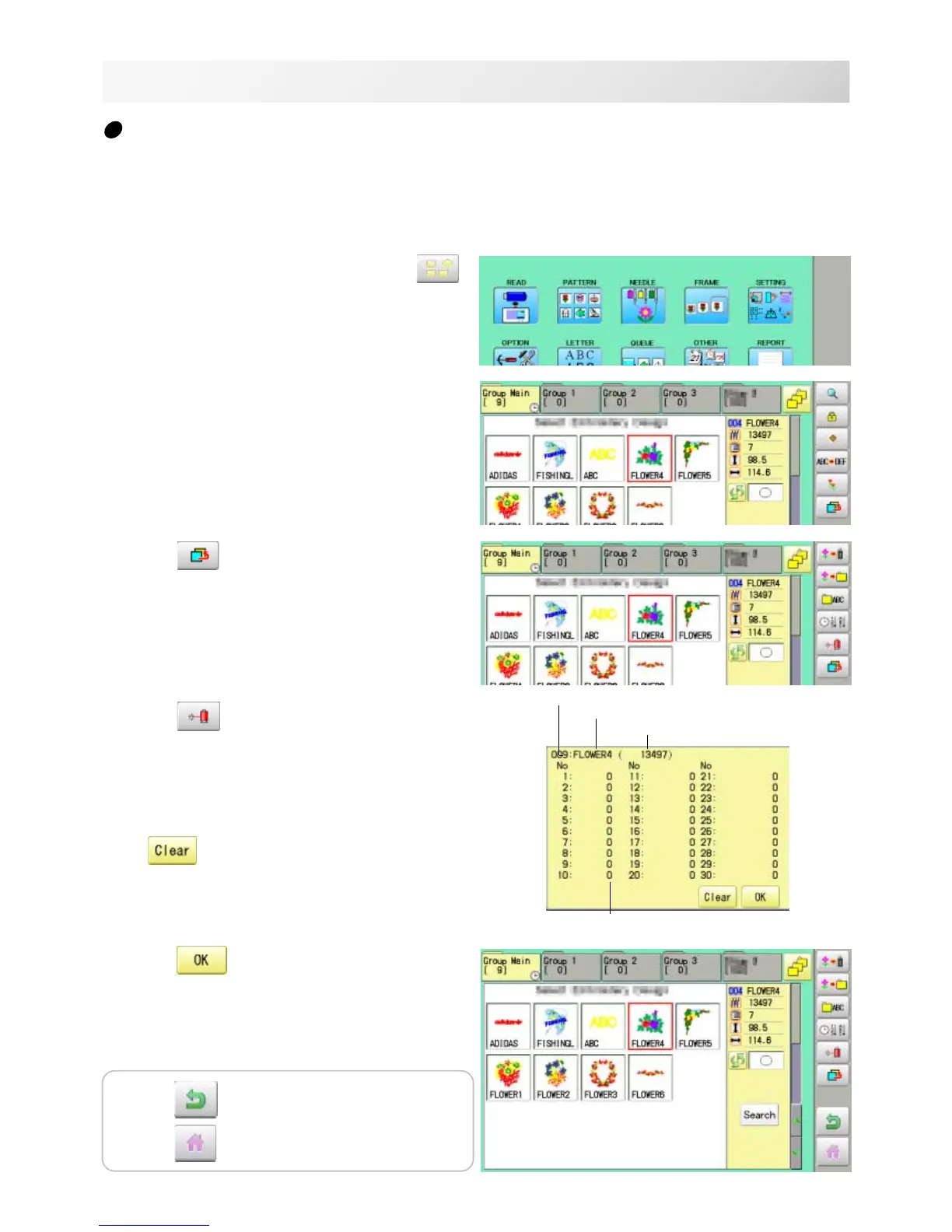
Thread break report
This function will show recorded thread break of pattern data. The machine detects break thread
during operation and records by pattern the number of stitches at the stopped position.
If thread break is happening at same number of stitches, please check construction of stitch
design.
1. When the machine is stopped, press .
2. Select "PATTERN".
3. Select desired pattern.
4. Press
from right submenu.
5. Press from right submenu.
Thread break report will appear in the window.
The maximum memory is up to No. 30.
If the record exceeds No. 30, the new records
will be added to the latest 29 records.
Todeletetherecord
6. Press .
Exit the mode.
Pattern number
Puttern name
Number of stitches
Number of stitches at the stopped position
by thread break
Press to return to Menu mode.
Press
to return to Drive mode.



 To Next Page