-SJ -31
15-3
MACHINE SETTINGS
15_3 O901
Detailed explanation of machine settings
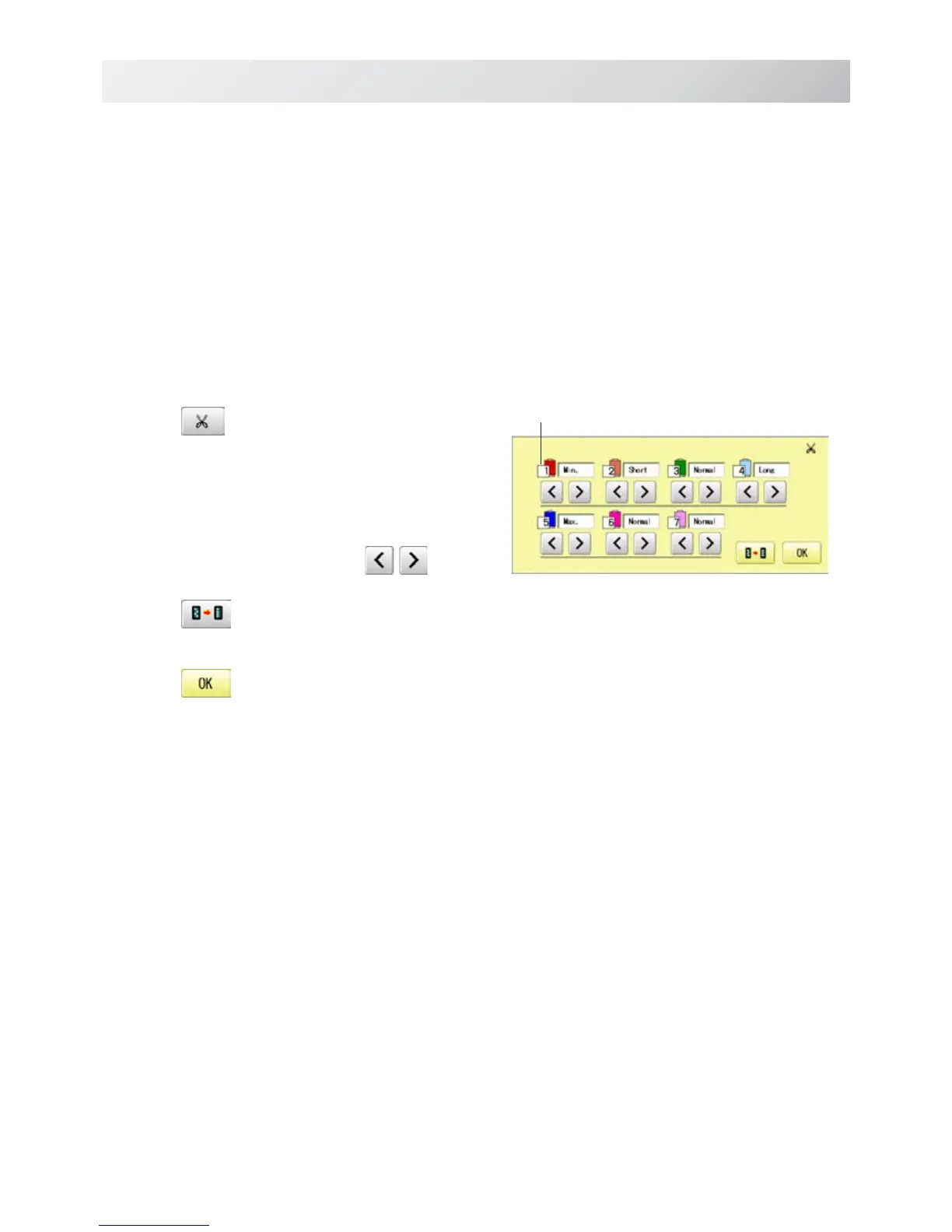
11 Length of TRD.cut
If you select "Needle" with this setting, the upper threads of each needle will be cut off by regis-
tered length.
The length of each thread can be set up taking the following steps.
1. Follow the steps 1.- 3. on the previous page
and the display shows machine setting
page.
2. Press
.
3. Change the setting on the needle number
you would like to change with
.
Press when returning the setting to default.
4. Press .
Needle number



 To Next Page