-SJ -66
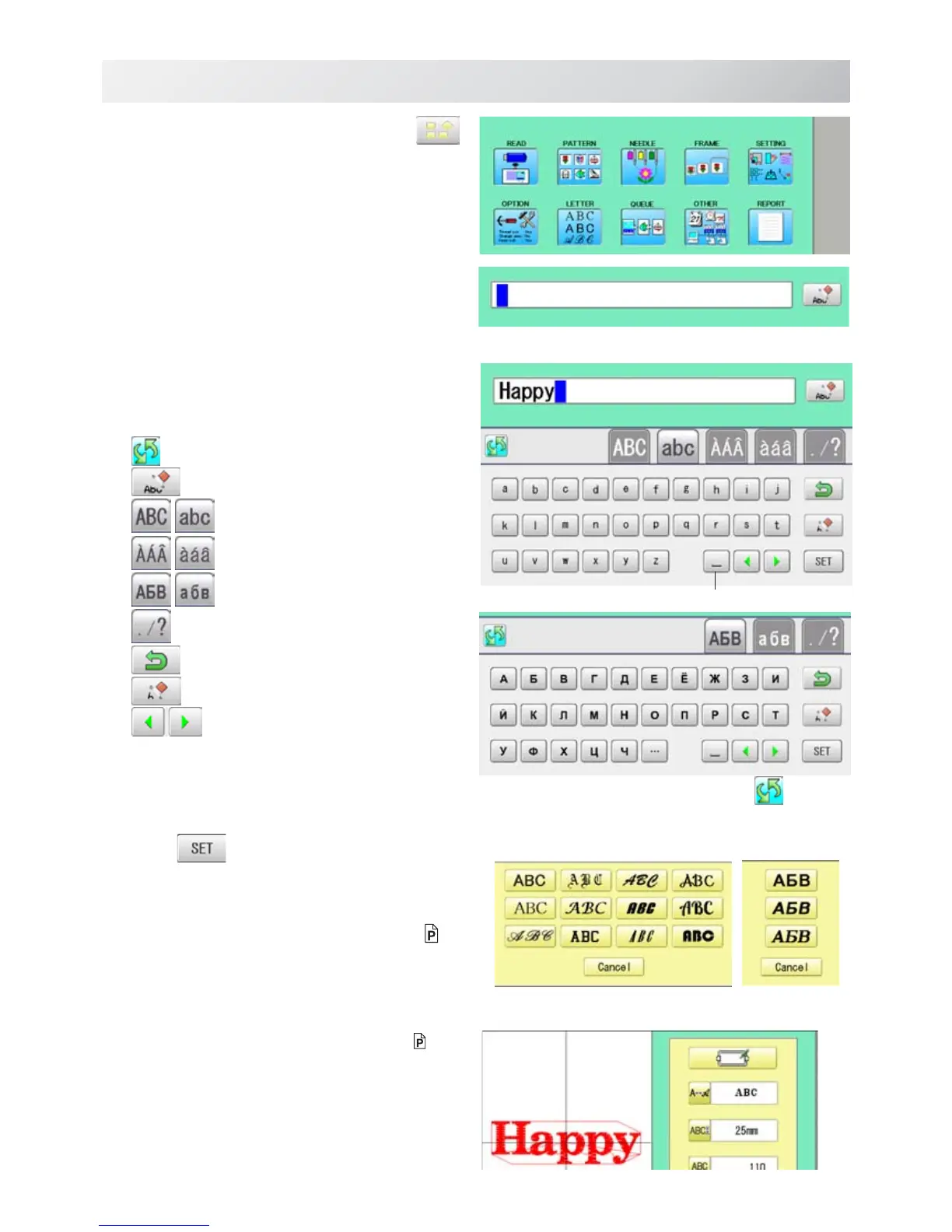
The display of Cyrillic script after pressing .
16-2
LETTER
18_1b NB01
1. When the machine is stopped, press .
2. Select "LETTER".
Letter selection
Select letters. One data can contain up to 26
letters including space.
3. Select letter.
The screen is switched to basic script or cyrillic script.
All the letters are deleted.
Basic script
Biacritic script
Cyrillic script
Symbol
The screen returns to menu.
Selected letter or number is deleted.
The cursor moves left and right.
Except for the space between letters, space is
eliminated.
4. Press when you are finished with the
letter selection.
Fix your setting and you can select fonts.
For fonts, refer to [BUILT-IN FONT LIST]. 26-3
Font Selection
Enables you to select the preferred font. 26-3
5. Select the font.
Fix your setting and go to next step.
Cyrillic script
Basic script (Diacritic)
Space or Delete



 To Next Page