-D2 -38
5-9
PREPARATION OF PATTERN DATA
5_9 NB01
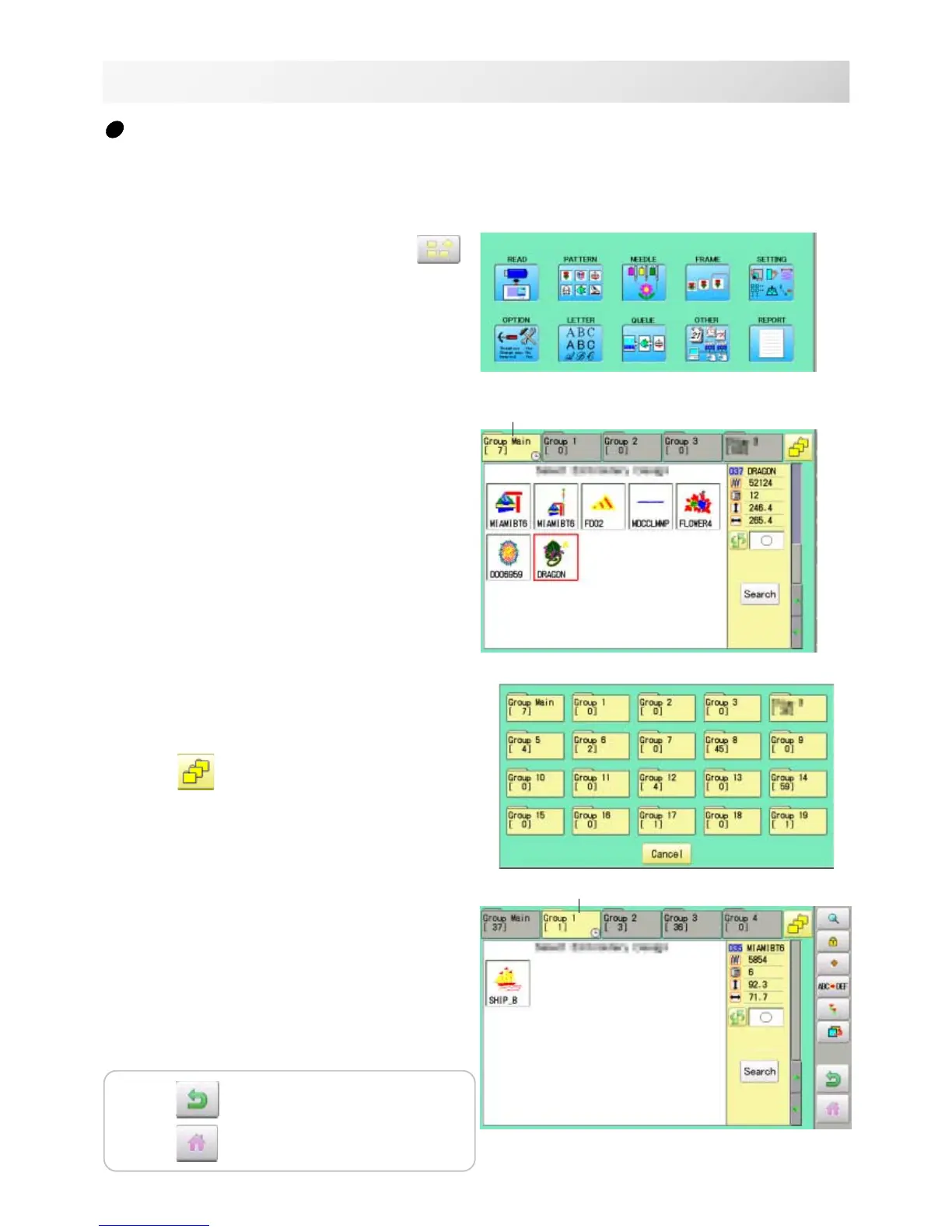
Selection of folders
The pattern data memory is consist of 20 individual folders.
Select desired folder to choose or input pattern data.
Selected folder
1. When the machine is stopped, press .
2. Select "PATTERN".
The pattern data of the selected folder will
appear on the display.
3. Go on to step 4, if you want to select pattern
from displayed folder.
Press
to select from whole folders.
4. Select desired folder.
The selected folder has been switched.
You cannot switch to the folder without pattern
data.
Selected folder
Press to return to Menu mode.
Press
to return to Drive mode.



 To Next Page