-SJ -44
11-C
PATTERNS IN MEMORY
11_C NB01
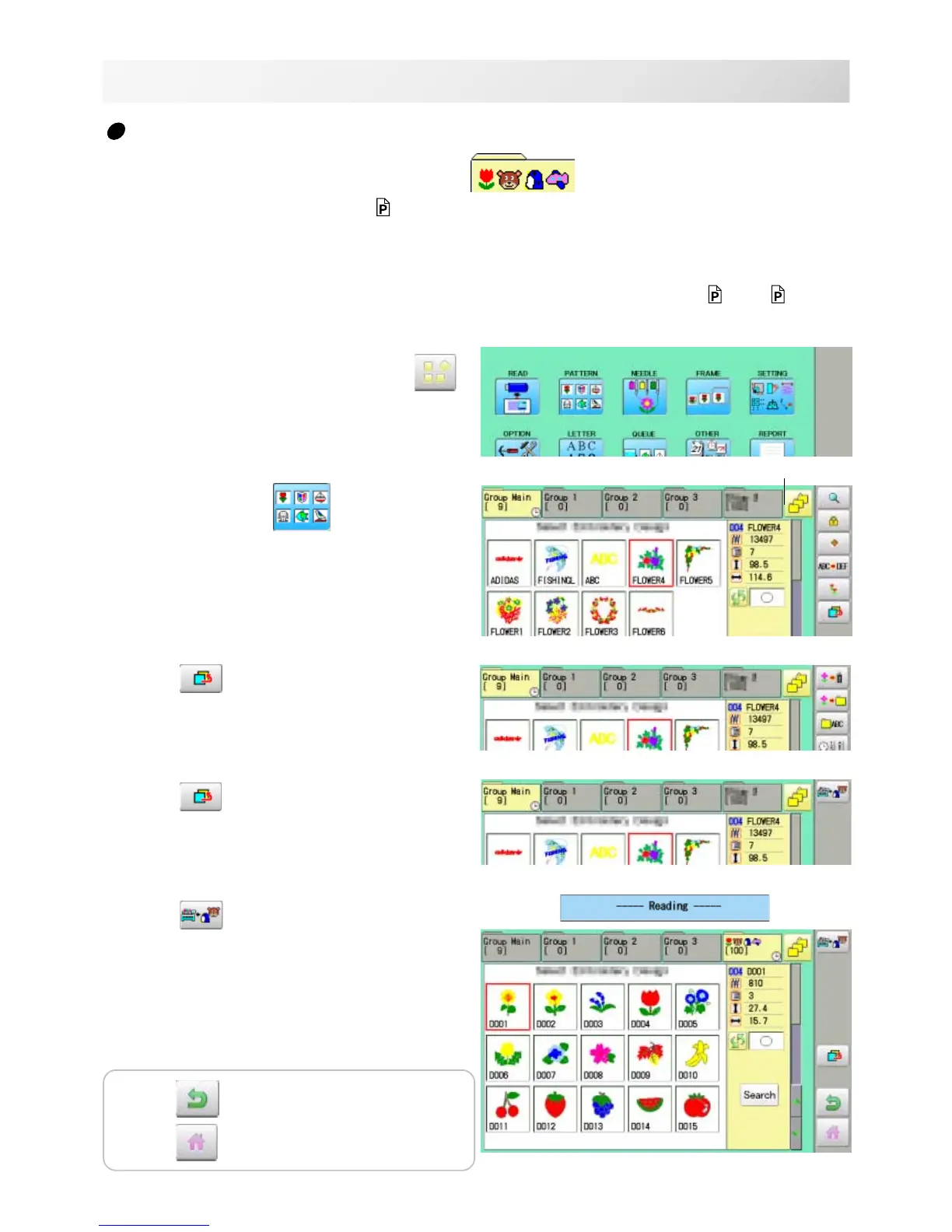
Retrieving built-in design data
100 built-in design data are saved in the folder .
100 built-in data is shown on page
26-4.
Empty the [Group 4] folder before built-in pattern data are retrieved from machine memory.
Built-in pattern data cannot be retrieved if there is any pattern data in the [Group 4] folder.
Built-in pattern data can be moved to other folder and/or deleted like monogramming data made
on LETTER screen and other pattern data imported from outside of machine.
11-7, 5-B
You can retrieve the pattern data from machine memory again after deleting the built-in data.
1. When the machine is stopped press .
2. Select "PATTERN"
.
3. Press from right submenu.
4. Press
from right submenu.
5. Press from right sub-menu.
Retrieving patter data is started.
It takes several minutes to complete data retriev-
ing.
The folder [Group 4] which deleted all data
Press to return to Menu mode.
Press
to return to Drive mode.



 To Next Page