-D2 -84
14-4
PATTERN SETTINGS
12_4 NB01
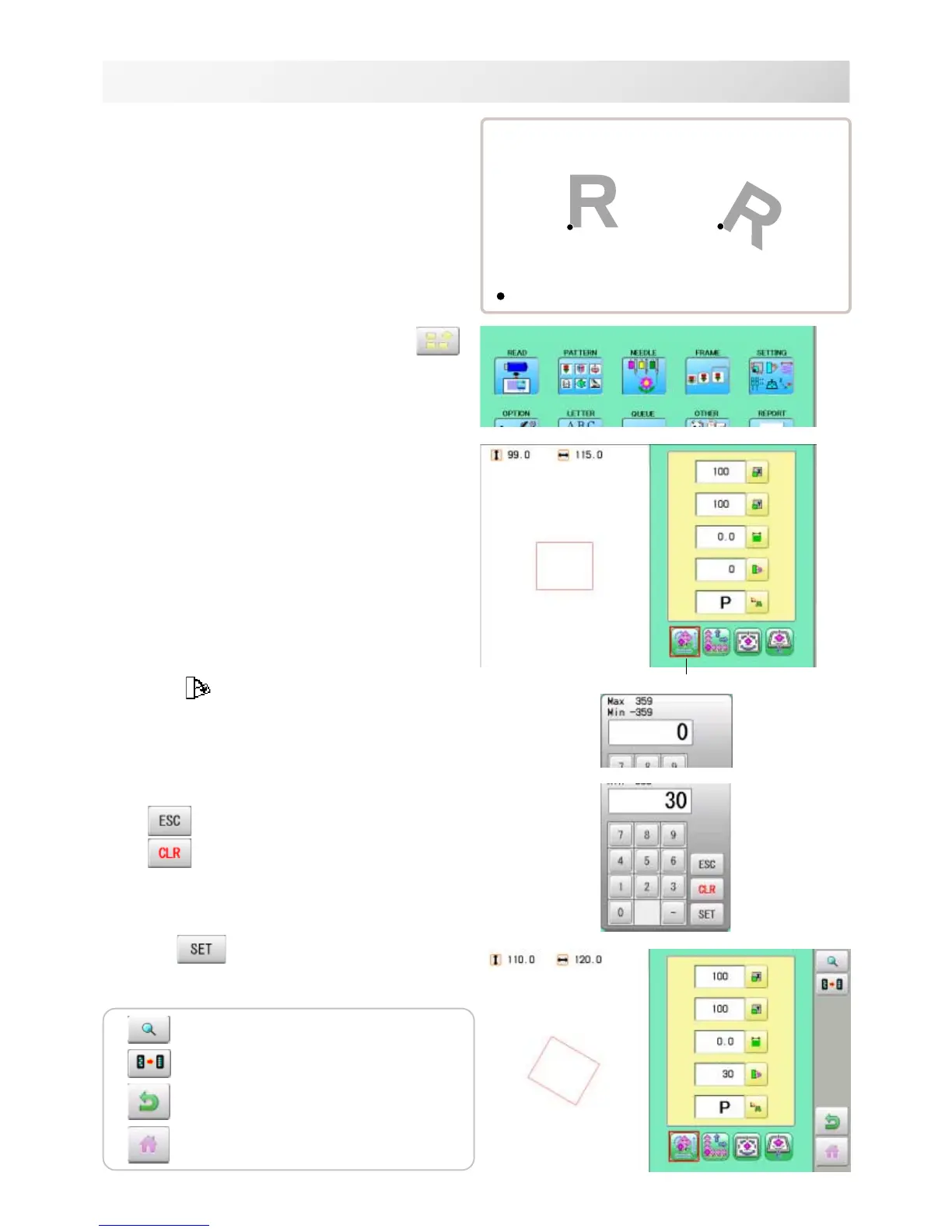
Angle
With the start point of the pattern as a pivot,
the machine rotates the angle clockwise.
Setting example
1. When the machine is stopped, press
.
2. Select "SETTING".
3. Select
(Angle).
4. Select the number.
Changing is cancelled.
Numbers are deleted.
5. Press .
The setting is fixed.
30°
Normal
: Start point of pattern
Default : 0°
Adjust
The pattern data may be shown.
Setting is returned to the default.
To return to Menu mode.
to return to Drive mode.


 To Next Page