-SA -56
13-4
FRAME CONFIRMATION
20_4 O901
Adjusted for embroidery area
Cap frame
The embroidery area of HAPPY semi-wide and
wide cap frames is saved in the machine.
The Y axis of the embroidery area can be
adjusted for a variety of caps. (Fig. 1)
Embroidery area
Embroidery area
(Side wise)
Fig. 1
Embroidery area
(Lengthwise)
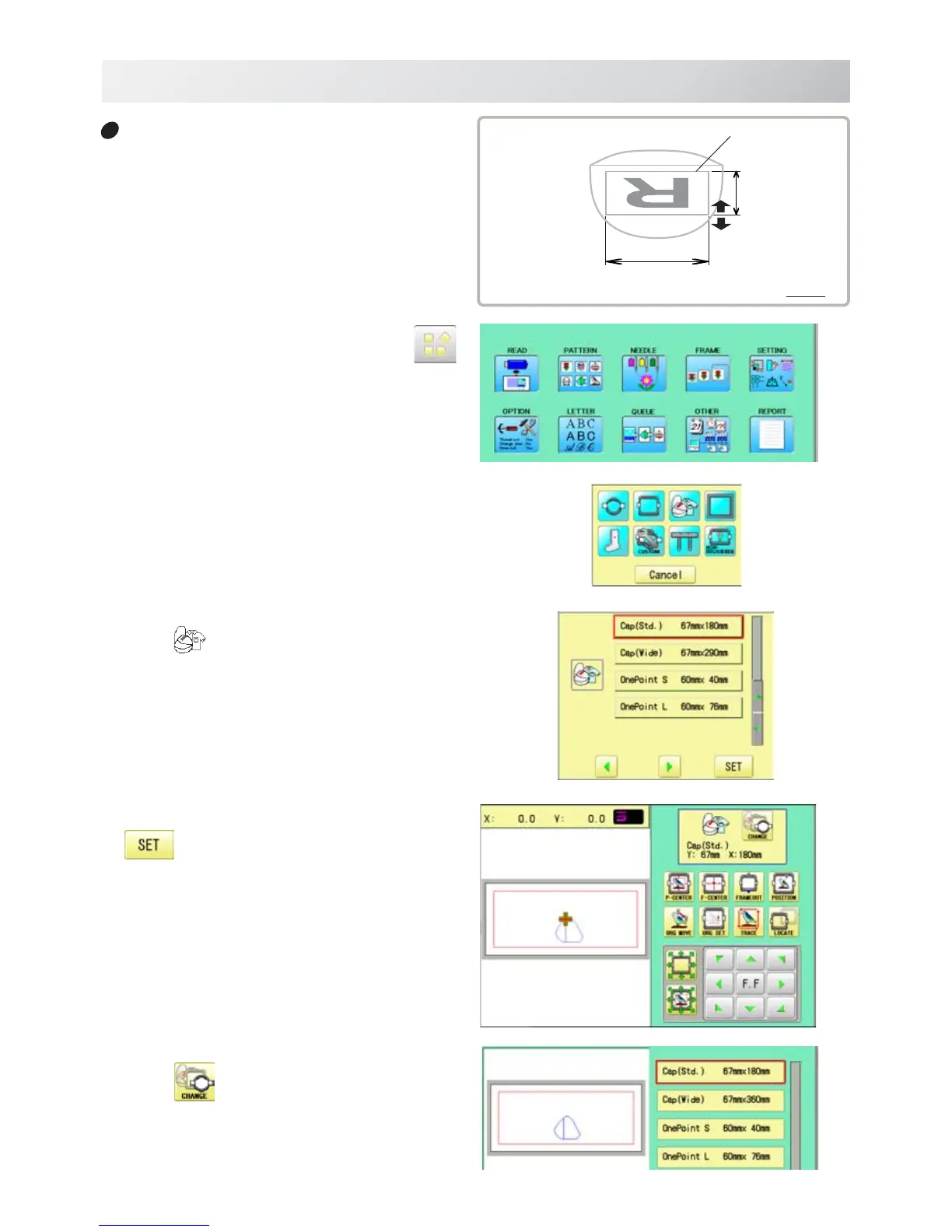
1. When the machine is stopped, press .
2. Select "FRAME".
3. Select ”Cap and One-point frame”.
4. Select desired size of frame and press
.
The embroidery area and outline of the pattern
itself appear in red. All are displayed on the left
together.
5. Press .



 To Next Page