-D2 -97
10-1
READING
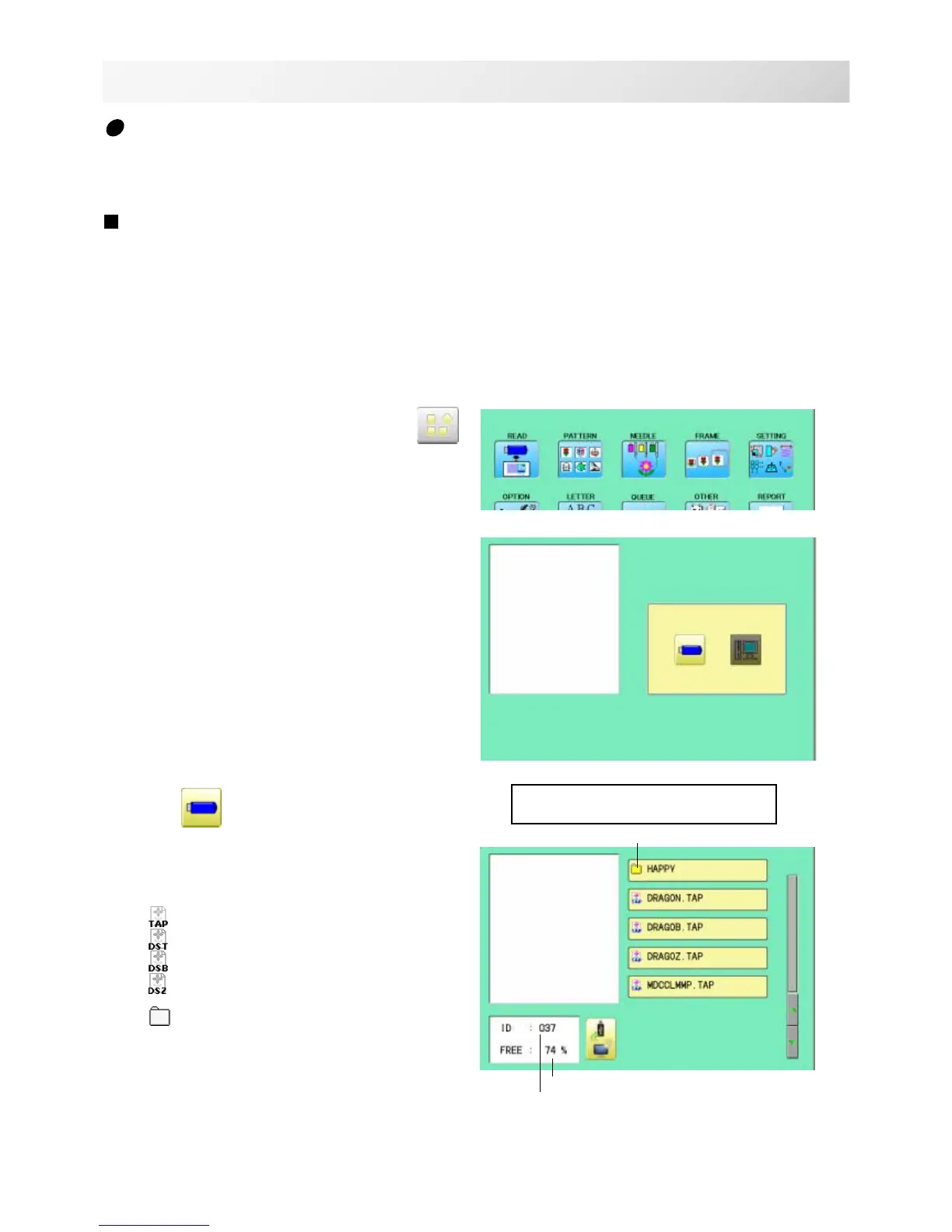
1. Insert the memory media into the machine
as described in "Inserting memory media”.
2. When the machine is stopped, press .
3. Select "READ".
4. Select
(USB memory).
Indicates pattern data of the memory media.
TAP : HAPPY
DST : Tajima
DSB : Tajima (Barudan)
DSZ : Tajima (ZSK)
Folder : Contents of folder will be displayed
when you select this icon.
1%offreememoryisequivalenttoabout
400,000stitches.
Iftherearemorestitchesthanremainingspace,
youmayneedtodeletesomedesignstomake
roomforthenewpatterns.
14_1 NB01
Join
Joining 2 patterns into 1 pattern data to be read from a memory media.
Function of joining patterns is not valid for pattern data in PC connected with LAN.
In case you would like to use "Join" function, please set "Join design data" to "YES" on
"READING" setting in advance.
Holder
--- Serch pattern ---
Free memory
The designs new ID number in
the machines memory.



 To Next Page