-SA -65
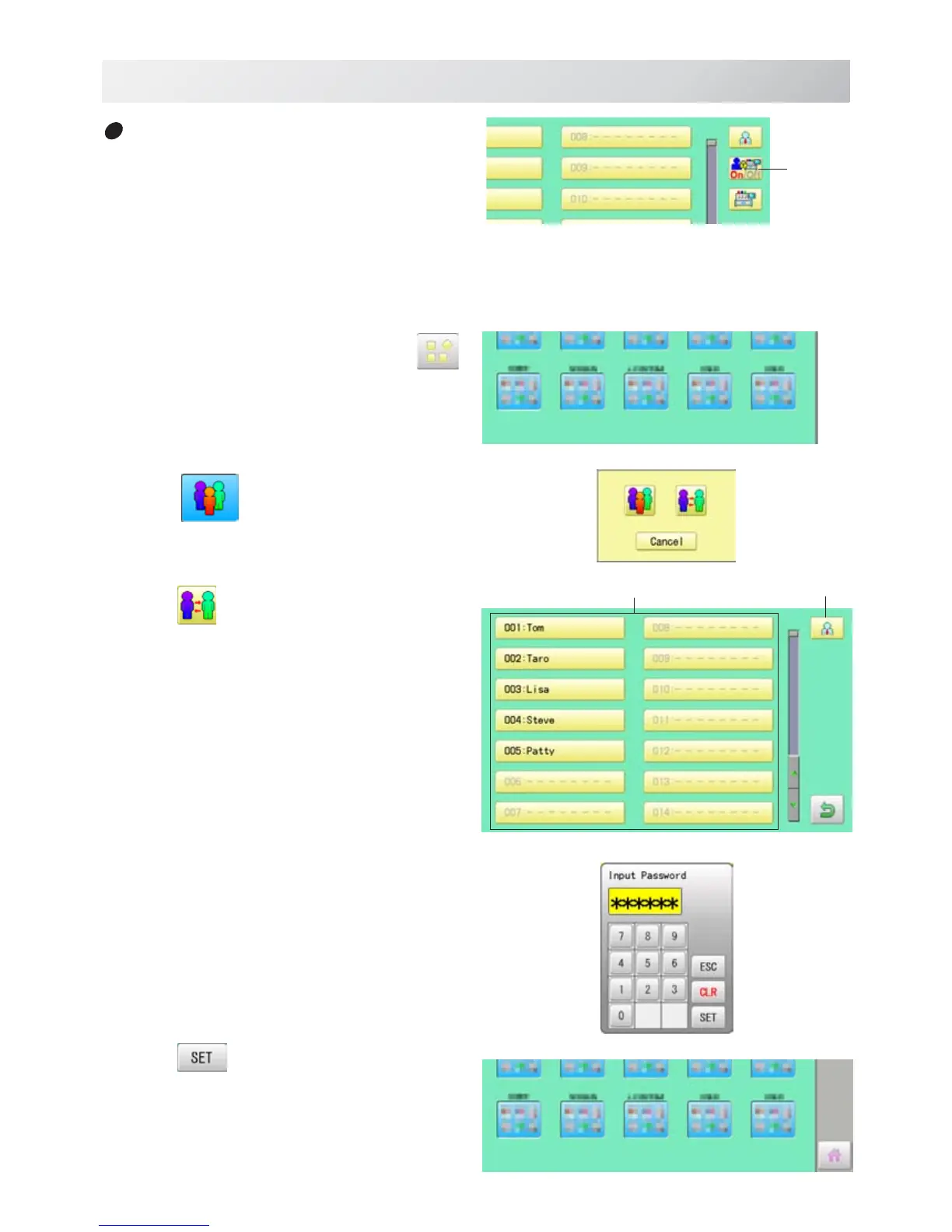
1. When the machine is stopped, press .
2. Select
" USER".
3. Press
.
4. Select user or administrator
If password has not been set, the screen will be
changed as step 6.
5. Enter the password.
6. Press
.
To return to Menu mode.
USER MANAGEMENT
21_8 O901
22-8
Selection of user (Login)
You can select user name and login, when
User management function has been activated
beforehand.
User
manage-
ment
User Administrator


 To Next Page